Tag: productivity

  • The 2-Hour Workday Blueprint: How to Automate 80% of Your Inbox with AI Agents

    The 2-Hour Workday Blueprint: How to Automate 80% of Your Inbox with AI Agents

    Email consumes nearly a third of the average knowledge worker’s week, a statistic that hasn’t budged since McKinsey first flagged it in 2012. Despite decades of inbox-zero techniques and productivity hacks, the flood of newsletters, meeting requests, and routine questions keeps rising. But the rules have changed: AI agents can now read, classify, and even draft responses to the bulk of your emails, freeing you to focus on what actually requires your judgment.

    This isn’t a promise that you’ll work only two hours a day. Rather, the ‘2-hour workday’ is a blueprint for compressing your active, high-value email work into a manageable daily window—say, two focused hours—by offloading the repetitive 80% to software agents. The result: you stop drowning in replies and start doing the deep thinking that moved you to delegate in the first place.

    Why Email Is the Perfect Automation Target

    Email is a protocol problem, not a people problem. Most messages fall into predictable categories: informational (newsletters, notifications), scheduling (meeting requests), routine Q&A (FAQs, order status), and spam. These are low-cognitive-load tasks that don’t require your unique perspective. The Pareto principle applies here: roughly 80% of incoming emails fit these safe-to-automate buckets, leaving only 20% that demand genuine human judgment, emotional intelligence, or strategic thinking.

    The challenge isn’t sorting messages—that’s trivial. The real hurdle is generating context-aware replies that sound like you. Early tools like Gmail’s Smart Reply (2018) could only suggest short, generic phrases. Modern AI agents, however, can read an entire thread, pull from your past responses, and draft nuanced, personalized replies. They can even send those replies automatically if you give them permission. This is the qualitative leap that makes the 80% automation figure plausible.

    Step 1: Audit Your Inbox to Understand the 80/20 Split

    Before you automate anything, you need to know what you’re dealing with. For one week, categorize every email you receive into three buckets: ‘auto-sendable’ (informational, scheduling, routine Q&A, spam), ‘human-review’ (ambiguous or slightly complex), and ‘must-handle-personally’ (sensitive, strategic, or emotionally charged).

    You’ll likely find that the auto-sendable bucket dominates—often 70-85% of your inbox. This is your target. The goal isn’t to eliminate email; it’s to eliminate the processing time for these predictable messages. By knowing your exact mix, you can design an agent that handles your specific email types, not a generic catch-all.

    Step 2: Build a Triage Agent with Rules and AI Classification

    Your first agent is a traffic cop. It uses a combination of deterministic rules and AI classification to sort incoming mail into the three buckets above. For example:

    • Rules: If the sender is a known newsletter or a calendar invitation (e.g., from Calendly or Google Calendar), route to ‘auto-sendable’.
    • AI classification: Use a language model to detect intent and sentiment. An email asking ‘when is the deadline?’ is routine; one starting with ‘I’m disappointed in the service’ is not.

    Tools like Zapier, Make, or n8n can connect your email to your CRM, calendar, and ticketing system, enabling the agent to check if a sender is a customer, pull their order history, and even propose a reply. The triage agent doesn’t send anything yet—it just sorts and labels.

    Step 3: Create a Draft-Only Agent for Ambiguous Emails

    Not every email in the ‘human-review’ bucket needs a human from scratch. For messages that are mostly routine but have a slight twist—a customer asking a question but also mentioning a complaint—a draft-only agent can read the thread, pull relevant context from your knowledge base or past emails, and generate a suggested reply. This is where retrieval-augmented generation (RAG) shines: the agent searches your company docs or your own sent mail for similar situations and uses that context to draft a response.

    Your job is to review and edit these drafts in a daily 30-minute session. This is the human-in-the-loop model that captures most of the time savings without the risk of full autonomy. It also ensures your voice stays consistent, even for semi-routine emails.

    Step 4: Set Up an Auto-Send Agent for Low-Risk, High-Certainty Replies

    The most aggressive step is an auto-send agent for the safest emails. These are messages where the correct reply is unambiguous: a meeting request (accept or decline), an order status query (provide tracking number), a password reset (link), or a newsletter subscription confirmation.

    The key is to define ‘low-risk’ narrowly. For example, your auto-send agent might reply to a client asking ‘What are your hours?’ with your standard business hours. But it should never auto-send a reply to a client who writes ‘I want to cancel my subscription’—that requires nuance and retention effort.

    Many email tools now offer ‘send later’ or ‘send automatically’ features that you can enable per category. Superhuman AI, Shortwave, and SaneBox are examples of services that integrate such agents. Custom workflows using GPT or Claude can also be built to draft and send with your approval only for the ‘green light’ categories you define.

    Step 5: Implement a Daily 2-Hour Human Review Window

    The final piece is a daily window—say, 9:00 to 11:00 AM—when you manually handle the 20% that matters. This is not a time to read every email; it’s a time to review the triage agent’s labels, approve or edit the draft-only agent’s suggestions, and respond to the ‘must-handle-personally’ emails that the agents flagged.

    During this window, close all other tabs, silence notifications, and focus on email as a single task. This is your ‘2-hour workday’ for inbox management. The rest of the day, you’re free to do deep work, attend meetings, or engage in creative tasks without the constant ping of new messages.

    The Skeptic’s View: Why Full Automation Can Backfire

    Not everyone is sold on auto-send. The skeptic argues that email is a relationship medium, and an AI that sends ‘Thanks for reaching out, I’ll get back to you’ might save time but erodes trust if the recipient detects automation. Worse, a mis-sent automated reply—to an angry client or a job applicant—could cost you a deal or a candidate.

    There’s also the compliance angle. In regulated industries (legal, healthcare, finance), auto-sending emails based on AI judgment is a liability. The blueprint must include a ‘compliance filter’ that flags any email containing sensitive data (PHI, PII, legal terms) for mandatory human review.

    This is why the hybrid approach—draft-only for ambiguous, auto-send only for the safest—is the sweet spot for most professionals. It captures the time savings without the reputation risk.

    The Reality Check: What the 80% Figure Really Means

    The ‘80%’ is an aspirational benchmark, not a verified statistic. It implies that ~80% of emails are routine, but your actual mix might be different. If you’re a customer support agent, your emails may be 95% routine. If you’re a CEO, you might see more nuanced messages that require your personal touch.

    Also, the time savings aren’t linear. Automating 80% of your emails doesn’t automatically cut your email time by 80%, because you still need to review the drafts and handle the remaining 20%. But the blueprint can realistically reduce your email processing time by half or more, freeing up several hours a week for higher-value work.

    The Future: From Assistants to Agents

    The shift from AI assistants that suggest to AI agents that act is the key enabler. As of late 2024, major email clients like Gmail and Outlook are embedding AI natively, and standalone startups are proliferating. The technology is mature enough for basic triage but still has significant limitations—it can misinterpret sarcasm, miss cultural nuances, or default to a generic tone.

    But the trajectory is clear. In the same way spell-check and grammar tools became invisible, AI email agents will become a standard layer in how we communicate. The ‘2-hour workday’ is a preview of that future: not a world without email, but a world where email no longer owns your attention.

    The 2-hour workday isn’t about working less; it’s about working on what matters. By building a triage agent, a draft-only agent, and a narrow auto-send agent, you can reclaim the hours you currently lose to routine email processing. The key is to embrace the hybrid approach: let machines handle the predictable, but keep yourself in the loop for the nuanced. Start with an audit of your inbox, and you’ll be surprised how quickly the 80% reveals itself.

    Summary

    • The 80/20 split: About 80% of emails are routine (informational, scheduling, FAQs) and can be automated; 20% require human judgment.
    • Three-agent blueprint: Use a triage agent (sort), a draft-only agent (for ambiguous), and a narrow auto-send agent (for low-risk replies).
    • Human review window: Dedicate 2 focused hours daily to approve drafts and handle the complex 20%.
    • Hybrid approach wins: Full automation risks eroding trust; draft-only for most, auto-send only for the safest categories.
    • Start with an audit: Track your email mix for a week to design agents that target your specific routine messages.

    FAQ

    Q: Is the 2-hour workday a literal promise of working only two hours a day?nA: No. It’s a framework for compressing your active email management into a two-hour daily window. The rest of your workday remains, but you’re free from constant email interruptions, allowing deeper focus on other tasks.nnQ: Can AI agents really handle 80% of my inbox?nA: In many cases, yes, if your email mix is typical. The 80% figure is aspirational, but realistic for many knowledge workers. You’ll need to audit your own inbox to see if your categories align.nnQ: What are the risks of auto-sending emails?nA: The main risks are eroding trust if recipients detect automation, and compliance issues in regulated industries. That’s why a compliance filter and a hybrid approach (draft-only for ambiguous) are recommended.nnQ: What tools can I use to build these agents?nA: Existing options include Superhuman AI, Shortwave, and SaneBox. For custom workflows, you can use Zapier, Make, or n8n to connect email to CRMs and engage language models like GPT or Claude for classification and drafting.nnQ: How long does it take to set up this system?nA: The initial audit takes a week. Setting up the agents can take a few hours to a few days depending on your technical comfort. Many email clients now have built-in AI features that require minimal setup.

  • The Unpopular Lifehack: Stop Setting Goals, Start Building Systems

    The Unpopular Lifehack: Stop Setting Goals, Start Building Systems

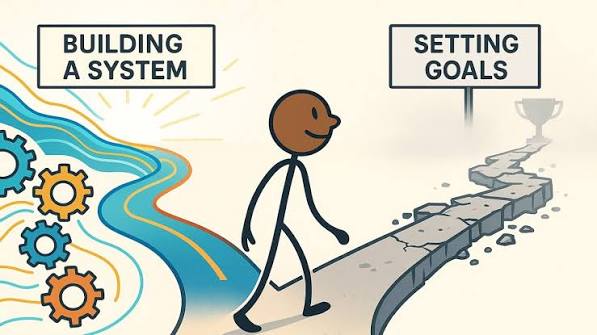
    You’ve probably been told your whole life to set goals: lose 20 pounds, write a novel, earn six figures. But what if that advice is actually holding you back? A growing counter-movement argues that goals are overrated, and that the real secret to lasting success lies in something far more mundane: systems.

    A system is a repeatable process you engage in regularly, regardless of immediate outcomes. Instead of fixating on the finish line, you focus on showing up every day. This shift in mindset can compound over time, leading to achievements that goals alone could never deliver. Here’s why ditching goals for systems might be the most productive thing you do.

    The Problem with Goals

    Goals are everywhere. From SMART goals in corporate boardrooms to vision boards in wellness circles, the message is clear: set a target, work hard, achieve it. But there’s a hidden downside. Goals create a binary pass/fail mindset. If you don’t hit the target, you feel like a failure, even if you made significant progress. And when you do hit the goal, there’s often a surprising emptiness—a phenomenon known as the “arrival fallacy.” You expected a life transformation, but instead you just feel… the same.

    Moreover, goals are finite. Once you achieve them, they stop motivating you. You’re back to square one, needing to invent a new goal to chase. This cycle of striving and emptiness can be exhausting.

    The Power of Systems

    A system, by contrast, is about the process, not the outcome. It’s the daily habit, the routine, the consistent action. Scott Adams, the creator of Dilbert, popularized this idea with his blunt phrase: “Goals are for losers; systems are for winners.” In his book How to Fail at Almost Everything and Still Win Big, he argues that goals are limiting because they create a binary pass/fail mindset, while systems provide ongoing feedback and adaptability.

    James Clear, author of Atomic Habits, echoes this sentiment with a memorable line: “You do not rise to the level of your goals. You fall to the level of your systems.” In other words, your daily habits—not your aspirations—determine your outcomes.

    Consider the difference:

    • Goal: “I want to run a marathon.” System: “I run four times a week, rain or shine.”
    • Goal: “I want to write a novel.” System: “I write 500 words every morning.”
    • Goal: “I want to lose 20 pounds.” System: “I cook healthy meals and walk daily.”

    In each case, the system is within your control, while the goal depends on external factors. Systems also build identity. When you show up consistently, you start to see yourself as “a runner” or “a writer,” which reinforces the behavior.

    Why Systems Are Unpopular

    Despite the evidence, systems remain the less popular choice. Why? Because they’re not sexy. Goals give us a clear finish line and a moment of celebration. Systems, on the other hand, are mundane and repetitive. There’s no dramatic “win” moment—just a series of small, unglamorous actions.

    The self-help industry thrives on selling the fantasy of a single breakthrough. Books, apps, and coaches promise transformation through a big goal. Systems require patience and delayed gratification, which are hard to market.

    There’s also a cultural bias. Western society, business, and education are saturated with goal-setting frameworks—New Year’s resolutions, OKRs, vision boards. We’re taught that goals are the key to success. The idea that they might be counterproductive is deeply counterintuitive.

    But there’s a growing counter-movement. Post-pandemic burnout has made rigid goal-chasing feel exhausting. Remote work and the gig economy have blurred the lines between work and life, making sustainable systems more relevant than rigid annual targets. And increased mental health awareness has highlighted the anxiety and shame associated with “failing” goals.

    The Science Behind Systems

    Psychological research supports the systems approach. Studies on “implementation intentions” by Peter Gollwitzer (1999) show that planning when, where, and how you’ll act—a core component of systems—significantly increases follow-through compared to merely stating intentions. Instead of “I’ll exercise more,” you say, “I’ll go for a run every Monday, Wednesday, and Friday at 7 a.m.” This specificity turns a vague intention into a concrete action plan.

    Systems also leverage the power of compounding. Reading 10 pages a day might not seem like much, but it adds up to about 12 books a year. Small, repeated actions accumulate over time, producing results that goals alone can’t achieve.

    The Case for Goals (and the Middle Ground)

    It’s not that goals are inherently bad. They provide clarity, direction, and a sense of urgency. Some achievements require a goal: winning a competition, hitting a revenue target, or meeting a deadline. Goals can give you a compass.

    The problem is when goals become the primary driver, and systems are neglected. The best approach might be to use goals sparingly for direction, but invest most of your energy in systems for execution. As James Clear puts it, “Goals are about the results you want to achieve. Systems are about the processes that lead to those results.”

    There’s also a distinction between outcome goals (external, uncontrollable) and process goals (internal, controllable). Systems are essentially process goals on autopilot. By focusing on the process, you reduce anxiety and increase your chances of success.

    How to Start Building Systems

    Ready to make the shift? Start small. Pick one area of your life where you’ve been goal-obsessed. Identify a daily or weekly action you can take, regardless of how you’re feeling that day. Write it down, schedule it, and track it.

    For example, if you want to get fit, don’t set a goal to lose 20 pounds. Instead, commit to a 20-minute walk every day. If you want to write a book, don’t focus on the finished manuscript. Commit to writing 500 words every morning.

    Remember, the key is consistency, not intensity. A system that you can maintain for years will always beat a goal that burns out in weeks. And as you build these systems, you’ll start to see yourself differently. You’ll become someone who shows up, day after day, and that identity is the real reward.

    Goals have their place, but they’re not the holy grail of productivity. Systems are the unsung heroes—the daily habits that compound into extraordinary results. By shifting your focus from outcomes to processes, you can reduce stress, build resilience, and achieve more than you ever thought possible. So go ahead, ditch the goal. Start building a system instead.

    Summary

    • Goals create a binary pass/fail mindset and can lead to the arrival fallacy.
    • Systems are repeatable processes that focus on daily actions, not outcomes.
    • Research shows that implementation intentions (a system component) boost follow-through.
    • Compounding effects mean small daily actions lead to big results over time.
    • Use goals as a compass, but invest most energy in systems for execution.

    FAQ

    Q: Are goals completely useless?
    A: No. Goals can provide direction and clarity. The issue is over-reliance on them. Use goals sparingly, but focus on building systems to achieve them.

    Q: How do I know if a system is working?
    A: Focus on consistency rather than immediate results. If you’re showing up regularly, the system is working. Results will follow over time.

    Q: What if I have a deadline?
    A: Deadlines require goals. But you can still use systems to meet them. Break the goal into daily actions and set up a system for those actions.

    Q: Can I apply systems to creative work like writing or art?
    A: Absolutely. In fact, creative work benefits greatly from systems. Instead of waiting for inspiration, set a daily practice. Inspiration will come more readily.

    Q: How long does it take to see results from a system?
    A: It depends on the system and your goals. Some results come in weeks, others in months or years. The key is to trust the process and stay consistent.

  • The Unpopular Lifehack: Quit Your Hobbies to Focus on One Skill

    The Unpopular Lifehack: Quit Your Hobbies to Focus on One Skill

    Imagine clearing your schedule of everything except one thing: the skill you want to master. No guitar in the corner, no weekend hiking trips, no casual sketching. Just relentless, focused practice on a single craft. This is the lifehack that sounds like a punishment, yet it’s gaining traction among productivity optimizers and career climbers. But is it wise?

    The advice to quit hobbies flies in the face of the popular ‘have more hobbies’ mantra for mental health and the celebration of polymaths like Leonardo da Vinci. It’s a strategic sacrifice that asks you to surrender parts of your identity. Before you toss your paintbrushes or delete your chess app, let’s examine the evidence for and against this radical focus.

    The Case for Quitting: Mastery Demands Sacrifice

    Anders Ericsson’s research on deliberate practice, popularized by Malcolm Gladwell’s ‘10,000-hour rule,’ reveals a uncomfortable truth: top performers in any field accumulate thousands of hours of focused, effortful practice. That’s time not spent on other pursuits. If you’re aiming for elite status as a programmer, surgeon, or violinist, every hour on a hobby is an hour stolen from your primary craft. In competitive arenas, marginal gains compound—an hour a day adds up to 365 hours a year.

    Beyond time, there’s the issue of cognitive load. Juggling multiple hobbies fragments your attention and drains working memory. Quitting frees mental bandwidth, allowing you to immerse yourself more deeply. Identity consolidation also plays a role: telling yourself ‘I am a writer’ is more motivating and clearer to employers than ‘I dabble in writing, photography, and salsa dancing.’

    But the advice isn’t all-or-nothing. Many proponents suggest a ‘T-shaped’ compromise: keep one complementary hobby, like a physical activity for a desk job, to maintain balance without diluting focus.

    The Case Against: Range and Adaptability

    David Epstein’s book Range (2019) argues that in complex, unpredictable fields, generalists outshine specialists. His evidence is compelling: Nobel laureates are far more likely to have artistic hobbies than typical scientists, and Roger Federer’s diverse early sports background may have contributed to his tennis genius. In a world where problems are increasingly interdisciplinary, a broad knowledge base can be a secret weapon.

    Scott Adams, creator of Dilbert, takes a middle path with ‘skill stacking’: instead of being top 1% in one skill, aim to be top 25% in two or three. This combination is often rarer and more valuable than singular excellence. A programmer who can also write clearly and understand business is a unicorn.

    Moreover, the modern economy is shifting. Automation and AI are threatening narrow, repetitive skills, while adaptable generalists are better positioned to pivot. The ‘Renaissance ideal’—embodied by da Vinci, Franklin, and Jefferson—still captivates us for good reason.

    The Psychology of Hobbies: Sunk Costs and Identity

    Why is this advice so unpopular? Because hobbies are tangled up with our sense of self. You’re not just a person who runs; you’re a runner. Quitting feels like a small death. Behavioral economists point to the sunk cost fallacy: we cling to hobbies because of the money and time we’ve invested, not because they still bring joy. The advice to quit forces us to confront this irrational attachment.

    But there’s a darker side to the ‘quit your hobbies’ movement. It arrives wrapped in hustle culture, where every moment must be optimized for productivity. In this frame, hobbies like binge-watching or gaming are seen as wasteful. Yet the research on deliberate practice shows even elite performers only sustain about four hours of deep work per day. That leaves plenty of room for restorative leisure—if it’s truly restorative and not just passive consumption.

    Making the Call: A Practical Framework

    If you’re considering this lifehack, start by auditing your hobbies. Ask yourself: Does this hobby support my primary skill or my well-being in a meaningful way? Or is it a mindless time-filler? Try a 30-day experiment: drop one non-essential hobby and channel that time into your main skill. Track your progress and your mood. You might find that the extra focus boosts your growth, or you might discover that the hobby was a vital pressure valve.

    A more nuanced approach is to distinguish between consumptive hobbies (scrolling, streaming) and productive ones (playing an instrument, woodworking). The former are easy to quit without loss; the latter may be worth keeping, even if they slow your mastery, because they enrich your life and might even feed your primary skill in unexpected ways.

    The Verdict: Balance, Not Extremes

    The research doesn’t support a blanket ‘quit all hobbies’ mandate. It supports the value of deep, deliberate practice—and it also supports the value of range. The wisest path is probably a hybrid: go deep on one primary skill, but allow yourself one or two hobbies that genuinely recharge you or broaden your perspective. That might be the most unpopular lifehack of all: moderation.

    Quitting your hobbies to focus on one skill is a powerful idea, but it’s not a one-size-fits-all solution. The evidence suggests that deep focus is essential for mastery, yet range is invaluable for adaptation. Before you make a dramatic cut, consider your field, your goals, and your mental health. Maybe the real hack is to quit the hobbies that drain you, keep the ones that sustain you, and pour your freed-up energy into the skill that will define your future.

    Summary

    • The 10,000-hour rule is really about deliberate practice, not just any practice, and it requires time that hobbies consume.
    • David Epstein’s research shows that generalists often outperform specialists in complex fields, citing Nobel laureates’ artistic hobbies and Federer’s varied sports background.
    • Scott Adams suggests ‘skill stacking’—being top 25% in two or three skills—as a more realistic and valuable alternative to singular excellence.
    • Hobbies are tied to identity, making quitting emotionally difficult, but the sunk cost fallacy can keep us stuck in unfulfilling activities.
    • A balanced approach: quit consumptive hobbies, keep productive ones, and focus your best hours on deliberate practice.

    FAQ

    Q: Does the 10,000-hour rule mean I need to quit all hobbies to master a skill?nA: No. Ericsson’s research emphasizes deliberate practice—focused, feedback-driven effort—not just accumulated hours. Quitting hobbies can free up time, but the quality of practice matters more than the sheer quantity of hours.

    Q: Aren’t generalists more successful in the modern economy?nA: David Epstein’s Range argues that in unpredictable fields, generalists have an edge. However, in stable, specialized roles, deep expertise can command higher pay. It depends on your industry and goals.

    Q: How do I know which hobbies to quit?nA: Evaluate whether a hobby is ‘consumptive’ (passive, like scrolling) or ‘productive’ (active, like playing an instrument). Also consider if it supports your mental health or primary skill. A 30-day trial can help you assess the impact.

    Q: What if I enjoy my hobbies and don’t want to quit?nA: You don’t have to. The advice is a strategic option, not a mandate. You can still achieve mastery with a few hobbies, especially if they’re complementary or provide necessary rest.

    Q: Is the ‘one skill’ approach better for career success?nA: It can be, in competitive fields with clear skill ceilings. But Scott Adams’ ‘skill stacking’ suggests that combining skills can be even rarer and more valuable. Consider what sets you apart.

  • Stop Reading Books: Why Skimming Is the Smarter Way to Learn

    Stop Reading Books: Why Skimming Is the Smarter Way to Learn

    You’ve got a stack of unread books on your nightstand, and it’s weighing on you. The guilt is real—you bought them with good intentions, but there’s simply not enough time to read every page. What if you didn’t have to?

    Skimming—the rapid extraction of main ideas, key arguments, and structural highlights—is a technique that many successful professionals, academics, and thinkers use to get through more books in a fraction of the time. It’s not speed reading, and it’s not scanning for a specific fact. It’s a strategic approach to reading that prioritizes understanding over completion.

    In this article, we’ll explore why skimming is not only acceptable but often more effective than full reading, especially for nonfiction. You’ll learn how to do it well, and you’ll see why the guilt you feel is a psychological relic that no longer serves you.

    The Case for Skimming

    Time is finite, books are abundant

    Imagine you live to be 80 and read one book a week, every week. That’s roughly 4,000 books. It sounds like a lot, but there are millions of books in print, and new ones are published every day. The average person will never even come close to reading a tiny fraction of them.

    Skimming changes the math. By spending 20–30 minutes on a book instead of 8–10 hours, you can cover 10–20 times more books. That means you’re far more likely to stumble upon the one idea that changes how you think or work. As venture capitalist Naval Ravikant puts it, “I’d rather read 100 books and get one great idea than read one book cover-to-cover and get nothing.”

    Most books are padded

    The publishing industry has a dirty secret: many nonfiction books are deliberately stretched to hit a marketable page count. A solid 30-page article’s worth of content gets blown up into a 250-page book. Tim Ferriss has openly said that he often reads a book’s table of contents, introduction, and conclusion, and skims the rest, because that’s where the substance lives.

    So when you skim, you’re not cheating—you’re cutting through the filler to get to the actual value. The author’s main thesis can usually be found in the introduction, the conclusion, and the first and last sentences of each chapter. Good writers signpost their work; skimming is just following the signs.

    Your memory is already leaky

    Here’s a hard truth: you forget most of what you read anyway. Studies on the forgetting curve show that without active review, we lose a large portion of new information within days or weeks. So reading a book cover-to-cover doesn’t guarantee retention—it just takes longer to lose.

    Skimming gets you the gist, and if the gist is valuable, you can go back and read deeply. If not, you’ve saved hours. Research on comprehension (like the 2016 review in Psychological Science in the Public Interest) shows that comprehension drops at very high speeds, but skimming for gist-level understanding of expository texts can be nearly as effective as full reading. You’re not losing as much as you fear.

    The Psychology of the “Completion Bias”

    So why does the idea of not finishing a book feel so uncomfortable? It’s the Zeigarnik effect—our brain’s tendency to obsess over unfinished tasks. We’re wired to want closure. That unfinished book on your shelf is like an open loop in your mind, nagging at you.

    But this psychological bias is not rational. It’s the same reason people binge-watch mediocre TV shows to the end—they’ve invested time, and they want to finish. But with books, the investment is much larger, and the opportunity cost is huge. Every hour you spend finishing a mediocre book is an hour you could have spent on a genuinely transformative one.

    Adler himself, in his classic How to Read a Book, called the first pass “inspectional reading”—a quick skim to decide if a book deserves deeper attention. He didn’t advocate reading everything deeply; he advocated tiered reading, where most books get a superficial pass and only the best get full focus.

    How to Skim Effectively (Without Feeling Guilty)

    Step 1: The pre-read (5 minutes)

    Read the title, subtitle, table of contents, and the back cover. These are the author’s own summary of what the book is about. If the book has an introduction or preface, read that too—it usually lays out the main argument.

    Step 2: The structural skim (15–20 minutes)

    Flip through the chapters. Read the first and last paragraphs of each chapter, and scan the headings, bolded terms, and any lists or callouts. This gives you the skeleton of the book. You’ll know the main points and how they’re organized.

    Step 3: The targeted deep dive (optional)

    Now decide: does this book deserve a full read? If yes, go back and read the chapters that were most interesting, or that you didn’t fully grasp. If no, you’re done. You’ve extracted the core value, and you can move on with a clear conscience.

    Some people take notes during the skim—a few bullet points per chapter, or a mind map. This helps retention and creates a “second brain” that you can revisit later.

    The Traditionalist’s Objection

    Of course, not everyone agrees. Traditionalists argue that skimming loses the nuance, the counterarguments, the evidence that builds the case. And they’re right—if you skim a legal document or a scientific paper, you might miss critical details. But for most nonfiction aimed at a general audience—business books, self-help, popular science—the core idea can be grasped without wading through every anecdote.

    And here’s the thing: skimming is not a one-way door. You can always go back. The traditionalist’s fear is that skimming becomes a habit that prevents deep reading entirely. But that’s a misuse of the technique, not the technique itself.

    The reality is that many of the most successful readers—from Mortimer Adler to Paul N. Edwards to modern productivity figures like Shane Parrish—all advocate some form of skimming. It’s not a lifehack; it’s a professional skill.

    Skimming in the Age of Information Overload

    Your average day contains more text than a medieval scholar encountered in a lifetime—emails, news headlines, social media, documents. The idea that you should read every book cover-to-cover is a relic from a time when books were scarce and reading was slow.

    Today, books are just one of many information sources. They’re competing with podcasts, articles, and videos. Skimming is a way to keep books in the mix without sacrificing everything else. Plus, with e-readers and audiobooks at 2–3x speed, the definition of “reading” is already changing.

    And if you’re worried about retention, the “second brain” movement—using tools like Obsidian, Roam, or even a simple notebook—treats books as raw material. You extract what’s useful to you, and you leave the rest. That’s not lazy; it’s smart.

    The next time you pick up a book, ask yourself: why am I reading this? If the answer is “to learn something useful,” then skimming is probably the most efficient path. If the answer is “to enjoy the prose” or “to understand every nuance,” then read deeply. But don’t let the guilt of an unfinished book dictate your reading habits. Skimming isn’t a lesser form of reading—it’s a smarter one for the world we live in.

    Summary

    • Skimming is a strategic technique for extracting the main ideas and structure of a book, not a lazy shortcut.
    • Most nonfiction books are padded; the core content can often be captured in 20–30 minutes of targeted reading.
    • The Zeigarnik effect makes us feel guilty about unfinished books, but this bias is irrational—time is finite, and books are abundant.
    • Studies show that comprehension for gist-level understanding is nearly as good with skimming as with full reading, while full reading doesn’t guarantee retention.
    • Effective skimming involves a pre-read, a structural skim, and a targeted deep dive if needed—embrace it as a professional skill.

    FAQ

    Q: Is skimming the same as speed reading?
    A: No. Speed reading aims to maintain comprehension at high speeds over all text, while skimming is selective reading—you intentionally skip parts to get the main ideas. Skimming is more about triage than speed.

    Q: Won’t I miss important details by skimming?
    A: You might miss some details, but for most nonfiction, the key arguments and takeaways are repeated and emphasized. If a book is truly dense and important, you can always go back and read it fully after skimming to decide if it’s worth the time.

    Q: How do I overcome the guilt of not finishing a book?
    A: Remind yourself that your goal is learning, not completion. The Zeigarnik effect makes you uncomfortable with unfinished tasks, but you can reframe it as “task completed” once you’ve extracted the value. Keep a list of books you’ve skimmed and what you learned from them to see the productivity.

    Q: Can I skim fiction?
    A: Generally, no. Fiction is about the experience, the prose, and the plot twists—skimming ruins the enjoyment. Skimming is best for nonfiction where the goal is information extraction.

    Q: What if I skim and still don’t understand the book?
    A: That’s a sign the book might be beyond your current level of background knowledge, or it’s poorly written. Try reading a summary online, or put it aside and come back later. Not every book is worth your time.

  • Why 2 AM Is Prime Time for Procrastination (And How to Break the Cycle)

    Why 2 AM Is Prime Time for Procrastination (And How to Break the Cycle)

    It’s 2 AM. You’re scrolling through your phone, fully aware that your report is due in eight hours, yet you can’t seem to put down the phone and start typing. You’re not lazy—you’re caught in a perfect psychological storm. This explainer unpacks what’s happening in your brain at this specific hour and offers evidence-based strategies to stop the cycle.

    What Procrastination Really Is

    Procrastination isn’t laziness. Laziness means you don’t intend to act. Procrastination means you do intend to act, but something overrides that intention. Psychologists define it as voluntarily delaying an intended action despite knowing the delay will likely hurt you.

    This distinction matters because it points to the real problem: not time management, but emotion management. As researchers Tim Pychyl and Fuschia Sirois put it, we procrastinate to avoid negative emotions like boredom, anxiety, or self-doubt. The task isn’t the enemy; the feeling it triggers is.

    The 2 AM Perfect Storm

    At 2 AM, several biological and psychological factors converge to make procrastination almost inevitable.

    Your Brain Is Running on Empty

    Your circadian rhythm has you at a low point. Core body temperature drops, melatonin rises, and alertness plummets. More critically, your prefrontal cortex—the region responsible for planning, impulse control, and rational decision-making—is running on fumes. Extended wakefulness impairs this region’s function, making it harder to resist immediate temptations. The limbic system, which processes emotions and rewards, is still firing, but the rational “brakes” are weak.

    The “Second Wind” Illusion

    Many people experience a paradoxical burst of energy late at night. After an evening slump, a second wind can make you feel alert and capable. This false sense of competence leads you to believe you’ll finally get that task done. But this energy isn’t quality energy—it’s a stress hormone spike that doesn’t restore executive function.

    No One Is Watching

    By 2 AM, social accountability is gone. No one will know if you don’t start. Deadlines feel abstract because the immediate moment is empty. The “cost” of delaying seems low, and the future self who suffers seems like a different person—research by Hal Hershfield shows we discount our future selves’ needs similarly to strangers’ needs.

    The Digital Feedback Loop

    Screens play a role too. Blue light suppresses melatonin, delaying sleep further. Each swipe, like, or video gives a quick dopamine hit—an immediate reward that outcompetes the distant reward of finishing a report. It’s a feedback loop: the more you scroll, the more tired you get, and the harder it is to stop.

    Why Revenge Bedtime Procrastination Is a Rebellion

    Journalist Daphne K. Lee coined the term “revenge bedtime procrastination” in 2019 to describe the phenomenon of delaying sleep to reclaim personal time lost to work or obligations. It’s a form of psychological reactance—you rebel against a day that wasn’t yours by refusing to end it.

    This rebellion makes sleep itself the most procrastinated activity at 2 AM. You know you need to sleep, but you don’t want to. The evening was stolen, so you steal it back—even from your own rest.

    Research-Backed Strategies to Break the Cycle

    Understanding the psychology doesn’t stop the behavior, but it points to solutions that actually work.

    1. Reduce the Emotional Friction of the Task

    Since procrastination is emotion regulation, make the task feel less unpleasant. Break it into absurdly small steps: “open the document,” “write one sentence.” Starting is the hardest part; once you begin, momentum builds.

    2. Use Implementation Intentions

    Plan not just what you’ll do, but when and where. Research shows that “if-then” plans—”if it’s 7 PM, I’ll work for 25 minutes”—automate the decision and bypass the 2 AM negotiation.

    3. Create Artificial Accountability

    Since no one is watching at 2 AM, manufacture a witness. Tell a friend you’ll send them a progress update by 10 PM. Use a website blocker that shuts down social media after a set time. External constraints substitute for the prefrontal cortex’s weak brakes.

    4. Protect Your Sleep

    Revenge bedtime procrastination stems from a lack of autonomy during the day. Reclaim time earlier: schedule breaks, set work boundaries, and intentionally schedule “personal time” before the evening. If you feel you’ve had a slice of the day, the urge to steal back the night diminishes.

    5. Ride the Urge

    Urges to procrastinate are waves—they peak and then fade. When the urge to scroll hits, set a timer for 10 minutes and commit to sitting with the discomfort. You’ll often find the urge passes, and the task seems more manageable.

    Conclusion

    2 AM procrastination isn’t a character flaw—it’s a predictable outcome of a tired brain in a low-accountability environment, fighting to avoid unpleasant feelings. The fix isn’t more willpower; it’s less friction. By reducing the emotional weight of tasks, adding accountability, and respecting your circadian limits, you can break the cycle—and get some sleep.

    Summary

    • Procrastination is an emotion regulation problem, not a time management one.
    • At 2 AM, the prefrontal cortex is impaired, making impulse control and rational decision-making harder.
    • The “second wind” is a false sense of alertness that doesn’t restore executive function.
    • Revenge bedtime procrastination is a rebellion against lost daytime autonomy.
    • Effective strategies include breaking tasks into tiny steps, using if-then plans, and creating artificial accountability.

    FAQ

    Q: Is procrastination the same as laziness?
    A: No. Laziness means you don’t intend to act. Procrastination means you intend to act but delay anyway, often to avoid negative emotions.

    Q: Why do I feel more alert at 2 AM?
    A: That’s the “second wind,” a stress hormone spike that creates a false sense of alertness. It doesn’t restore the cognitive functions needed for complex tasks.

    Q: How can I stop revenge bedtime procrastination?
    A: Reclaim personal time earlier in the day. Schedule breaks and set work boundaries to reduce the urge to “steal” the evening back.

    Q: What is the best way to start a task I’ve been avoiding?
    A: Break it into ridiculously small steps—open the document, write one sentence. The goal is to bypass the initial emotional resistance.

    Q: Does sleep deprivation affect procrastination?
    A: Yes, even mild sleep deprivation impairs prefrontal cortex function, making it harder to resist immediate temptations and easier to rationalize delay.

  • 3 Mental Models That Will Change How You Make Decisions

    3 Mental Models That Will Change How You Make Decisions

    Every decision you make—from choosing a career to investing in a startup—relies on mental models: simplified frameworks that help you interpret the world and predict outcomes. Charlie Munger, Warren Buffett’s partner, built his legendary investing career on a ‘latticework’ of these models, and modern thinkers like Elon Musk have used them to revolutionize industries. But with dozens of models to choose from, which ones matter most?

    After cross-referencing the most authoritative sources—Munger’s speeches, Farnam Street’s curriculum, and decision-making literature—three models consistently rise to the top: Inversion, First Principles Thinking, and The Map Is Not the Territory. These aren’t just abstract concepts; they’re practical tools that can help you avoid catastrophic mistakes, innovate where others fail, and stay humble in the face of uncertainty. Here’s how they work and why they matter.

    Why Mental Models Matter

    Before diving into the models, it’s worth understanding why they’re so powerful. Human brains are wired for shortcuts, but those shortcuts often lead to bias and error. Mental models act as a corrective lens, forcing you to see problems from multiple angles. Munger once said that having about 80–100 models from various disciplines is enough for ‘worldly wisdom.’ But if you’re just starting out, these three are the foundation.

    Inversion: The Power of Avoiding Stupidity

    The mathematician Carl Jacobi famously advised, ‘Invert, always invert.’ Charlie Munger adopted this as a core principle, and it’s easy to see why. Instead of asking, ‘How do I succeed?’ you ask, ‘What would guarantee failure?’ Then you systematically avoid those things.

    How It Works

    Inversion exploits the asymmetry of risk: avoiding a disaster is often easier than achieving a triumph. For example, if you’re launching a product, instead of asking, ‘What will make it successful?’ ask, ‘What would make it fail?’ The answers—poor marketing, bad pricing, ignoring customer feedback—become a checklist of what not to do.

    Real-World Application

    Investors use inversion to screen out bad bets. Munger once said that he and Buffett spend most of their time ‘thinking about what could kill a business.’ By identifying fatal flaws early, they avoid losses that would be hard to recover from. In engineering, inversion is standard practice: ‘What would cause this bridge to collapse?’ ensures every failure point is addressed.

    First Principles Thinking: Breaking Down to Build Up

    First principles thinking has roots in Aristotelian philosophy, but Elon Musk brought it into the mainstream. Instead of reasoning by analogy—copying what others do—you break a problem down to its most fundamental truths and reason upward from there.

    How It Works

    Musk’s approach is simple: ‘Boil things down to physics.’ When he started SpaceX, he asked, ‘What does a rocket actually cost?’ The raw materials were about 2% of the price. By starting from that truth, he realized he could build rockets for a fraction of the cost, disrupting the entire aerospace industry.

    Why It’s Powerful

    Reasoning by analogy is what Munger called ‘the worst kind of thinking.’ It leads to incremental improvements, not breakthroughs. First principles, on the other hand, lets you question assumptions. When everyone else sees ‘the way things are,’ you see ‘the way things could be.’

    The Map Is Not the Territory: Stay Humble, Stay Flexible

    This model was coined by Alfred Korzybski in 1931 and later adopted by Munger. It reminds us that our mental models are approximations of reality, not reality itself. The map is always incomplete, and sometimes it’s just wrong.

    How It Works

    Think of a city map: it helps you navigate, but it doesn’t show every pothole or construction detour. Similarly, your business plan, your investment thesis, your understanding of a friend—all are maps. When reality doesn’t match your map, it’s easy to get frustrated. But the model teaches you to update your map instead of ignoring reality.

    Why It’s the Meta-Model

    This is the model that keeps all other models honest. Inversion and first principles are powerful, but they can lead to overconfidence if you forget they’re just tools. The Map Is Not the Territory reminds you to hold your beliefs loosely. As Munger put it, you should be ‘learning all the time’ and rarely be ‘sure of anything.’

    Putting It All Together

    These three models work best in combination. Inversion helps you avoid mistakes; first principles helps you find new solutions; and the map model helps you stay adaptable when reality shifts. For example, a startup founder might use first principles to design a new product, inversion to identify potential pitfalls, and the map model to pivot when customer feedback contradicts initial assumptions.

    Practical Tips for Daily Use

    • Start an ‘inversion journal’: For any important decision, write down three ways it could go wrong, then plan to avoid them.
    • Practice first principles on small problems: Pick a routine task and ask, ‘What am I assuming that might not be true?’
    • Label your maps: When you form an opinion, write it down with a date. When new information comes in, update it—and note the change. This keeps you honest.

    Why These Three, Not Others?

    There are dozens of mental models—from supply and demand to game theory—but these three stand out because they’re foundational. Inversion addresses the asymmetry of risk, first principles addresses the limits of analogy, and the map model addresses the limits of all models. Together, they form a complete toolkit for clear thinking.

    Mental models aren’t just intellectual exercises; they’re practical survival tools. By mastering inversion, first principles, and the map-is-not-the-territory, you can think more clearly, decide more wisely, and avoid the pitfalls that trap most people. Start small: apply inversion to a decision this week, use first principles on a problem you’ve been putting off, and remind yourself that your maps are never perfect. The results will speak for themselves.

    Summary

    • Inversion flips the question from ‘How to succeed?’ to ‘What would cause failure?’—making it easier to avoid disasters.
    • First Principles Thinking breaks problems down to fundamental truths, enabling true innovation rather than incremental change.
    • The Map Is Not the Territory reminds us that all models are imperfect, keeping us humble and adaptable.
    • These three models are the most frequently cited across authoritative sources like Charlie Munger and Farnam Street.
    • Combining them gives you a robust framework for decision-making in any domain.

    FAQ

    Q: What are mental models?
    A: Mental models are simplified frameworks for understanding how the world works. They help you interpret information, predict outcomes, and make better decisions by providing a structure for thinking.

    Q: Who created these three mental models?
    A: Inversion is attributed to mathematician Carl Jacobi and popularized by Charlie Munger. First principles dates back to Aristotle but was modernized by Elon Musk. The Map Is Not the Territory was coined by Alfred Korzybski in 1931 and adopted by Munger.

    Q: How can I use inversion in my daily life?
    A: For any goal, ask ‘What would guarantee failure?’ and then avoid those things. For example, if you want to save money, list what would ruin your savings (impulse buying, high-interest debt) and avoid them.

    Q: Is first principles thinking only for entrepreneurs?
    A: No. You can apply it to any problem, like career planning. Instead of following the traditional path, ask ‘What do I need to be happy and fulfilled?’ and build from there.

    Q: How do I know when my ‘map’ is wrong?
    A: When reality contradicts your expectations, that’s a sign. Instead of getting defensive, ask ‘What does this tell me about my model?’ and update it accordingly.

  • The Art of Saying ‘No’ Without the Guilt: A Practical Framework

    The Art of Saying ‘No’ Without the Guilt: A Practical Framework

    You know the feeling: your phone buzzes with a request you’d rather decline, but before you can think, you’ve typed ‘Sure, no problem!’ and hit send. The instant regret, the knot in your stomach, the quiet resentment toward yourself and the requester. You’re not alone. A 2018 study in the Journal of Personality and Social Psychology found that people agree to unreasonable requests far more often than they’d like, driven by social pressure and a desire to be liked.

    Why We Say ‘Yes’ When We Mean ‘No’

    Our brains are wired to seek approval. Saying ‘yes’ triggers a dopamine release—a ‘helper’s high’ that feels good in the moment, even if it costs us later. This creates a loop: we say ‘yes’ to feel good, then rationalize it (“It’s fine, I have time”), which makes the next ‘no’ even harder. Meanwhile, the ‘spotlight effect’—a concept from Cornell psychologist Thomas Gilovich—makes us overestimate how much others notice and remember our refusals. In reality, people are too busy worrying about themselves to scrutinize your polite decline.

    Guilt itself is a learned response. We’re conditioned from childhood to associate ‘no’ with selfishness or conflict, especially in cultures where direct refusal is taboo. In collectivist societies, indirect refusals like ‘I’ll try’ are the norm, but that vagueness only delays the discomfort and often leads to more stress later.

    The Real Cost of Chronic ‘Yes’

    Saying ‘yes’ when you mean ‘no’ isn’t just annoying—it’s harmful. The American Psychological Association identifies chronic overcommitment as a leading cause of workplace burnout. But the damage goes deeper: you produce lower-quality work, you’re less present in relationships, and you breed resentment that surfaces as passive-aggressiveness. That hollow ‘yes’ becomes a broken promise, eroding trust in the long run.

    A Practical Framework for Saying ‘No’

    You can break the cycle with a simple framework: Pause, Assess, Respond. Here’s how it works.

    1. Pause: The 24-Hour Rule

    Never give an immediate answer. Buy yourself time with a simple phrase: “Let me check my schedule and get back to you.” This shifts the dynamic from reaction to reflection. If the request is truly urgent, a brief pause of even 30 seconds can prevent a reflexive ‘yes’.

    2. Assess: Your Values and Capacity

    Ask yourself two questions:
    – Does this align with my priorities or values?
    – Do I have the time and energy to do this well?

    If the answer to either is ‘no,’ that’s your signal. You can also use a ‘yes/no/maybe’ list: categorize incoming requests to make decisions faster in the future.

    3. Respond: The ‘No’ That’s Firm and Kind

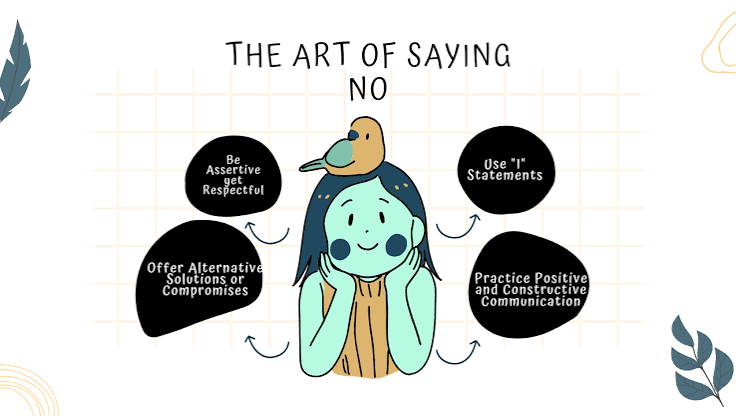
    A good ‘no’ is direct, brief, and doesn’t over-explain. Try these templates:

    • The Simple No: “I can’t take this on right now.”
    • The Alternative: “I can’t do this, but I can help with X instead.”
    • The Redirect: “I’m not the right person, but you might ask Y.”

    Avoid over-apologizing. A single ‘I’m sorry’ is enough; too many apologies weaken your stance. And never invent a fake excuse—it can backfire when the truth surfaces.

    The ‘No’ in Professional Settings

    In the workplace, the fear of saying ‘no’ to a boss or client is intense, but research on negotiation shows that setting boundaries actually increases respect and credibility. The ‘good soldier’ syndrome—never refusing tasks even when overloaded—leads to presenteeism and burnout. Instead, frame your ‘no’ as a strategic trade-off: “I can’t take this on, but I’m prioritizing X, which aligns with our goals.” This shows you’re thoughtful, not unhelpful.

    The ‘No’ in Personal Relationships

    Saying ‘no’ to loved ones is harder because the stakes feel higher. But people-pleasing—rooted in fear of abandonment or low self-esteem—is a maladaptive coping mechanism. Dr. Henry Cloud, author of Boundaries, calls ‘no’ a healthy boundary, not a rejection. You can soften it without compromising: “I can’t help with that, but I’m here to listen.” Or: “I’m not able to do that, but let’s find a time that works for both of us.”

    Handling Guilt When It Arises

    Even with practice, guilt will surface. Remember: guilt is a signal, not a command. It’s often a ‘false alarm’ from outdated conditioning. When you feel guilty, ask yourself: “Did I violate a value, or am I just disappointing someone?” If it’s the latter, let it pass. Over time, the guilt fades as you build evidence that setting boundaries doesn’t destroy relationships—it improves them.

    Practical Tips to Reinforce the Habit

    • Start small: Practice ‘no’ on low-stakes requests (e.g., a colleague’s coffee run).
    • Use the ‘positive no’: Lead with what you can do: “I can’t make it tonight, but I’d love to catch up next week.”
    • Visualize the outcome: Imagine the relief of not having the task. That feeling is your motivation.
    • Review your ‘yeses’: Weekly, look at what you agreed to. Which were worth it? Which weren’t? Adjust accordingly.

    The Long-Term Payoff

    Saying ‘no’ isn’t about being selfish—it’s about protecting your time and energy for what truly matters. When you say ‘no’ to the right things, you say ‘yes’ to your health, your relationships, and your best work. And contrary to what you might fear, people respect a clear boundary far more than a resentful ‘yes.’

    The art of saying ‘no’ is really the art of knowing yourself. It’s a skill you can build, one small refusal at a time. So the next time a request comes in, pause, assess, and respond. Your future self will thank you.

    Summary

    • Saying ‘yes’ too often leads to burnout, resentment, and lower-quality work.
    • The ‘spotlight effect’ means people won’t judge your ‘no’ as harshly as you fear.
    • Use the Pause-Assess-Respond framework to make deliberate decisions.
    • A firm, kind ‘no’ is more respected than a reluctant ‘yes’.
    • Guilt is a learned response that fades with practice.

    FAQ

    Q: How do I say no to my boss without risking my job?
    A: Frame it as a prioritization issue: ‘I can’t take this on without deprioritizing X. Which should I focus on?’ This shows you’re thinking strategically, not refusing work.

    Q: What if the person keeps pushing after I say no?
    A: Hold your ground. Repeat your ‘no’ calmly, and if necessary, add: ‘I understand this is important, but my answer won’t change.’ You don’t need to justify further.

    Q: Is it okay to say no to a friend or family member?
    A: Absolutely. Healthy relationships require boundaries. You can soften it with empathy, but don’t sacrifice your own needs to avoid discomfort.

    Q: How do I overcome the guilt of saying no?
    A: Remind yourself that guilt is a false alarm. Ask: ‘Did I violate a value?’ If not, let it go. Practice self-compassion and remember that setting boundaries is a form of self-respect.

    Q: What if I’ve already said yes to too much?
    A: It’s okay to renegotiate. Say: ‘I realize I’m overcommitted. I need to bow out of X to do justice to Y.’ Most reasonable people will understand.

  • The Law of Diminishing Returns: When Extra Effort Stops Paying Off

    The Law of Diminishing Returns: When Extra Effort Stops Paying Off

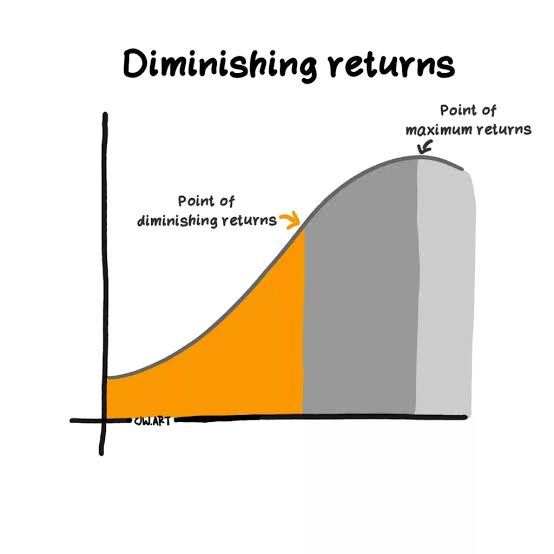
    Imagine a farmer with a fixed plot of land. The first bag of fertilizer makes the crops leap skyward. The second helps a bit more. But by the tenth bag, the plants are wilting, and the yield actually drops. This isn’t a gardening quirk—it’s the law of diminishing returns, a principle that shapes everything from factory floors to your study habits.

    First formalized by economists like Thomas Malthus and David Ricardo in the 19th century, this law states that as you add more of one input—while holding everything else constant—there comes a point where each extra unit gives you less and less extra output. It’s why your third cup of coffee doesn’t taste as good as the first, and why doubling your marketing budget rarely doubles your sales.

    Understanding this law isn’t just academic. It’s a practical tool for making smarter decisions about where to put your time, money, and energy—and knowing when to stop.

    The Core Idea: Marginal Product and the Turning Point

    At the heart of the law is the concept of marginal product—the extra output you get from adding one more unit of an input. Think of a small bakery with one oven (the fixed input). As you hire more bakers (the variable input), the first few bakers work efficiently, each adding significantly to the daily bread output. But as the kitchen gets crowded, each additional baker has less oven space, gets in the way, and adds less to the total. The point where the marginal product starts to fall is the “turning point.”

    Crucially, diminishing marginal returns don’t mean total output falls immediately. Total output can still rise, just at a slower rate. Only when you push well past the turning point—into what economists call Stage III—does total output actually decline. In the bakery, that’s when you have so many bakers that they’re tripping over each other, and production dips below what a smaller team could achieve.

    Three Stages of Production: Where to Operate

    Economists divide production into three stages:

    • Stage I: Increasing Returns—Each new baker adds more output than the previous one, often due to specialization and better use of the fixed input.
    • Stage II: Diminishing Returns—Each new baker still adds positive output, but less than the previous one. This is where rational firms operate, balancing marginal gains against costs.
    • Stage III: Negative Returns—Adding more bakers actually reduces total output. No sensible business operates here.

    The sweet spot is somewhere in Stage II, where you’re getting the most out of your fixed input without wasting resources. Finding that exact point is the challenge every manager faces.

    Why It Happens: The Mechanics Behind the Law

    Why does this pattern appear so consistently? The underlying cause is the presence of a fixed input. When one factor—like land, machinery, or a factory—cannot change, variable inputs eventually compete for limited capacity. Overcrowding, bottlenecks, and diminishing synergies kick in. In agriculture, plants have a biological limit on how much nutrient they can absorb. In manufacturing, a single assembly line can only process so many workers before they slow each other down.

    This is a physical, technical relationship, not just a monetary one. It holds even if prices and wages are constant. The fixed input acts as a constraint, and no amount of extra variable input can fully overcome it.

    Beyond the Farm: Modern Applications

    The law wasn’t just relevant for 19th-century farmers. It shows up everywhere:

    • Software Development: Fred Brooks famously observed in The Mythical Man-Month that adding more programmers to a late project makes it later. Communication overhead grows exponentially, while productivity gains shrink—a textbook case of diminishing returns.
    • Marketing: Spending more on the same ad channel eventually yields fewer new customers per dollar. The first $10,000 might bring in 100 leads, but the next $10,000 might bring only 60.
    • Education: Cramming for an exam hits a wall—after a certain number of hours, each additional study session yields smaller improvements in recall, and sleep deprivation can make it worse.
    • Healthcare: More medical interventions don’t always mean better health. Beyond a certain point, treatments can have side effects that outweigh benefits.
    • Personal Fitness: Training more than your body can recover from doesn’t build muscle faster—it leads to overtraining, injury, and stalled progress.

    The Managerial Angle: Finding the Optimal Point

    For businesses, the key question is: Where is the point of diminishing returns, and should we operate before or after it? The answer depends on costs and revenues. If an extra unit of input costs less than the value of the output it generates, you should keep adding it—even if returns are diminishing. The optimal point is where marginal cost equals marginal revenue.

    Modern firms use data analytics to find this inflection point empirically. For example, an e-commerce company might test different levels of ad spend to see where customer acquisition cost starts climbing unsustainably. By identifying that threshold, they can allocate budgets more efficiently across channels.

    The Behavioral Trap: Why We Keep Pushing

    Psychology explains why we often ignore this law. We systematically overestimate the returns on additional effort, especially when we’re invested in a project. The sunk cost fallacy makes us keep pouring resources into something that’s clearly past its peak—just because we’ve already invested so much. Similarly, hedonic adaptation means that additional income or pleasure brings declining happiness gains, yet we still chase more.

    Recognizing these biases is the first step to countering them. Sometimes, the best decision is to stop adding inputs and instead reallocate them elsewhere—or simply enjoy the plateau.

    The law of diminishing returns is a reminder that more isn’t always better. Whether you’re managing a farm, a team, or your own time, there’s a point where extra effort stops paying off. The trick is to identify that turning point, respect it, and shift your resources to where they can make a real difference. In a world that glorifies hustle, sometimes the smartest move is to know when to ease off.

    Summary

    • The law of diminishing returns states that adding more of one input, while others are fixed, eventually yields smaller increases in output.
    • It operates in three stages: increasing returns, diminishing returns, and negative returns—rational operation happens in the middle stage.
    • The law applies beyond agriculture to software, marketing, education, healthcare, and fitness.
    • Managers use data to find the optimal point where marginal cost equals marginal revenue.
    • Behavioral biases like sunk cost fallacy lead us to ignore the law and over-invest past the optimal point.

    FAQ

    Q: What is the law of diminishing returns?
    A: It’s an economic principle where adding more of one input (keeping others fixed) eventually yields smaller increases in output. For example, adding more workers to a fixed factory floor will eventually produce less additional output per worker.

    Q: Does diminishing returns mean total output decreases?
    A: Not immediately. Diminishing marginal returns mean each extra unit adds less than the previous one, but total output can still rise. Only in the final stage (negative returns) does total output actually decline.

    Q: Why does the law happen?
    A: Because of fixed inputs. When one factor is limited, variable inputs compete for it, causing overcrowding, bottlenecks, and reduced efficiency. It’s a physical relationship, not just a financial one.

    Q: How can I apply this law in my life?
    A: Identify where you’re putting in effort and whether the returns are declining. For example, if studying more hours stops improving grades, take a break or change tactics. Apply the same logic to work, exercise, and spending.

    Q: Is the law always true?
    A: In the short run, with at least one fixed input, yes. In the long run, when all inputs can be varied, the law still applies to individual production processes, but firms can adjust capacity to shift the curve.

  • 9 Keyboard Shortcuts That Turn You Into a Power User

    9 Keyboard Shortcuts That Turn You Into a Power User

    The average computer user knows fewer than ten keyboard shortcuts. Power users often rely on a core set of 20 that they use every day. The gap between those two groups isn’t talent—it’s knowledge.

    Here’s a concrete example: pressing Ctrl + Shift + T in a browser instantly reopens the tab you just closed by accident. That single shortcut can save you minutes of frustration and searching through history. Multiply that by dozens of such shortcuts, and you’re saving hours every week.

    This guide covers nine of the most powerful shortcuts across Windows, macOS, and browsers. They’re ranked by how much time they save and how broadly they apply—so you can start with the first one and work your way down.

    Start with the Universal Four

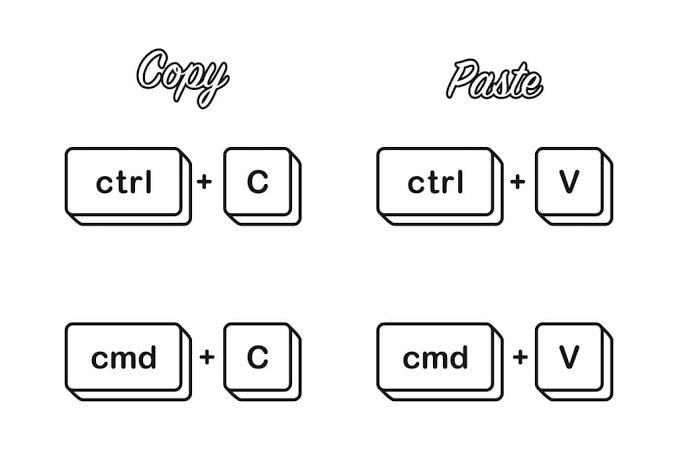
    Before diving into platform-specific tricks, master these four that work everywhere: Ctrl/Cmd + C (copy), Ctrl/Cmd + V (paste), Ctrl/Cmd + X (cut), and Ctrl/Cmd + Z (undo). You probably know these already, but here’s the twist: many people use the right-click menu instead of the keyboard. Every time you right-click and select “Copy,” you lose about two seconds. If you copy something twenty times a day, that’s forty seconds wasted. Over a year, that’s over four hours.

    The undo shortcut is especially powerful because it works in almost every app—even ones that don’t have an obvious undo button. And in most programs, you can press it repeatedly to step backward through your actions.

    1. Ctrl/Cmd + Shift + T — Reopen a Closed Browser Tab

    This is the single most useful browser shortcut. If you accidentally close a tab—or want to revisit a page you closed hours ago—this reopens it in the same position. It works in Chrome, Firefox, Edge, and Safari. Press it multiple times to restore several recently closed tabs.

    Why it’s a power move: you stop frantically searching your history for that article you closed two minutes ago. It’s also a lifesaver when you’re in a workflow and need to quickly recover a reference page.

    2. Win + V — Clipboard History (Windows)

    Windows 10 and 11 include a clipboard history feature that stores everything you copy. Press Win + V to see a list of recent items, then click or use arrow keys to paste any of them. You can also pin frequently used snippets (like your email address or a code snippet) so they stay at the top.

    This shortcut transforms copy-paste from a one-item buffer into a multi-item tool. Instead of copying the same thing repeatedly, you copy it once and access it whenever needed. To enable it, press Win + V and select “Turn on.”

    3. Cmd + Space — Spotlight Search (macOS)

    On a Mac, Spotlight is the fastest way to open any app, file, or document without touching the mouse. Press Cmd + Space, type the first few letters of what you want, and press Enter. It’s faster than navigating the Applications folder or Launchpad.

    Spotlight also performs quick calculations and unit conversions. Type “50 usd in eur” and it shows the conversion instantly. It can even look up definitions and launch web searches.

    4. Ctrl + Shift + Esc — Task Manager (Windows)

    When an app freezes, your first instinct might be to press Ctrl + Alt + Delete and then click “Task Manager.” That’s three steps. Ctrl + Shift + Esc opens Task Manager directly—one step.

    This shortcut is not just for emergencies. You can also use it to see which processes are eating memory or CPU, enabling you to close background apps that slow you down.

    5. Cmd + Option + Esc — Force Quit (macOS)

    On a Mac, the equivalent is Cmd + Option + Esc. This brings up the Force Quit window, where you can select a frozen app and force it to close. It’s faster than using the Apple menu > Force Quit, and it works even when the app is unresponsive.

    6. Win + Arrow Keys — Window Snapping (Windows)

    Windows 7 introduced Aero Snap, and it’s still one of the best productivity features. Press Win + Left Arrow to snap a window to the left half of the screen, Win + Right Arrow to the right half, and Win + Up Arrow to maximize. You can also snap to quarters with Win + Left then Win + Up.

    This is ideal for multitasking—placing a document next to a web browser, or comparing two files side by side. You can do it all with the keyboard, no dragging needed.

    7. Cmd + Shift + 4 — Screenshot a Region (macOS)

    macOS has several screenshot shortcuts. Cmd + Shift + 4 lets you drag a selection box to capture a specific area of the screen. The screenshot is saved to your desktop by default (or copied to clipboard if you add Ctrl).

    For even more control, Cmd + Shift + 5 opens the full screenshot and screen recording toolbar, letting you choose between capturing the entire screen, a window, a region, or recording video.

    8. Ctrl + L — Jump to the Browser Address Bar

    In any browser, Ctrl + L (Windows) or Cmd + L (macOS) selects the entire URL in the address bar, so you can immediately type a new one. This is much faster than clicking on the address bar, especially if the URL is long.

    Combine this with Ctrl + Enter (Windows) to automatically add “www.” and “.com” around whatever you type. For example, type “example” and press Ctrl + Enter to go to example.com.

    9. Alt + Tab (Windows) / Cmd + Tab (macOS) — Switch Apps Quickly

    You probably know Alt + Tab switches between open apps. But here’s the power move: hold down Alt and press Tab multiple times to cycle through apps. Release when you land on the one you want. On macOS, it’s Cmd + Tab.

    Even better, on Windows you can use Alt + Shift + Tab to cycle in reverse. On macOS, Cmd + Shift + Tab does the same. This beats hunting through the taskbar or Dock.

    How to Actually Remember These

    Memorizing all nine at once is a recipe for failure. Instead, pick two or three that solve your biggest pain points—maybe Ctrl + Shift + T if you accidentally close tabs, or Win + V if you copy-paste a lot. Use them deliberately for one week. Sticky notes on your monitor help. Once they become automatic, add the next one.

    Most power users don’t know 50 shortcuts cold. They know a core set of 10-20 that they use daily, without thinking. The goal is not to memorize everything, but to build a toolkit that makes you faster and reduces hand movement.

    Keyboard shortcuts are not about showing off—they’re about saving time and reducing frustration. The nine listed here are a starting point. Start with the ones that feel most relevant to your daily work, practice them until they’re second nature, and you’ll soon find yourself moving through your computer with less effort and more speed.

    Summary

    • Universal shortcuts (copy, paste, undo) are the foundation; mastering them alone saves hours per year.
    • Ctrl/Cmd + Shift + T reopens closed browser tabs in any major browser.
    • Win + V gives Windows users a clipboard history, eliminating repetitive copying.
    • Cmd + Space is the fastest way to launch apps and search files on macOS.
    • Ctrl + Shift + Esc (Windows) and Cmd + Option + Esc (macOS) are direct routes to killing unresponsive apps.
    • Window snapping (Win + Arrow keys) and app switching (Alt/Cmd + Tab) streamline multitasking.
    • Cmd + Shift + 4 (macOS) provides instant region screenshots.
    • Ctrl/Cmd + L jumps to the address bar, and Ctrl + Enter auto-completes URLs.
    • Start with 2-3 shortcuts that address your biggest pain points, then gradually add more.

    FAQ

    Q: Do keyboard shortcuts work the same on Windows and macOS?
    A: No. The Ctrl key on Windows often maps to Cmd on macOS, but not always. For example, Ctrl + Tab switches tabs in browsers on Windows, but on macOS it’s Cmd + Option + Right Arrow. Always check the specific shortcut for your OS.

    Q: Are keyboard shortcuts faster than using a mouse?
    A: For single-action commands like copy, paste, or switching apps, yes—usually by 1-2 seconds per action. For complex tasks like formatting a document, menus or toolbars may be faster. Shortcuts excel at repetitive actions.

    Q: How can I discover more shortcuts for the apps I use?
    A: Many apps show shortcuts in tooltips when you hover over a button. You can also press Ctrl + / or Cmd + / in some apps to see a cheat sheet. Online search for “[app name] keyboard shortcuts” usually yields official lists.

    Q: I keep mixing up shortcuts. What’s the best way to learn them?
    A: Focus on one shortcut at a time. Use it every time you perform that action for a week. Place a sticky note near your screen as a reminder. Once you use it without thinking, move on to the next.

    Q: Are there any risks to using keyboard shortcuts?
    A: The main risk is accidentally executing a command you didn’t intend, like closing a window with Ctrl + W when you meant to type something. Most shortcuts can be undone with Ctrl + Z, and you’ll quickly learn to avoid the dangerous ones.

  • 8 Science-Backed Ways to Break Your Phone Habit

    8 Science-Backed Ways to Break Your Phone Habit

    You check your phone about 100 times a day. That’s not an exaggeration—studies put the average somewhere between 80 and 150 checks daily. The device in your pocket is engineered to be irresistible, using the same variable reward mechanics as a slot machine. Notifications, likes, and infinite scroll trigger dopamine releases that keep you coming back for more. This isn’t a failure of willpower; it’s a design feature.

    But the science of behavior change offers a way out. Researchers studying Problematic Smartphone Use (PSU) have identified several interventions that consistently help people regain control. Some are as simple as turning your screen grayscale. Others require a bit more planning. Here are eight evidence-backed strategies to curb your phone use—without ditching your device entirely.

    1. Turn Your Screen Grayscale

    Color is a powerful lure. App icons, notification badges, and photos are designed to grab your attention with bright hues. Switching your display to grayscale removes that visual appeal, making your phone noticeably less engaging.

    A study from the University of Texas found that participants who used grayscale mode reduced their screen time by an average of 40 minutes per day. The effect is simple: without color, your brain finds the screen less rewarding, so you naturally check it less.

    To enable it: on iPhone, go to Settings > Accessibility > Display & Text Size > Color Filters and choose Grayscale. On Android, look for Digital Wellbeing or Accessibility settings. Keep it on for a week—your eyes will adjust, and your usage will drop.

    2. Turn Off All Non-Essential Notifications

    Every ping and buzz is a cue that triggers a habit loop: cue → craving → response → reward. Each notification pulls you out of whatever you’re doing and invites you to check your phone. The average person receives over 60 notifications a day, and each one fragments your attention.

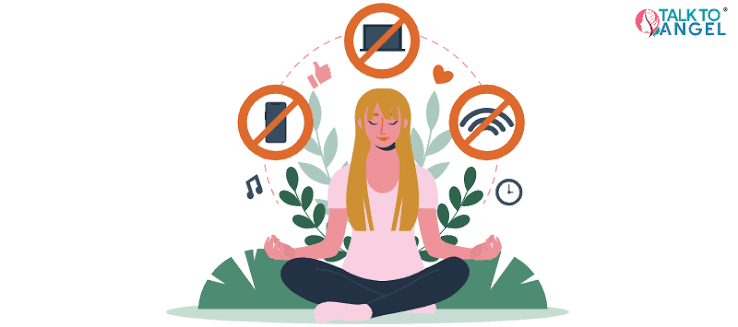
    The fix is straightforward: disable notifications for everything except calls, messages from real people, and maybe calendar alerts. Social media, news apps, games—they all get silenced. This isn’t about missing out; it’s about deciding what’s worth interrupting you.

    Research shows that people who turn off push notifications check their phones less frequently and report lower stress levels. You can still check those apps on your own schedule, but they no longer control yours.

    3. Move Your Phone Out of the Bedroom

    Sleep and phone use have a toxic relationship. The blue light from screens suppresses melatonin, making it harder to fall asleep. But the bigger problem is the habit of checking your phone in bed—it delays sleep and fragments it throughout the night.

    A study of over 1,000 adults found that those who kept their phones in the bedroom were more likely to report poor sleep quality and higher daytime fatigue. The simplest fix? Buy a cheap alarm clock and charge your phone in another room.

    This physical separation breaks the cue of seeing your phone on the nightstand. You’ll sleep better, and you’ll also avoid the early-morning doomscrolling that sets the tone for the day.

    4. Use App Blockers and Time Limits

    Willpower is a finite resource. Relying on it to stop checking Instagram is like relying on it to stop eating cookies—it works for a while, then fails under stress. That’s why environmental design beats self-control.

    App blockers like Forest, Freedom, or Offtime physically prevent you from opening distracting apps during specified hours. You can also use built-in features like Screen Time (iOS) or Digital Wellbeing (Android) to set daily limits. When you hit the limit, the app is locked.

    These tools are effective because they add friction. Instead of having to decide not to open the app, you simply can’t. One study found that participants who used app blockers reduced their usage by 20–30% over several weeks, with effects lasting even after the study ended.

    5. Delay Your First Phone Check of the Day

    For many people, the first thing they do in the morning is reach for their phone. This sets a pattern of reactive behavior that lasts all day. The cue is waking up; the response is checking email, social media, and news before you’ve even gotten out of bed.

    A simple intervention: don’t check your phone for the first 30–60 minutes after waking. Instead, drink water, stretch, or write in a journal. This creates a buffer between waking and the digital world, allowing your brain to wake up naturally without an information dump.

    Research on habit formation suggests that breaking the first habit of the day has a ripple effect. When you start your day intentionally, you’re more likely to make deliberate choices about phone use later on.

    6. Practice Mindful Checking

    Mindfulness isn’t just meditation—it’s also about paying attention to what you’re doing and why. Before you pick up your phone, ask yourself: “What am I checking for? Is this necessary right now?” This simple pause creates a gap between the impulse and the action.

    A study published in the journal Addictive Behaviors found that participants who practiced mindful smartphone use reduced their daily screen time by 15% over six weeks. They also reported feeling less anxious about their usage.

    One concrete technique: set a rule that you must wait 10 seconds before opening any app after tapping it. That delay helps you notice the craving and decide whether to act on it. Over time, you’ll find that many checks are mindless, and you can skip them entirely.

    7. Replace Phone Time with a Physical Habit

    Habit substitution is a core principle of behavior change. If you’re used to reaching for your phone when you’re bored, anxious, or lonely, you need a replacement behavior that satisfies the same need.

    For example, if you scroll when you feel restless, try a quick walk around the block. If you reach for your phone when you’re waiting in line, carry a small book or crossword puzzle. If you check social media when you’re feeling lonely, call a friend instead.

    The key is to make the replacement as accessible as your phone. Keep it in your pocket, on your desk, or in your bag. A study on habit reversal found that people who planned a specific alternative behavior were twice as likely to stick with it compared to those who just tried to suppress the habit.

    8. Try a Digital Sabbath (One Day a Week)

    A full digital detox—going without your phone for a week—is a common recommendation, but research suggests it’s not a long-term fix. The gains often disappear once you return to your normal routine.

    What works better is a periodic “digital sabbath”: one day a week where you deliberately avoid your phone for most of the day. This isn’t about deprivation; it’s about resetting your baseline and reminding yourself that you can survive without constant connection.

    A 2022 study found that participants who took a 24-hour phone break reported significantly lower levels of stress and higher life satisfaction immediately after, and the effects were still measurable a month later. The key is to plan engaging offline activities—hiking, cooking, meeting friends—so you don’t just sit at home feeling bored.

    Start small: pick one Sunday a month, then increase to every other week. You’ll learn to be less reliant on your phone, and the rest of the week will feel more manageable.

    The Science Behind the Struggle

    These strategies work because they target the underlying mechanisms of problematic phone use: the dopamine-driven reward system, the habit loop, and the environmental cues that trigger it. None of them require superhuman willpower. They just require a bit of setup.

    It’s also important to note that “phone addiction” is a metaphor, not a clinical diagnosis. The DSM-5 doesn’t list it, and researchers prefer terms like “Problematic Smartphone Use.” But the struggle is real, and the evidence shows that these interventions help.

    At the same time, don’t beat yourself up for loving your phone. It’s a tool that connects you to work, friends, and knowledge. The goal isn’t to eliminate it—it’s to use it on your terms. As the research shows, small changes in your environment and habits can make a big difference.

    The battle for your attention is fought on a small screen, but you can win it. Start with one or two of these strategies—grayscale, turning off notifications, moving your phone out of the bedroom—and see how it feels. You don’t need to become a digital minimalist overnight. The science is clear: these methods work, and every small step you take makes the next one easier. Your future self, with a quieter mind and a lighter pocket, will thank you.

    Summary

    • Screen time is a design feature, not a personal failure. Smartphones use variable rewards to keep you checking, just like slot machines.
    • Grayscale mode reduces visual appeal and can cut screen time by up to 40 minutes a day.
    • Turning off notifications removes the cues that trigger habitual checking and reduces stress.
    • Keeping your phone out of the bedroom improves sleep quality and reduces nighttime scrolling.
    • App blockers and time limits add friction, which works better than willpower alone.
    • Mindful checking—pausing to ask “why?”—can reduce usage by 15% in six weeks.
    • Replacing phone time with a physical habit (like walking or reading) helps satisfy the same urge.
    • A weekly digital sabbath provides a reset and has lasting benefits on stress and satisfaction.

    FAQ

    Q: Is phone addiction a real diagnosis?
    A: No. The DSM-5 doesn’t include “phone addiction.” Researchers use terms like “Problematic Smartphone Use” (PSU) or “Internet Use Disorder.” The WHO’s ICD-11 includes Gaming Disorder, but not smartphone addiction specifically.

    Q: Do I need to completely stop using my phone?
    A: No. The goal is to reduce mindless or compulsive use, not to eliminate a useful tool. Most interventions aim for intentional use, not abstinence.

    Q: Will reducing screen time actually make me happier?
    A: Research shows a modest but consistent link between heavy phone use and poorer well-being, including anxiety and depression symptoms. However, the relationship is bidirectional—phones can make you feel worse, but feeling bad can also make you use your phone more. Reducing time alone isn’t enough; the quality of your remaining screen time matters.

    Q: Why don’t I just rely on willpower?
    A: Willpower is easily exhausted. Environmental changes—like turning off notifications or using app blockers—work better because they don’t require constant decision-making. As one study put it, “design out the problem” instead of trying to “will it away.”

    Q: How long does it take to see results from these strategies?
    A: Many people notice a reduction in checking within a few days. More substantial changes in well-being, like improved sleep or reduced anxiety, typically appear after a few weeks. Consistency matters more than intensity.

  • 10 ChatGPT Prompts That Can Realistically Save You 5 Hours a Week

    10 ChatGPT Prompts That Can Realistically Save You 5 Hours a Week

    Imagine getting Friday afternoon back. No frantic email catch-up, no hour-long meeting-note cleanup, no staring at a blank page willing a draft into existence. For many knowledge workers, that’s not a fantasy—it’s the reported payoff of using a handful of well-crafted ChatGPT prompts. The math is simple: 5 hours per week equals about 12 minutes saved per day per prompt, across 10 prompts. But is that realistic? Data from productivity studies and user surveys suggests that casual users save 1–3 hours weekly, while those who invest in prompt craft report 5–10+. The difference lies not in the tool, but in how precisely you ask.

    This guide walks through 10 high-impact prompts, each targeting a recurring, time-sucking task. You’ll also learn why these prompts work, how to adapt them to your own workflow, and where the 5-hour claim holds up—and where it doesn’t. No magic bullets, just practical delegation.

    Why These 10 Prompts? The Time-Saving Mechanism

    ChatGPT saves time by taking over tasks that are repetitive, structured, or template-based—the kind of work that eats minutes here and there but adds up to hours by Friday. The key is specificity: a vague prompt like “Write an email” yields a generic response that needs extensive editing, negating any time savings. The prompts below are engineered to be specific, with placeholders for your details and explicit instructions for format, tone, and length.

    The 10 Prompts

    1. Email Triage and Drafting

    Prompt: “Act as my executive assistant. Draft a reply to [sender] about [topic]. The tone should be [professional/friendly]. Include a clear ask: [what you need from them]. Keep it under 150 words. Sign off with [your name].”

    Why it saves time: The average worker spends 2.5 hours daily on email. This prompt cuts drafting from 10 minutes to 2.

    2. Meeting Notes Summarization

    Prompt: “Here are my raw meeting notes: [paste notes]. Summarize into three sections: Key Decisions, Action Items (with owner and deadline), and Open Questions. Use bullet points. Keep it under 200 words.”

    Why it saves time: A 1-hour meeting generates 30 minutes of note cleanup. This reduces it to 5 minutes.

    3. Content Repurposing

    Prompt: “Turn this blog post [paste] into 5 LinkedIn posts. Each post should have a hook, a key insight, and a call-to-action. Vary the angle: one educational, one provocative, one personal, one statistical, one question-based.”

    Why it saves time: Content repurposing can take 45 minutes per piece. This prompt delivers in 5 minutes.

    4. Spreadsheet Formula Generation

    Prompt: “I have a column of sales figures in A1:A50. Write a formula to calculate the average, excluding any blank cells and values over $10,000. Explain what each part does.”

    Why it saves time: Formula syntax errors can eat 15 minutes each. This gets you a working formula on the first try.

    5. Research Synthesis

    Prompt: “Summarize the key findings from these three articles: [links or text]. Focus on common themes, contradictions, and implications for [your field]. Use a table to compare.”

    Why it saves time: Reading and synthesizing three 2,000-word articles takes 1 hour. This prompt takes 10 minutes.

    6. Code Debugging

    Prompt: “Here’s my code: [paste]. It’s supposed to [what it should do], but it throws this error: [paste error]. Identify the bug, explain why it happens, and provide a corrected version.”

    Why it saves time: Debugging can take 30 minutes per bug. This narrows it to 5.

    7. Project Plan Creation

    Prompt: “Create a project plan for [project name]. Break it into phases with deliverable and estimated duration. Include milestones and potential risks. Format as a table.”

    Why it saves time: Drafting a plan from scratch takes 2 hours. This generates a solid skeleton in 15 minutes.

    8. Brainstorming and Ideation

    Prompt: “I need ideas for [problem]. Generate 20 diverse options, ranging from conventional to wild. For each, give a one-sentence description and a potential challenge.”

    Why it saves time: Brainstorming with a team can take 1 hour. This prompt yields a starting point in 5 minutes.

    9. Document Formatting and Editing

    Prompt: “Here’s my draft: [paste]. Rewrite it for clarity, improve sentence flow, and ensure consistent formatting. Keep the original meaning. Show changes with track changes-like annotations.”

    Why it saves time: Editing a 1,000-word document takes 20 minutes. This cuts it to 5.

    10. Learning and Explanation

    Prompt: “Explain [concept] to me as if I were a 10-year-old. Use an analogy. Then explain it as if I were a college student. Compare the two explanations.”

    Why it saves time: Understanding a new concept can involve hours of reading. This prompt gets you to ‘good enough’ in 10 minutes.

    The Reality Check: Will You Actually Save 5 Hours?

    Surveys of ChatGPT users suggest that most save 1–3 hours per week. The 5-hour mark is achievable for power users who:
    – Spend the first week building a prompt library.
    – Customize each prompt to their specific tasks.
    – Use the paid tier (GPT-4o) for better reasoning.
    – Verify factual output—hallucinations are real, especially with numbers and citations.

    If you’re a marketer, writer, analyst, or developer, these 10 prompts can plausibly save 5+ hours. If you’re in a role requiring face-to-face interaction or physical presence, your mileage will vary.

    Customization: The Secret to Real Savings

    The prompts above are starting points. To maximize time savings, modify them to fit your exact workflow. For example, if you’re a legal assistant, change the email prompt to include legal citation format. If you’re a product manager, adjust the meeting notes prompt to include ‘Blockers’ as a section. Save your customized versions in a document or use ChatGPT’s ‘Custom Instructions’ feature to bake in your preferences.

    The First Week Is Slower—But It Compounds

    Don’t expect to save time on day one. Learning to write effective prompts has a learning curve. Expect the first week to be a wash as you experiment. By week two, you’ll see modest gains. By week four, the compounding effect kicks in—you’ll have a library of proven prompts, and each new task takes seconds to delegate.

    A Caveat: Fact-Checking and Bias

    ChatGPT is not always accurate. Any prompt that involves facts, statistics, or citations—like the research synthesis or spreadsheet formulas—requires verification. And AI models inherit biases from their training data, so review outputs for fairness, especially in emails or public-facing content. The time you save on drafting must be partially reinvested in checking.

    Beyond Time: Quality Gains

    Time isn’t the only win. Users report fewer typos, more consistent formatting, and better-structured documents. These quality improvements can be more valuable than the hours saved, especially if you’re producing client-facing work.

    The 5-hour weekly savings from ChatGPT isn’t a given—it’s a target. These 10 prompts give you a toolkit to hit it, provided you invest in customization and verification. Start with one or two prompts this week, refine them, and build from there. The compounding gains are real, but they require an initial investment of effort. The reward isn’t just a lighter workload; it’s the mental space to focus on work that actually needs your human judgment.

    Summary

    • 10 specific prompts target email, meetings, content repurposing, spreadsheets, research, code, planning, brainstorming, editing, and learning.
    • Realistic savings: Most users save 1–3 hours/week; 5+ is achievable for power users with customization.
    • Customization is key: One-size-fits-all prompts fail; adapt them to your role and workflow.
    • Verify AI output: Fact-check numbers, citations, and code—hallucinations happen.
    • Compounding gains: First week is slower; by week four, a personal prompt library yields exponential time savings.

    FAQ

    Q: Are these prompts guaranteed to save 5 hours a week?
    A: No. Actual savings depend on your role, task complexity, and prompt skill. Most users see 1–3 hours, but power users can reach 5+ by customizing and reusing prompts.

    Q: Do I need ChatGPT Plus for these prompts to work?
    A: Most will work on the free tier, but GPT-4o (paid) provides better reasoning and longer context, which improves output quality for complex tasks like code debugging or research synthesis.

    Q: Can I use these prompts with other AI tools like Claude or Gemini?
    A: Yes, the prompts are tool-agnostic. You may need to adjust wording slightly, but the structure and intent translate across AI assistants.

    Q: How do I avoid ChatGPT making up facts in research summaries?
    A: Always cross-check dates, statistics, and direct quotes against the original sources. Ask ChatGPT to cite its sources, but don’t trust them blindly—verify.

    Q: What if my employer is concerned about data privacy?
    A: Avoid pasting confidential or sensitive data into any public AI tool. Use enterprise versions with data protection guarantees, or generalize details in your prompts.

  • 7 Practical Digital Detox Strategies to Reclaim Your Focus and Well-Being

    7 Practical Digital Detox Strategies to Reclaim Your Focus and Well-Being

    The average person now spends nearly 7 hours a day staring at screens, and for many, that number climbs even higher when work is factored in. Notifications buzz every few minutes, pulling attention away from tasks and conversations. This constant connectivity has a cost: rising stress, poorer sleep, and a creeping sense of overwhelm that has become so common it has a name—tech fatigue.

    A digital detox doesn’t have to mean throwing your phone into the ocean or moving to a cabin in the woods. It simply means taking deliberate breaks from the digital noise to give your mind room to breathe. The strategies below are practical, evidence-informed, and designed to fit into real life—whether you’re a busy professional, a parent, or a student.

    Here are seven concrete ways to reset your relationship with technology and build healthier digital habits that stick.

    1. Schedule No-Screen Hours

    Designate specific times of the day when all screens are off-limits. The first hour after waking and the last hour before bed are prime candidates. This helps you start and end your day with intention rather than immediately diving into messages, news, or social feeds.

    Why it works: Morning screen exposure spikes cortisol and sets a reactive tone for the day. Evening screen use, especially blue light, suppresses melatonin and disrupts sleep quality. By creating a buffer of screen-free time, you allow your brain to transition calmly. Try replacing that time with stretching, journaling, reading, or simply sitting with your coffee.

    2. Master Your Notifications

    Your phone’s buzz, ping, and flash are engineered to grab your attention—and they succeed. Research from UC Irvine found that a single interruption can take up to 23 minutes to recover from. That means a few stray notifications can cost you over an hour of focused work per day.

    Take control: Go into your settings and turn off all nonessential alerts. Keep notifications only for calls, messages from close contacts, and apps that genuinely require your immediate attention (like a calendar reminder or a delivery update). For the rest, set specific times to check them on your terms, not the app’s.

    3. Create Phone-Free Zones

    Establish physical areas where devices are simply not allowed. The bedroom is the most impactful place to start—keeping your phone out of reach can improve sleep and reduce nighttime scrolling. The dining table is another powerful choice: meals become opportunities for genuine connection with family or friends.

    Practical tip: Instead of relying on willpower, make it inconvenient. Use a physical alarm clock instead of your phone’s alarm. Leave your phone in another room during meals. These environmental changes work better than trying to resist temptation in the moment.

    4. Try App Fasting or Blocking

    If certain apps are your personal time-sinks, consider fasting from them for a set period—say, a week or a month. You can use built-in tools like Apple Screen Time or Google Digital Wellbeing to set limits, or third-party apps like Forest and Freedom that block distracting sites and apps.

    The key is to replace, not just remove. If you cut out Instagram, decide what you’ll do with that extra time: read a chapter of a book, call a friend, go for a walk. Otherwise, you’ll likely just shift the scrolling habit to a different app.

    5. Take a Digital Sabbath

    Once a week, take a full 24-hour break from all digital devices. This could be from sundown Friday to sundown Saturday, or any window that fits your schedule. This is not about productivity—it’s about resetting your baseline and reminding yourself that life exists beyond the screen.

    What to do instead: Spend time outdoors, engage in hobbies, have long conversations, or simply be bored. Boredom is actually a creativity trigger, and a digital sabbath gives your mind the space to wander and recharge.

    6. Swap Scrolling for Replacement Activities

    The average person spends over 7 hours a day on screens. That’s a massive chunk of time that could be redirected toward activities that genuinely improve your well-being. The trick is to plan ahead: decide in advance what you’ll do when the urge to scroll hits.

    Create a list of go-to replacements: exercise, reading, cooking a new recipe, playing with your pet, meditating, or working on a passion project. Keep this list handy—on a sticky note or in a notes app. When you feel the pull of your phone, choose one of these instead.

    7. Practice Mindful Consumption

    Not all screen time is equal. Mindful consumption means being intentional about what you engage with online. Curate your feeds: unfollow accounts that trigger anxiety, envy, or anger. Follow ones that educate, inspire, or simply make you laugh.

    Set an intention before you open an app. Ask yourself: Why am I opening this? What do I want to get out of it? If the answer is vague—like ‘just checking’—consider skipping it. Studies show that limiting social media to 30 minutes a day can significantly reduce loneliness and depression, according to a University of Pennsylvania study. Mindful consumption is about quality over quantity.

    Digital detox isn’t about perfection—it’s about awareness. Start with one or two strategies that resonate, and build from there. Over time, you’ll likely find that you feel less scattered, more focused, and more present in your real-world relationships. The goal isn’t to demonize technology, but to ensure it serves you, not the other way around.

    Summary

    • Schedule no-screen hours to bookend your day with calm, improving sleep and reducing morning stress.
    • Manage notifications to minimize interruptions, which can cost up to 23 minutes of focus each.
    • Create phone-free zones like the bedroom and dining table to foster better sleep and real connection.
    • Use app fasting or blockers to break compulsive habits, and always replace the time with meaningful activities.
    • Take a weekly digital sabbath to reset your baseline and rediscover offline joys.
    • Swap scrolling for replacement activities like exercise, reading, or hobbies to reclaim hours of your day.
    • Practice mindful consumption by curating your feeds and setting intentions before you open apps, which can reduce loneliness and depression.

    FAQ

    Q: How long should a digital detox last to see benefits?
    A: Even short breaks help. A 24-hour digital sabbath can reduce stress and improve focus. For lasting change, aim to integrate one or more strategies into your daily routine, like no-screen hours or notification management.

    Q: I need my phone for work. Can I still do a digital detox?
    A: Absolutely. A digital detox isn’t about abandoning your devices entirely—it’s about setting boundaries. You can detox from nonessential apps, turn off work notifications after hours, or create phone-free zones at home.

    Q: What if I feel anxious when I’m not checking my phone?
    A: That’s normal—it’s a sign of a habit loop. Start with short breaks (like 15 minutes) and gradually increase. The anxiety typically fades as you build new habits and realize the world doesn’t fall apart when you’re offline.

    Q: Are there any downsides to digital detoxes?
    A: The main downside is that a strict detox can feel unsustainable and lead to rebound overuse. That’s why experts often recommend digital hygiene—consistent, moderate habits—over periodic extreme detoxes. Also, not everyone can fully disconnect (e.g., essential workers), so focus on what’s realistic for you.

    Q: Do I need special apps to block social media?
    A: Not necessarily. You can start with built-in features like Screen Time or Digital Wellbeing. If you want extra help, apps like Forest and Freedom are effective, but they’re not the core—it’s your commitment that matters.

  • 11 Decluttering Rules to Transform Any Room in 1 Hour

    11 Decluttering Rules to Transform Any Room in 1 Hour

    You’ve got a room that’s out of control. Maybe it’s the guest bedroom that became a dumping ground, or the home office where piles of paper have taken over. The thought of tackling it feels overwhelming, so you close the door and pretend it doesn’t exist. But what if you could make a visible difference in just one hour?

    The key isn’t endless tidying sessions or a complete personality overhaul. It’s a set of simple, actionable rules—each designed to short-circuit the hesitation and emotional attachment that keep clutter alive. These 11 rules, drawn from professional organizers and behavioral psychology, give you a systematic framework to work through any space quickly. They’re not about achieving Pinterest-perfect perfection; they’re about creating a room that feels lighter, more functional, and easier to maintain.

    Below, we’ll break down each rule, explain why it works (backed by research), and show you how to combine them for maximum impact in 60 minutes or less.

    1. The 20/20 Rule: Let Go of Cheap & Replaceable

    This rule, popularized by The Minimalists, is a quick filter for indecision. If an item costs less than $20 and can be replaced in under 20 minutes, let it go. Why? Because the cost and effort of replacement are so low that keeping it isn’t worth the mental energy. That extra phone charger you’ve never used? Let it go. The novelty mug from a conference? Let it go.

    Why it works: It gives you a concrete, objective criterion that bypasses emotional reasoning. You don’t have to decide if you “might need it someday”—you just apply a simple math test.

    2. The Four-Box Method: Sort, Don’t Think

    Grab four boxes or bags and label them: Keep, Donate, Trash, Relocate. Every item you touch goes into one of these. No “maybe” pile, no second-guessing. This forces you to make a decision for each item, immediately.

    Why it works: The physical act of sorting creates momentum. You’re not deciding what to do with an item; you’re just categorizing it. The “Relocate” box is a safety valve for things that belong elsewhere in the house—you’ll deal with them later, but they’re out of sight now.

    3. The One-Touch Rule: Handle It Once, Decide Immediately

    When you pick up an item, you must decide what to do with it right then. No putting it down to “think about it.” This prevents the classic clutter spiral where you move a pile from the chair to the bed to the floor, never actually processing it.

    Why it works: It eliminates the ‘maybe’ pile, which is where clutter goes to die. Each item gets a definitive destination, and you avoid the decision fatigue of revisiting the same items multiple times.

    4. The 5-Second Rule: Override Hesitation

    Mel Robbins’ 5-Second Rule is about jumping into action before your brain talks you out of it. When you hesitate over an item, count down from five and make a decision. This isn’t about being reckless; it’s about bypassing the overthinking that leads to keeping things you don’t need.

    Why it works: The countdown interrupts your hesitation loop. It’s a simple trick to push you past the moment of indecision, which is where clutter thrives.

    5. The OHIO Rule: Only Handle It Once

    A close cousin to the One-Touch Rule, OHIO stands for “Only Handle It Once.” But it goes a step further: you must complete the action, not just decide. If it’s a bill, put it in the “to pay” pile immediately. If it’s a book, put it on the bookshelf or in the donate box. Don’t just touch it and put it down.

    Why it works: This rule prevents the common trap of “I’ll deal with it later,” which leads to piles of half-processed items. It forces you to finish the task, creating a sense of completion that fuels motivation.

    6. The 80/20 Rule: Use the Pareto Principle

    The Pareto Principle states that we use 20% of our belongings 80% of the time. So, if you haven’t used an item in the last 90 days, it’s likely in that 80% you don’t need. This rule is especially useful for clothes, kitchen gadgets, and tools.

    Why it works: It gives a clear, time-based criterion for keeping or letting go. If you haven’t used it in three months (excluding seasonal items), you probably never will. It’s a more objective version of “Do I need this?”

    7. The “Does It Spark Joy?” Test: Emotional Clarity

    Marie Kondo’s signature question—”Does this spark joy?”—isn’t about being fluffy. It forces you to connect with how an item makes you feel. If it doesn’t bring you happiness or serve a clear purpose, it’s a candidate for removal.

    Why it works: This test taps into your emotions, which are often the real reason we keep things. It’s slower than objective rules, but it’s invaluable for sentimental items. For a 1-hour session, use it as a tiebreaker for items you’re on the fence about.

    8. The 10-Minute Timer Method: Work in Sprints

    Set a timer for 10 minutes and work intensely. When it rings, reassess: take a quick break, stretch, or switch to a different area. This prevents burnout and keeps your energy up.

    Why it works: Time-boxing (the same principle behind the 1-hour constraint) reduces the overwhelm of a big task. Ten-minute sprints are manageable, and the frequent breaks give you a sense of progress as you check off each sprint.

    9. The “One In, One Out” Rule: Maintain Equilibrium

    As you declutter, adopt the habit: for every new item you bring into the room, one old item must leave. This is a maintenance rule, but it’s important to establish it during the session so you don’t end up right back where you started.

    Why it works: It sets a clear boundary for the future. You’re not just decluttering once; you’re creating a sustainable system that prevents future accumulation.

    10. The “Maybe Box” Rule: Postpone, Don’t Obsess

    For items you’re still unsure about, seal them in a box, write the date six months in the future, and set it aside. If you haven’t opened the box by that date, donate it without opening.

    Why it works: This gives you permission to let go without the anxiety of a permanent decision. It’s a practical compromise between keeping everything and throwing everything out. The six-month deadline forces you to confront your attachment later, when you’ll likely have forgotten about the items.

    11. The “Empty Surface” Rule: Visual Progress First

    Start by clearing all flat surfaces—tables, counters, desks, floors. Put everything into piles or boxes (using the Four-Box Method). This creates immediate visual progress, which is a huge motivator. A clear surface feels like a win, and that feeling propels you forward.

    Why it works: Visual clutter is what we perceive as “mess.” Clearing surfaces is the fastest way to make a room feel transformed. It also gives you a clean workspace to sort through the rest of the room.

    How to Combine These Rules in 60 Minutes

    Here’s a practical sequence to maximize your hour:

    1. Start with the Empty Surface Rule (0-10 min): Clear all flat surfaces. Put everything into a central pile or into the Four Boxes.
    2. Work in 10-minute sprints (10-50 min): Use the Timer Method. For each sprint, pick a zone (e.g., one counter, one shelf). Sort items using the Four-Box Method and the One-Touch Rule. Apply the 20/20 Rule for cheap items, the 80/20 Rule for things you haven’t used in 90 days, and the “Spark Joy” test for sentimental items. Use the 5-Second Rule when you hesitate.
    3. Handle the “Maybe” items (50-55 min): Place all uncertain items into the “Maybe Box.” Seal it and date it.
    4. Final sweep (55-60 min): Take out the trash, put the donate box in your car, and relocate items to their proper rooms. Enjoy your transformed space.

    The Science Behind Why This Works

    These rules aren’t just arbitrary tips—they’re grounded in psychology. Princeton University’s Neuroscience Institute found that physical clutter competes for your attention, reducing focus and increasing stress. So clearing clutter isn’t just aesthetic; it’s a cognitive boost.

    Decision fatigue is another factor. Every choice you make depletes your willpower. By using rules, you reduce the number of decisions you have to make, preserving your mental energy for the task at hand.

    Loss aversion—the tendency to overvalue what we own—is why we cling to things. Rules like the 20/20 and the 90-Day Rule override this bias by providing objective criteria that don’t rely on how you feel about the item.

    A Note on Realistic Expectations

    A room that’s been accumulating clutter for years might not be fully done in an hour. That’s okay. The goal is transformation, not perfection. Even a visible dent—a clear table, a floor you can walk on—is a massive step. The rules are designed to build momentum, so you can return for another session if needed. Critics of the “1 hour” promise are right that some spaces need more time, but that doesn’t mean you can’t make meaningful progress in 60 minutes.

    Decluttering isn’t about becoming a different person or owning nothing. It’s about making your space work for you. With these 11 rules, you have a toolkit to tackle any room—even when you think you don’t have time. Set a timer, grab your boxes, and start. The transformation is only an hour away.

    Summary

    • Time-boxing works: A 60-minute limit prevents perfectionism and decision fatigue.
    • Rules reduce cognitive load: Objective criteria (like the 20/20 Rule) bypass emotional attachment.
    • Sort, don’t think: The Four-Box Method and One-Touch Rule force immediate decisions.
    • Visual progress fuels motivation: Clearing surfaces first gives you a quick win.
    • Maintenance rules matter: “One In, One Out” and the “Maybe Box” ensure sustainability.
    • Be realistic: One hour makes a visible difference, not a perfect room.

    FAQ

    Q: Is it really possible to declutter a room in one hour?
    A: Yes, if you follow a systematic approach. An hour is enough to make a visible difference, especially if you focus on surfaces and use rapid decision-making rules. A heavily cluttered room may need follow-up sessions, but you’ll have a much better starting point.

    Q: What if I can’t decide on an item?
    A: Use the “Maybe Box” rule. Seal it and date it six months out. If you don’t open it by then, donate it without looking. This gives you peace of mind without the pressure of a permanent decision.

    Q: How do I prevent clutter from coming back?
    A: Adopt the “One In, One Out” rule: for every new item you bring in, one old item must leave. Also, try to establish a daily 10-minute tidy-up routine to maintain the order.

    Q: Should I do this alone or with help?
    A: Both work. Some people find it easier to let go with a friend who can offer an objective opinion. Others prefer the solitude to focus. If you choose help, make sure they understand the rules so you stay consistent.

    Q: What about sentimental items?
    A: Use the “Does it spark joy?” test. If an item brings you genuine happiness or fond memories, keep it. If it just evokes guilt or obligation, it’s probably time to let it go. You can also take a photo of the item as a keepsake.

  • 6 Toxic Habits to Quit Before 30 (And Why Your Brain Makes It Urgent)

    6 Toxic Habits to Quit Before 30 (And Why Your Brain Makes It Urgent)

    Turning 30 feels like a deadline. Society hands you a checklist—career, savings, relationship, fitness—and implies that missing it means you’re behind. But there’s a biological reason this milestone matters more than a birthday cake: your brain is still finishing its final upgrade.

    The prefrontal cortex, the region responsible for impulse control, long-term planning, and decision-making, isn’t fully developed until around age 25. That means your late 20s are the last easy window to rewire behavior before habits harden. Research from University College London shows it takes an average of 66 days to automate a new behavior, but the habits you cement now can persist for decades. The choices you make in this decade compound—financially, physically, and emotionally—in ways that are far harder to reverse later.

    This isn’t about shame. It’s about strategy. Here are six toxic habits that are quietly sabotaging your future, and how to break them while you still have neuroplasticity on your side.

    6. Procrastination: Waiting for the ‘Perfect’ Moment

    Perfectionism often masquerades as procrastination. You delay starting that project, applying for that job, or having that conversation because you’re afraid of failing or not doing it ‘right.’ But the perfect moment doesn’t exist. Every day you wait, the opportunity cost grows—and the habit of avoidance becomes more entrenched.

    The fix: Embrace ‘done is better than perfect.’ Break tasks into tiny, manageable steps and start with the first one, no matter how small. Set a timer for 15 minutes and just begin. Action creates momentum; momentum creates confidence. You’ll learn more from doing imperfectly than from waiting flawlessly.

    The ‘before 30’ framing isn’t about a magic switch that flips at midnight on your birthday. Your brain remains plastic for life, and change is always possible. But the science is clear: the habits you build in your 20s are easier to form and harder to break later. By quitting these six toxic patterns now, you’re not just avoiding future pain—you’re investing in a version of yourself that has more freedom, energy, and agency. Start today, not because 30 is looming, but because you deserve better than habits that shrink your life.

    Summary

    • People-pleasing leads to burnout and weak boundaries; practice saying no to reclaim your energy.
    • Living paycheck to paycheck skips out on compound interest; automate savings now to build wealth later.
    • Neglecting physical health becomes costlier after 30; start with small habits like daily walks and better sleep.
    • Doomscrolling drains time and mental health; set app limits and replace scrolling with real activities.
    • Staying in toxic relationships is a sunk-cost trap; assess whether the relationship lifts you or drags you down.
    • Procrastination thrives on perfectionism; start with tiny steps and embrace ‘done is better than perfect.’

    FAQ

    Q: Is 30 really a deadline for changing habits?
    A: No. The brain remains plastic throughout life, but neuroplasticity declines with age, making habit change more effortful after 30. The late 20s are a ‘closing window’ of relative ease—not a hard cutoff.

    Q: How long does it take to break a habit?
    A: Research from University College London shows it takes an average of 66 days for a behavior to become automatic, but the range is 18–254 days. Consistency matters more than perfection.

    Q: I don’t have money to invest. Can I still build financial habits?
    A: Yes. Start with a budget and an emergency fund, even if it’s $10 at a time. The habit of paying yourself first matters more than the amount.

    Q: What if I’ve already passed 30? Is it too late?
    A: Not at all. Change is possible at any age—it just requires more deliberate effort. The strategies here work for everyone, but the brain’s plasticity means you’ll need to be more consistent.

    Q: Why are these habits called ‘toxic’ when they’re just coping mechanisms?
    A: The word ‘toxic’ is a shorthand for harm. These behaviors may have served a purpose once, but they outlive their usefulness. The goal isn’t to shame yourself—it’s to recognize when a habit is working against you.

  • Eight Myths About AI Coding Tools: What Software Engineers Should Really Know

    Eight Myths About AI Coding Tools: What Software Engineers Should Really Know

    Since GitHub Copilot arrived in 2021, AI coding assistants have gone from novelty to daily driver for many developers. Surveys show a majority of programmers have tried them, and vendor hype promises 30–50% faster task completion. But a recent article in ACM Queue, the practitioner magazine of the Association for Computing Machinery, pushes back on the hype, identifying eight widely held beliefs about generative AI in software engineering that are, at best, unproven and, at worst, flat wrong.

    These myths aren’t just academic quibbles. They affect how teams adopt AI tools, how managers measure productivity, and how junior developers learn their craft. If you believe AI will replace debugging, or that it always produces secure code, you’re setting yourself up for nasty surprises. Let’s break down the myths and look at what the evidence actually suggests.

    Myth 1: AI will make software engineers obsolete

    The fear that AI will replace programmers is a perennial one. But the ACM Queue article argues that software engineering is far more than typing code. Requirements gathering, system design, debugging, testing, deployment, and maintenance are all core parts of the job, and GenAI has barely scratched the surface of those. Code generation is a small slice of the pie, and even where AI writes code, it still needs a human to verify, integrate, and maintain it. History is instructive: spreadsheets didn’t kill accountants, and IDEs didn’t kill programmers. They changed the work, but the need for human judgment and expertise remained. The same is likely true for AI coding tools.

    Myth 2: AI-generated code is correct and secure

    A 2023 Stanford study found a troubling pattern: developers using AI assistants wrote less secure code, yet believed it was more secure. The issue is that generated code often looks plausible and passes basic tests, but it can fail on edge cases or contain subtle security vulnerabilities. For example, an AI might suggest a SQL query that works for normal inputs but is vulnerable to injection attacks. The ACM Queue article emphasizes that AI output is not verified truth—it’s a statistical prediction. Without rigorous review and testing, you’re accepting risk. This myth is particularly dangerous because it fuels automation complacency, where humans stop scrutinizing AI output.

    Myth 3: AI tools make developers dramatically more productive

    Vendor claims of 30–50% productivity gains are often based on controlled studies with narrow tasks, like generating a well-specified function. In real-world settings, the picture is murkier. The ACM Queue article points out that measuring productivity in software engineering is notoriously difficult. Lines of code, pull request throughput, and task completion time are all imperfect proxies. Moreover, gains in one area may be offset by losses elsewhere—for instance, time saved on initial code generation might be spent on reviewing and debugging AI output. Some studies show speed gains for experienced developers, but others find that quality suffers. The productivity myth oversimplifies a complex system.

    Myth 4: AI eliminates the need for testing

    If AI writes code, the reasoning goes, maybe it can also write tests, or even eliminate the need for them. The ACM Queue article counters that AI-generated code is not inherently more reliable, so testing is more important, not less. In fact, AI can help generate test cases, but a human must still design the testing strategy and evaluate the results. The myth likely stems from the idea that AI understands requirements perfectly, but it doesn’t—it only patterns on training data. Edge cases, business logic, and user expectations require human insight. Testing remains a safeguard against the very errors AI might introduce.

    Myth 5: AI will let companies hire fewer engineers

    Managers might hope that AI tools will reduce headcount or allow smaller teams to do the same work. The ACM Queue article challenges this, arguing that AI changes the nature of work rather than eliminating the need for it. For example, if AI speeds up code writing, the bottleneck shifts to code review, architecture, and stakeholder communication. These are still human tasks. Moreover, AI adoption often creates new work: integrating tools, training models on internal codebases, and managing the risks. The economic picture is not simply ‘less people, same output’; it’s more nuanced, with roles evolving and new skills required.

    Myth 6: AI tools are only for junior developers

    There’s a common assumption that AI helps novices more than experts, or that experts don’t need it. The ACM Queue article suggests the opposite may be true. Experienced developers can better evaluate AI output, spot subtle errors, and provide the context the AI needs. Junior developers might accept generated code at face value, reinforcing bad habits. Some research indicates that AI can level the playing field, but it can also create a ‘false confidence’ effect. The reality is that AI tools are useful across skill levels, but the way they’re used differs. Experts leverage them for boilerplate, while juniors might use them as a crutch.

    Myth 7: The best way to use GenAI is to ask it to write complete functions

    The typical interaction with a coding assistant is to prompt it with a description of a desired function, and let it generate the code. But the ACM Queue article argues that this approach is limiting. The real power of GenAI lies in more interactive, iterative use—asking for refactoring suggestions, explaining unfamiliar code, generating test cases, or even reviewing your code for potential issues. Treating AI as a ‘code monkey’ not only underutilizes its capabilities, but also produces worse outcomes because the AI lacks context. A more effective pattern is to use AI as a pair programmer, with the human driving the design and the AI handling routine tasks.

    Myth 8: The primary challenge with GenAI is technical

    Many assume that once the AI model improves, the problems will vanish. The ACM Queue article suggests that the bigger challenges are human and organizational. For instance, how do you get developers to trust AI output? How do you establish review processes? What about legal and ethical concerns, like copyright or bias? These are not solved by a better model. The article argues that the industry is still learning how to integrate AI into workflows effectively, and that the bottleneck is often culture, not code. Teams that succeed with GenAI are those that invest in training, set clear guidelines, and foster a culture of critical review.

    The eight myths debunked in the ACM Queue article serve as a useful reality check. AI coding tools are here to stay, but they’re not magic. They require careful integration, human oversight, and a clear understanding of their strengths and limits. By dispelling these misconceptions, developers and managers can adopt GenAI more effectively, avoiding the pitfalls of over-reliance and unrealistic expectations. The conversation about AI in software engineering is far from over, but a grounded perspective will serve you better than hype.

    Summary

    • AI coding tools are not replacing software engineers; they change the nature of the work, requiring human judgment for design, review, and integration.
    • AI-generated code is not automatically correct or secure; studies show it can be less secure, and developers often over-trust it.
    • Productivity gains are not as dramatic as claimed; real-world measurements are complex and gains may be offset by review and debugging.
    • Testing is still essential, and AI can help generate tests but not replace the need for human-designed testing strategies.
    • AI tools benefit both juniors and experts, but the way they are used differs; experts are better at evaluating output.
    • The biggest challenges are human and organizational, not just technical, including trust, process, and ethics.

    FAQ

    Q: Are AI coding tools like GitHub Copilot actually making developers faster?
    A: Some studies show speed-ups on narrow tasks, but real-world productivity gains are uncertain and hard to measure. Gains in code generation may be offset by time spent reviewing and fixing AI output.

    Q: Can I trust the code that AI generates?
    A: No, not without review. AI can produce plausible-looking code that fails on edge cases or has security vulnerabilities. Always treat AI output as a suggestion, not a final answer.

    Q: Will I lose my job to AI?
    A: Not likely. AI automates parts of coding, but software engineering involves many tasks beyond writing code, such as requirements, design, and testing, which require human judgment.

    Q: Should junior developers use AI coding tools?
    A: Yes, but with caution. Juniors might accept AI output too readily, reinforcing bad habits. They should learn to evaluate code critically and use AI as a learning aid, not a crutch.

    Q: What’s the best way to use AI in my development workflow?
    A: Use it interactively—ask for refactoring suggestions, explanations, or test case generation—rather than asking it to write whole functions. Integrate it into your review process and maintain a critical eye.