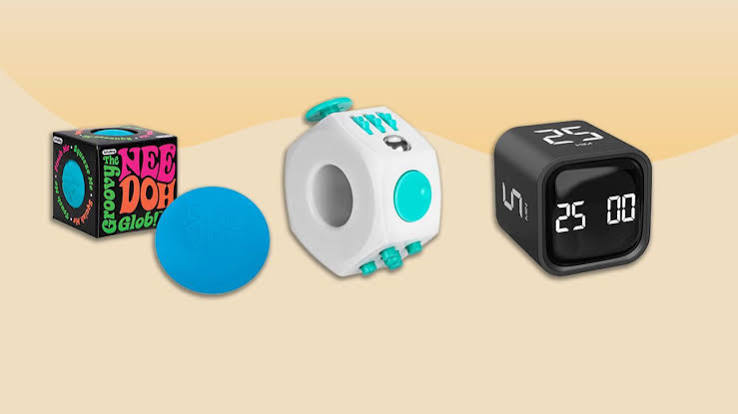
Living with ADHD often feels like trying to juggle with your hands tied behind your back. The core challenges aren’t just about focus—they involve working memory, time perception, and the ability to start tasks. For years, the tech world offered generic productivity apps that assumed a neurotypical brain, leaving many ADHD users frustrated and overwhelmed. But a new wave of tools has emerged, designed specifically to work with the ADHD brain, not against it.
This guide cuts through the noise to explore the best tools across categories—from task management to focus timers to body doubling—and offers practical advice on how to choose and stick with them. Whether you’re an adult navigating work and life, a student juggling deadlines, or a parent supporting a child, you’ll find actionable insights grounded in real-world needs.
Understanding ADHD and Why Tools Matter
ADHD is not just about being easily distracted. It’s a neurological condition that affects executive functions—the brain’s management system. This includes working memory (holding information in mind), time perception (feeling like time moves differently), task initiation (starting things is hard), and emotional regulation. Tools can’t cure ADHD, but they can scaffold these weaknesses, acting like a prosthetic for the brain.
For example, if you struggle with time blindness, a visual timer like the Time Timer shows time as a shrinking red disk, making the abstract concept of time concrete. If you forget what you were doing, a low-friction capture tool like Drafts lets you jot a note in under three seconds. The right tool compensates for a specific deficit, reducing daily friction.
Categories of Tools: What’s Out There
The market is vast, but tools generally fall into six categories:
- Task/Project Management: Apps like Todoist, TickTick, Sunsama, and Amazing Marvin help organize tasks and projects.
- Time Management & Focus Timers: Forest, Focusmate, Pomofocus, and Flow help structure work sessions.
- Distraction Blockers: Freedom, Cold Turkey, Opal, and One Sec limit access to distracting apps and websites.
- Note-Taking & Idea Capture: Obsidian, Notion, Evernote, Drafts, and Otter.ai help capture thoughts and information.
- Habit Trackers & Body Doubling: Habitica gamifies habits, while Focusmate and Flow Club provide virtual co-working.
- Wearables & Neurotech: Muse headband, TouchPoints, and EndeavorRx (an FDA-approved video game for kids) offer biofeedback or cognitive training.
Top Picks in Each Category
Task Management: From Lists to Time-Blocking
Traditional to-do lists often fail because they don’t account for time or priority. Modern ADHD-friendly apps emphasize visual time-blocking and low friction.
- Todoist: Great for simple task capture with natural language input (e.g., “Call dentist tomorrow 9am”). It’s cross-platform and has a clean interface. The free tier is robust.
- TickTick: Combines tasks with a built-in Pomodoro timer and habit tracker. It’s like a Swiss Army knife for ADHD—everything in one place.
- Sunsama: A daily planner that forces you to schedule tasks into your calendar. It’s praised for unifying work and personal life, and it has a “shutdown” ritual to end the day. A bit pricey but worth it for structure.
- Amazing Marvin: Highly customizable, with features like “procrastination busters” and “sprints.” It’s powerful but can be overwhelming to set up—best for tech-savvy users.
Focus Timers: The Pomodoro Technique and Beyond
The Pomodoro technique (25 minutes work, 5 minutes break) is popular, but ADHD brains often need longer or shorter intervals. These tools add a visual or social element.
- Forest: You plant a virtual tree that grows while you focus. If you leave the app, the tree dies. It’s gamified and satisfying, with a real-world tree-planting partnership.
- Focusmate: Body doubling meets Pomodoro. You book a session with a stranger, and you both work on camera for 50 minutes. The accountability is powerful—you don’t want to let your partner down.
- Pomofocus: A simple, free web-based Pomodoro timer with customizable intervals. No frills, but it works.
Distraction Blockers: Digital Fences
These tools block distracting websites and apps, but the best ones also add a moment of reflection.
- Freedom: Blocks websites and apps across all devices, with scheduled sessions. You can set “blocklists” for social media or news.
- Cold Turkey: A more aggressive blocker that’s hard to bypass. You can set strict deadlines and even block the entire internet except for whitelisted sites.
- One Sec: When you try to open a distracting app, it forces you to take a deep breath for a few seconds. This interruption helps you make a conscious choice.
Note-Taking & Idea Capture: Catch It Before It’s Gone
ADHD brains generate ideas constantly, but they vanish quickly. The key is to capture with minimal friction.
- Drafts: Opens directly to a blank page—you can type or dictate instantly. It’s the fastest way to capture a thought.
- Otter.ai: Records and transcribes meetings or voice memos. Great for those who think out loud.
- Notion: A flexible workspace for notes, databases, and projects. It can be overwhelming, but with templates, it becomes a second brain.
- Obsidian: A powerful knowledge base that links notes like a web. It’s excellent for deep thinking but has a learning curve.
Habit Trackers & Body Doubling: The Social and Gameful
Habits are hard to form with ADHD, but gamification and social accountability help.
- Habitica: Turns your habits and tasks into a role-playing game. You earn XP and rewards for completing tasks, and you can join parties with friends.
- Focusmate: Already mentioned, but it’s also a form of body doubling that can be used for any task, not just work.
- Flow Club: Virtual co-working sessions with a facilitator. You share goals and check in—it’s like a study group for adults.
Wearables and Neurotech: The Cutting Edge
These are more expensive and less proven, but they offer a different approach.
- Muse Headband: A meditation headband that gives real-time feedback on brain activity. It’s not ADHD-specific but can help with mindfulness and calming the mind.
- TouchPoints: Wearable devices that vibrate alternately on each wrist, claimed to reduce stress. Some users find them helpful, but evidence is limited.
- EndeavorRx: The only FDA-approved digital therapeutic for ADHD, for children 8-12. It’s a video game that improves attention through adaptive challenges. It’s prescribed by doctors and often used alongside medication.
The ‘Less is More’ Argument and Tool Fatigue
A common problem is “tool fatigue”—downloading dozens of apps and abandoning them within weeks. ADHD brains crave novelty, so static apps lose appeal. Experts suggest starting with one tool and mastering it before adding another. Some coaches even argue that a simple paper notebook and a visible clock can be more effective than any app. The key is to avoid “productivity porn”—endlessly researching tools instead of using them.
Clinical and Skeptical Perspectives
Psychiatrists emphasize that tools are not a substitute for medication or therapy. They are scaffolds, not cures. Many apps claim to be “scientifically proven,” but only EndeavorRx has FDA approval. Cognitive training apps like Lumosity have shown limited transfer to real-world ADHD symptoms. Be wary of overhyped claims and focus on evidence-based approaches.
Choosing the Right Tool for You
Consider your specific challenges:
- If you forget tasks: Use a capture tool like Drafts or a task app with natural language input.
- If you struggle with time: Use a visual timer or time-blocking app like Sunsama.
- If you get distracted by your phone: Use a blocker like Freedom or One Sec.
- If you procrastinate on starting tasks: Use body doubling with Focusmate or a gamified app like Habitica.
Also, consider your ecosystem. If you’re an Apple user, apps like Things and Fantastical integrate well. If you’re on Android, TickTick and Todoist are solid. The best tool is the one you’ll actually use.
Practical Tips for Sticking With Tools
- Start small: Pick one tool and use it for a week.
- Set up forgiveness: Choose apps that allow rescheduling without guilt.
- Make it visual: Use calendars and color coding.
- Involve others: Body doubling or sharing progress with a friend increases accountability.
- Review and adjust: Every month, evaluate what’s working and what’s not. Don’t be afraid to switch.
Conclusion
The right ADHD tool can be life-changing, but it’s not about finding a magic app. It’s about understanding your unique brain and choosing tools that compensate for your specific challenges. Start with one tool, use it consistently, and remember that the goal is to reduce friction, not add more. With the right support, you can harness your ADHD strengths and thrive.
Summary
- ADHD tools are designed to compensate for executive function deficits, not cure the condition.
- Categories include task management, focus timers, distraction blockers, note-taking, habit trackers, and wearables.
- Top picks: Todoist/TickTick for tasks, Forest/Focusmate for focus, Freedom/One Sec for blocking, Drafts/Otter for capture, Habitica for habits.
- Only EndeavorRx is FDA-approved as a digital therapeutic for ADHD.
- Avoid tool fatigue by starting with one tool and focusing on low-friction, visual, and forgiving features.
FAQ
Q: Are ADHD apps scientifically proven?
A: Most are not. Only EndeavorRx has FDA approval. Many apps use gamification and behavioral techniques, but evidence is limited. Look for apps that cite peer-reviewed studies, but be skeptical of grand claims.
Q: Can apps replace medication or therapy?
A: No. Apps are tools to help manage symptoms, but they don’t treat the underlying neurobiology. They work best alongside medication, therapy, or coaching.
Q: What’s the best free ADHD app?
A: It depends on your needs. Todoist and TickTick have free tiers, Forest has a free version, and Pomofocus is free. Start with a free app to see what works before paying.
Q: How do I avoid getting overwhelmed by too many tools?
A: Start with one tool and use it for at least a week. Add another only if needed. Avoid the temptation to try everything at once—this leads to tool fatigue.
Q: Are wearables like Muse or TouchPoints worth the money?
A: They can be helpful for some, but they’re expensive and not specifically ADHD treatments. Try cheaper alternatives first, and consult a healthcare provider before investing.
Leave a Reply