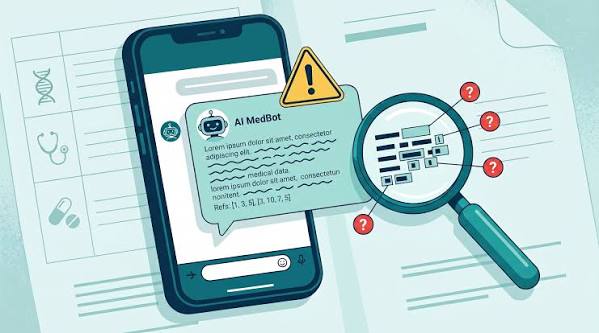
When you feel unwell, the urge to type your symptoms into a chatbot is strong. You get an instant, conversational response—no waiting rooms, no judgment, no cost. But the quality of that response depends heavily on how you ask. A vague question like “I feel tired” often yields a generic list of possibilities. A structured, detailed query can give you a focused set of likely causes, red flags to watch for, and practical next steps.
This guide explains how to frame your questions to get the most useful and safe information from AI symptom checkers and general-purpose chatbots. It also covers the important limitations—these tools are not doctors, and they cannot replace a clinical evaluation. Used wisely, they can help you prepare for a medical visit and make better decisions about your health.
Why AI Symptom Queries Are Different from a Google Search
For years, people “Dr. Googled” their symptoms, scrolling through pages of search results. AI chatbots offer something different: a back-and-forth conversation. They can ask follow-up questions, clarify details, and tailor responses to your specific situation. This shift has made health queries one of the most common uses of AI chatbots since ChatGPT launched in late 2022.
But this conversational power cuts both ways. If you give vague input, you get vague output. If you give rich, structured input, the AI can draw on its medical knowledge base—derived from clinical guidelines and research—to give a more precise differential. The skill of asking well is the difference between a generic answer and a genuinely helpful one.
The Core Principles of a Good Symptom Query
Think of the AI as a very knowledgeable but inexperienced assistant. It needs facts, not assumptions. Here are the key elements to include:
- Start with the basics: Age, sex, and how long the symptom has been present. These details change the likelihood of different conditions dramatically.
- Describe the symptom specifically: Location (e.g., “right upper abdomen”), quality (sharp, dull, burning, throbbing), intensity on a scale of 1–10, and timing (constant, comes and goes, worse at night).
- Include context: Recent travel, changes in diet or sleep, stress levels, current medications, chronic conditions (like diabetes or asthma), and family history of relevant diseases.
- Mention anything you’ve already tried: “I took ibuprofen and it didn’t help” is useful information.
A Sample Query Structure
Instead of writing a paragraph, break your query into bullet points or clear sentences. For example:
I’m a 32-year-old female. For the past 3 days, I’ve had a dull, aching pain in my lower right abdomen. It’s about a 4 on a scale of 10 and doesn’t come and go—it’s constant. It’s worse when I walk. I’ve also had a low-grade fever (99.5°F) and felt nauseous but haven’t vomited. I haven’t traveled recently. I’m not on any medications. I’ve tried rest and over-the-counter pain relievers with no change. What could this be?
This query gives the AI enough to work with. It can then ask follow-up questions (e.g., “Is the pain worse after eating?”) or generate a list of possible causes with likelihood rankings.
Five Questions to Ask After the Initial Query
A good AI response should not be the end of the conversation. Follow up with these targeted questions to get actionable information:
- Ask for red flags: “What symptoms would make this an emergency? When should I go to the ER?” This helps you understand the boundary between safe home monitoring and urgent care.
- Ask for a differential list: “What are the top 3–5 possible causes, from most to least likely?” This gives you a framework for discussion with a doctor.
- Ask what to monitor: “What should I track over the next 24–48 hours?” This turns the AI into a tool for self-observation, not just a one-time oracle.
- Ask about urgency: “How urgent is this? Should I see a primary care doctor, a specialist, or go to urgent care?” This helps you navigate the healthcare system efficiently.
- Ask for questions to ask my doctor: “What should I tell my doctor, and what should I ask them?” This is a powerful use case—AI as a pre-visit organizer.
Safety First: Red Flags and Limitations
AI symptom tools are not diagnostic devices. In most countries, regulatory bodies like the FDA, MHRA, and TGA have not cleared consumer chatbots for diagnosis. They provide information, not medical conclusions. Studies show that symptom checkers list the correct diagnosis in the top three suggestions about 50–70% of the time, but accuracy varies widely by condition and tool. General-purpose chatbots can be confident and wrong—a phenomenon called “hallucination.”
Reputable tools include red-flag screening. If you describe chest pain, sudden severe headache, difficulty breathing, or other signs of a life-threatening condition, they will tell you to seek emergency care immediately. Always heed that advice.
Never use AI to self-treat, delay care, or replace a clinician for serious symptoms. If you have concerns about a symptom, see a healthcare provider.
Privacy: Know Where Your Data Goes
Health information is sensitive. Free consumer chatbots may store your conversations and use them for training. Specialized health tools often have stricter privacy policies—some are HIPAA-compliant (in the US) or GDPR-compliant (in the EU). Before you share symptoms, check the tool’s privacy policy. Avoid sharing identifying details (like your full name or address) with general-purpose chatbots.
The “Good” and “Bad” Use Cases
Good use: AI as a pre-visit organizer. Use it to articulate your symptoms, gather your history, and prepare a list of questions for your doctor. This can make your appointment more productive.
Bad use: Using AI to self-diagnose and treat, especially for serious or persistent symptoms. It can also fuel “cyberchondria”—health anxiety from excessive self-research. If you notice the AI’s responses are increasing your fear rather than clarifying your situation, step away and consult a professional.
Asking an AI about your symptoms can be a useful first step—if you ask well. Structure your query with specific details, follow up with targeted questions about red flags and next steps, and always keep the tool’s limitations in mind. The best outcome of an AI conversation is not a diagnosis but a better-prepared visit with a real doctor. Use AI to inform, not to decide.
Summary
- Be specific: Include age, sex, duration, location, quality, intensity, and context in your query.
- Follow up: Ask for red flags, a differential list, what to monitor, and questions for your doctor.
- Know the limits: AI is not a diagnostic device; it can be wrong or sound confident while hallucinating.
- Use it wisely: AI is a pre-visit organizer, not a substitute for clinical care.
- Protect your privacy: Check the tool’s privacy policy and avoid sharing identifying details.
FAQ
Q: Can AI diagnose my symptoms?
A: No. Most consumer AI chatbots and symptom checkers are not cleared as diagnostic devices. They provide information and suggestions based on patterns, but a definitive diagnosis requires a clinical evaluation.
Q: What is the best way to ask about symptoms?
A: Use a structured format: start with your age, sex, and symptom duration; then describe the location, quality, intensity, and timing; include context like medications, chronic conditions, recent travel, and diet; and mention anything you’ve tried.
Q: How accurate are AI symptom checkers?
A: Studies show they list the correct diagnosis in the top three suggestions about 50–70% of the time, but accuracy varies by condition and tool. They are more reliable for common conditions and less so for rare or complex presentations.
Q: Should I use AI if I have chest pain or trouble breathing?
A: No. For symptoms that could be life-threatening, seek emergency care immediately. Do not wait for an AI response. Many tools will also advise emergency care if you describe these symptoms.
Q: Are my conversations with AI health tools private?
A: It depends. Free general-purpose chatbots may store and use your data. Specialized health tools often have stricter privacy policies and may be HIPAA or GDPR compliant. Always check the policy before sharing sensitive health information.
Leave a Reply