Tag: search

  • Beyond the Keyboard: How 1 in 6 AI Searches Now Speak, Snap, or Film Their Queries

    Beyond the Keyboard: How 1 in 6 AI Searches Now Speak, Snap, or Film Their Queries

    When you think of a web search, you probably picture a text box. But the fastest-growing way to ask an AI for answers doesn’t involve typing at all. More than 16% of searches in AI Mode now include a voice command, a photo, or a video clip. That’s roughly one in every six queries. It’s a shift that’s quietly changing how we interact with information and it’s just getting started.

    What Exactly Is AI Mode?

    AI Mode is a search interface—found in platforms like Google’s Search Generative Experience or Microsoft’s Copilot—that uses generative AI to craft a direct answer instead of a list of links. You can ask a question, get a synthesized response, and even have a follow-up conversation. Historically, these queries were typed. But now, the input can be spoken, snapped, or even filmed.

    The 16% figure marks a sharp rise from the single-digit percentages seen just 12 to 18 months ago. That growth isn’t accidental. It’s the result of three converging technologies: vision-language models (VLMs) that can interpret images, speech recognition accurate enough for noisy real-world environments, and the ubiquity of cameras and microphones on every smartphone.

    Why People Are Pointing Their Cameras at Everything

    The most striking use cases are visual. Imagine your car won’t start. Instead of typing out a vague description, you snap a photo of the engine bay and ask, “What’s this part?” Or you upload a video of a strange noise your washing machine makes and ask, “Why is this happening?” That’s multimodal search in action.

    Shopping is another driver. A user might photograph a piece of furniture and ask where to buy it. Students point their cameras at math problems or historical landmarks for instant context. For people with motor or visual impairments, voice input isn’t just convenient—it’s essential.

    These aren’t edge cases. They’re everyday scenarios, and they’re pushing multimodal adoption forward.

    The Reality Behind the Hype

    Multimodal search feels magical, but it’s worth remembering what’s actually happening. The AI doesn’t “see” the way you do. It processes pixels and audio waves through a model trained on massive datasets. That means it can misidentify objects, struggle with low-resolution images, or stumble over a heavy accent.

    The “garbage in, garbage out” problem gets amplified. A blurry photo or an ambiguous voice command can lead to a confidently wrong answer. That’s a real risk, and it’s one that platforms are still working to mitigate.

    There’s also a business angle. Visual search can connect directly to products—think shoppable ads. Voice search, on the other hand, often returns a single answer with no ad slots at all. This threatens the traditional click-based revenue model. And the compute cost of running vision models is steep, which could lock out smaller players and consolidate power among a few tech giants.

    Privacy is another concern. Uploading a photo or video to a server means sharing more than just pixels—it can include location metadata, faces, or sensitive documents. Many users don’t realize how much they’re giving away.

    The Numbers Aren’t Universal

    The 16% figure is an aggregate, but the reality varies widely. In markets with high smartphone penetration like India or Brazil, the share of multimodal queries may be much higher. In desktop-heavy enterprise settings, it’s likely much lower. Age and tech comfort also play a role—younger users are more likely to reach for the camera.

    And text isn’t going away. Most multimodal queries still include a text prompt or a follow-up clarification. The 1-in-6 figure means 5 in 6 are still text-only. Text remains the backbone; multimodal is the growing branch.

    What’s Next?

    As VLMs improve and on-device processing gets faster, expect the 1-in-6 ratio to climb. The race is on among Google, OpenAI, and Microsoft to make multimodal the default. The tools are already in your pocket—the question is how quickly you’ll start using them.

    The keyboard isn’t obsolete, but it’s no longer the only way to ask. With 16% of AI Mode searches now using voice, image, or video, we’re entering an era where the question matters more than the input method. The next time you reach for your camera to identify a plant or record a strange sound, you’re part of a shift that’s redefining search itself.

    Summary

    • Over 16% of AI Mode searches now include voice, image, or video input.
    • Growth is driven by advances in vision-language models, speech recognition, and smartphone hardware.
    • Common use cases include visual troubleshooting, shopping, education, and accessibility.
    • Multimodal search has limitations—AI can misinterpret images or audio—and raises privacy and business model concerns.
    • The adoption rate varies by region and device, and text remains the primary input for most queries.

    FAQ

    Q: What is AI Mode?
    A: AI Mode is a search interface that uses generative AI to provide direct answers instead of a list of links, allowing for conversational follow-ups and multimodal inputs.

    Q: Does voice search count as multimodal?
    A: Yes, voice is one of the modalities. The 16% statistic includes any non-text input—voice, image, or video.

    Q: Is this just about Google Lens?
    A: No, Google Lens is one example, but the statistic covers all AI Mode interactions across multiple platforms like Bing and ChatGPT.

    Q: Are multimodal searches more accurate?
    A: Not necessarily. AI can misinterpret images or audio, leading to errors, especially with low-quality input.

    Q: Will text search disappear?
    A: No, text remains dominant—5 out of 6 searches are still text-based. Multimodal is growing, but it’s an addition, not a replacement.

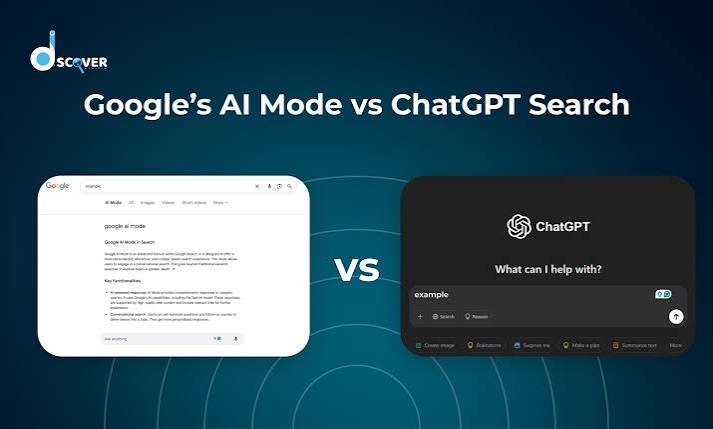
  • Google AI Mode vs. ChatGPT Search: Which AI Search Tool Actually Helps?

    Google AI Mode vs. ChatGPT Search: Which AI Search Tool Actually Helps?

    Two of the biggest names in tech are now fighting over the future of search. Google has rolled out AI Mode, a conversational layer on top of its classic search engine, while OpenAI has turned ChatGPT into a full-fledged search tool. Both promise to replace the old list of blue links with direct, reasoned answers. But they go about it in very different ways.

    One is a search engine with a chatbot grafted on. The other is a chatbot with a search engine tucked inside. That difference shapes everything: how you ask questions, how you follow up, and how much you trust the answers. Here’s a side-by-side look at what each tool actually does, where they stumble, and which one might suit the way you work.

    The Short Version: What Each Tool Is

    Google AI Mode is an opt-in feature inside Google Search, available through Search Labs since March 2025. It uses a custom Gemini 2.0 model to answer complex, multi-step questions directly on the search results page. You type a query like “compare the best OLED TVs for gaming under $1,000,” and instead of links, you get a synthesized comparison with sources cited.

    ChatGPT Search is a built-in feature in ChatGPT, available to all users since late 2024. It uses a fine-tuned GPT-4o (or GPT-4.1) model with a browsing tool that queries Bing’s index and other sources. You ask a question in the chat window, and it responds conversationally with footnoted sources. You can ask follow-up questions in the same thread, refining your search iteratively.

    The core distinction: AI Mode is a search engine that talks; ChatGPT Search is a talker that searches.

    Search Index: The Foundation of Everything

    Google’s index is the largest and most comprehensive in the world, covering billions of pages with real-time updates. AI Mode taps directly into that index, pulling live prices, stock quotes, local inventory, and other fresh data. ChatGPT Search, by contrast, relies primarily on Bing’s index, which is smaller and sometimes less current. OpenAI has been building its own web crawler (GPTBot), but for now, Bing remains the backbone.

    This matters for queries that depend on the latest information. If you ask about a breaking news event or a rapidly changing product price, Google AI Mode has the edge because its index is simply bigger and fresher. ChatGPT Search can still access real-time data through partnerships with news providers like the Associated Press and Reuters, but the underlying index is not as deep.

    Interface: Familiar vs. Conversational

    Google AI Mode lives in a dedicated tab within the Google app or search page. The layout feels familiar—a search bar, a results page—but the answer appears as a paragraph or bulleted list at the top, with links to sources alongside. There’s also a “show thinking” toggle that displays the model’s reasoning steps, a transparency feature that can be illuminating or overwhelming, depending on your patience.

    ChatGPT Search is integrated into the chat interface itself. You don’t need to switch tabs or modes; just ask a question and the model decides whether to search. The answer comes back in a chat bubble with numbered footnotes. You can then ask follow-up questions like “What about the Samsung S90D?” and the model remembers the context. This conversational flow is a major advantage for complex, multi-turn research.

    Follow-Up Questions: The Biggest Practical Difference

    The ability to refine a query is where these tools diverge most. With ChatGPT Search, you can have a back-and-forth dialogue. Ask about OLED TVs, then narrow down by budget, then ask about a specific brand, and the model keeps the thread. This is how real research works—you start broad and drill down.

    Google AI Mode, at least in its current form, is more rigid. Each query is treated as a new search. You can’t say “actually, just the ones under $800” and expect it to remember the previous context. You have to start over or rephrase the entire question. The “show thinking” toggle does reveal the model’s internal reasoning, which can help you understand why it gave a particular answer, but it doesn’t allow for iterative refinement in the same way.

    For a single, complex query, AI Mode shines. For an ongoing research session, ChatGPT Search is far more practical.

    Source Presentation and Trust

    Both tools cite their sources, but they do it differently. Google AI Mode shows inline links within the answer and a separate source panel on the side. This makes it easy to click through and verify claims. ChatGPT Search uses footnote citations—small numbers that you can hover over or click to see the source. It’s unobtrusive but requires an extra step to check.

    Trust is a bigger issue for AI-generated answers than for traditional links. Google has the advantage of brand familiarity and a long track record of search quality. ChatGPT, on the other hand, is a newer entrant but has built trust through its conversational accuracy and transparency about sources. Both are susceptible to hallucination, but the underlying model’s reliability matters more than the interface.

    Pricing and Access

    Google AI Mode is free but requires opting in via Search Labs. It’s not available to everyone by default. ChatGPT Search is free for all users, with rate limits for the free tier; Plus and Pro subscribers get higher limits and priority access. So, out of the box, ChatGPT Search is more accessible—you just open ChatGPT and start asking.

    Business Models and Future Direction

    Google’s AI Mode is ad-free for now, but Google has tested ads in AI Overviews, its earlier AI feature. It’s likely that AI Mode will eventually include sponsored answers or product listings, which could affect the neutrality of results. OpenAI, meanwhile, has no plans for ads in ChatGPT Search. Its revenue comes from subscriptions and API usage, so the priority is keeping users engaged and paying.

    This difference shapes the long-term experience. Google has a financial incentive to push ads, while OpenAI has an incentive to provide the best possible answer to retain subscribers. That’s not to say Google will sacrifice quality, but the ad model is a fundamental part of its business.

    Which One Should You Use?

    There’s no single winner—it depends on how you search.

    • For one-off, complex queries: Google AI Mode is excellent. Ask it to compare products, explain a nuanced topic, or synthesize multiple sources, and you’ll get a well-cited answer fast.
    • For ongoing research projects: ChatGPT Search is the better companion. The ability to ask follow-up questions in the same thread is a game-changer for deep dives.
    • For the freshest data: Google AI Mode, thanks to its larger index.
    • For accessibility: ChatGPT Search, because it’s free and always available.

    Try both. You’ll likely find that each has a place in your workflow. The AI search war is just beginning, and the winners will be the ones who make it easiest to find accurate information—whether that’s through a search box or a chat window.

    Google AI Mode and ChatGPT Search represent two philosophies of AI search: one that enhances the traditional search experience, and one that reimagines it as a conversation. For now, Google AI Mode offers deeper and fresher data, while ChatGPT Search offers a more flexible and interactive way to get answers. As both products evolve—and as OpenAI builds its own index and Google refines its conversational abilities—the gap will likely narrow. But for your daily research needs, the choice comes down to a simple question: do you want to search, or do you want to chat?

    Summary

    • Google AI Mode is an opt-in feature in Google Search that uses Gemini 2.0 to provide conversational, multi-step answers with a “show thinking” toggle.
    • ChatGPT Search is a built-in feature in ChatGPT using GPT-4o with browsing, offering conversational answers with footnote citations and full follow-up context.
    • Key difference: AI Mode uses Google’s massive index; ChatGPT Search relies on Bing’s index (smaller but with news partnerships).
    • User experience: AI Mode is a search engine that talks; ChatGPT Search is a chatbot that searches, allowing iterative refinement.
    • Access: Both are free, but AI Mode is opt-in via Search Labs, while ChatGPT Search is available to all users by default.

    FAQ

    Q: Is Google AI Mode free?
    A: Yes, Google AI Mode is free, but it requires opting in via Search Labs. It’s not available to everyone by default.

    Q: Can I use ChatGPT Search for free?
    A: Yes, ChatGPT Search is free for all users, though free tier has rate limits. Plus and Pro subscribers get higher limits and priority access.

    Q: Which one has fresher data?
    A: Google AI Mode uses Google’s proprietary index, which is larger and updated more frequently. ChatGPT Search relies primarily on Bing’s index, though it has partnerships with news providers for real-time data.

    Q: Can I ask follow-up questions in Google AI Mode?
    A: Not really. Each query is treated as a new search. ChatGPT Search allows full conversational follow-ups in the same thread.

    Q: Does Google AI Mode show ads?
    A: Currently, AI Mode is ad-free, but Google has tested ads in AI Overviews, so ads may come later. ChatGPT Search has no ads and no plans to add them.

  • How AI Search Is Changing the Way We Find Beauty Products

    How AI Search Is Changing the Way We Find Beauty Products

    Finding the right foundation or skincare product online has always been a gamble. You can’t test the texture, see the exact shade on your skin, or know if it will irritate your sensitive complexion. Traditional search engines only understand keywords, so typing ‘best moisturizer’ gives you generic results, not something tailored to your oily, acne-prone skin.

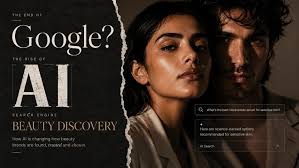
    AI search in beauty is changing that. Instead of scrolling through endless product pages, you can now upload a selfie to get a skin analysis, snap a photo of a celebrity to find a dupe for their lipstick, or type a conversational query like ‘something for dry skin with SPF 30 under $30.’ This technology is growing fast, with the global AI in beauty market valued at $3–4 billion in 2023 and projected to grow 20–25% annually through 2030. Here’s how it works, why it matters, and what it means for shoppers and brands alike.

    The Problem: Beauty Search Is Broken

    Beauty is a tricky category to shop for online. Unlike buying a book or a pair of jeans, you can’t easily know if a product will work for you. Shade names are inconsistent—what one brand calls ‘Sand’ another calls ‘Beige.’ Ingredients have multiple names, and skin concerns vary wildly from person to person.

    This leads to high return rates—estimated at 20–30% for cosmetics—and a lot of abandoned carts. Shoppers face ‘analysis paralysis’ with thousands of options and no clear way to narrow them down. Traditional search engines fail because they match keywords, not meaning. A query like ‘best foundation for oily skin’ returns generic lists, not personalized recommendations.

    How AI Solves It: Visual, Conversational, and Personalized Search

    AI search uses computer vision, natural language processing, and recommendation algorithms to understand what you actually need. Here are the main applications:

    Visual Search: Find Products by Photo

    You can upload a photo of a product, a celebrity, or even your own face. For example, point your camera at a friend’s lipstick and the AI identifies the brand and shade, or finds a dupe. Google Lens and Amazon’s app both offer this. It’s like having a beauty expert who never sleeps and has seen every product ever made.

    Skin Analysis: Know Your Skin, Get Better Recommendations

    Take a selfie and AI scans your face for concerns like acne, pigmentation, wrinkles, and hydration. L’Oréal’s ModiFace and Perfect Corp’s YouCam are leaders here. The AI assesses your skin’s condition and recommends products that address your specific issues. This goes beyond a generic quiz—it’s a personalized assessment based on visual data.

    Conversational Search: Talk to a Virtual Assistant

    Instead of typing keywords, you can chat with an AI assistant. Amazon’s Rufus is an example—it answers questions like ‘What’s a good sunscreen for sensitive skin?’ or ‘Show me a hydrating serum with hyaluronic acid under $50.’ The AI understands natural language and can handle complex, multi-part queries.

    Personalized Recommendations: Beyond Basic Filters

    AI can combine your visual data, purchase history, and stated preferences to recommend products. Sephora’s Color IQ matches foundation shades precisely, and Ulta’s GLAMLab lets you try on makeup virtually. These tools use AI to cut through the noise and present a curated selection just for you.

    The Growth of Long-Tail Searches

    Search volume for AI beauty is growing, but it’s the long-tail queries that are exploding. Head terms like ‘best foundation’ have high volume but low specificity—everyone searches them, but they don’t lead to conversions. Long-tail terms like ‘dupe for Charlotte Tilbury Pillow Talk for fair neutral skin’ are lower volume individually, but collectively they make up the majority of searches. And they convert much better because the searcher knows exactly what they want.

    AI search is perfect for long-tail queries. It can parse them and return precise results. It can even generate new long-tail queries—for example, you might ask ‘show me products for combination skin with niacinamide and no fragrance,’ and the AI will understand and find matches. This is something traditional search can’t do well.

    Why Brands Are Investing Heavily

    Beauty brands have massive datasets—customer photos, purchase history, reviews—that fuel AI training. This gives them a moat. L’Oréal acquired ModiFace in 2018 to get AR try-on and skin diagnostics. Perfect Corp partners with Estée Lauder and Shiseido. Procter & Gamble uses AI for skin analysis. Sephora and Ulta have their own AI tools.

    The payoff is real: brands report 2–3x higher conversion rates with visual search compared to standard search. Lower return rates mean better margins. And AI generates rich customer data that helps with cross-selling and personalized marketing.

    Consumer Concerns: Privacy and Bias

    Not everything is rosy. Uploading face photos raises privacy concerns. Users worry about how their images are stored and used. There’s also the risk of biased recommendations—if the training data skews toward certain skin tones, the AI might not work well for others. Trust is higher for shade matching than for medical advice, so AI should not replace dermatologists.

    The Future: More Conversational, More Integrated

    As generative AI improves, expect more conversational search. You’ll be able to have a back-and-forth with an AI that remembers your preferences and adjusts recommendations in real time. AR will become more integrated—Apple’s Vision Pro is already exploring beauty demos. And as AI gets better, it will handle even more complex queries, making beauty shopping feel more like having a personal shopper in your pocket.

    AI search in beauty is transforming a frustrating shopping experience into a personalized, efficient one. For consumers, it means less guessing and more confidence. For brands, it’s a competitive advantage that drives sales. As the technology matures, the line between searching and shopping will blur—and the beauty industry will never look the same.

    Summary

    • AI search uses visual recognition, natural language processing, and recommendation algorithms to help shoppers find beauty products.
    • Applications include visual search (photo-based), skin analysis (selfie scans), conversational search (chatbots), and personalized recommendations.
    • The AI in beauty market was worth $3–4 billion in 2023 and is growing at 20–25% annually.
    • Long-tail queries (specific, detailed searches) are growing faster than head terms and are where AI excels.
    • Brands like L’Oréal, Sephora, and Amazon are investing heavily, with conversion rates up to 2–3x higher with visual search.

    FAQ

    Q: Is AI search in beauty accurate?
    A: For shade matching and skin analysis, yes, it’s quite accurate—many tools are trained on diverse datasets. However, it’s not a substitute for professional dermatological advice, and accuracy can vary by skin tone.

    Q: Do I have to upload a selfie to use AI beauty search?
    A: Not always. Some tools work with product photos or text queries. But features like skin analysis or virtual try-on require a selfie, which raises privacy considerations.

    Q: Are AI beauty recommendations biased?
    A: There’s a risk if training data isn’t diverse. Some companies are working to improve inclusivity, but it’s an ongoing challenge. Always test products yourself when possible.

    Q: How do I know if a brand uses AI search?
    A: Look for features like ‘virtual try-on,’ ‘skin analysis,’ ‘shade finder,’ or a chat assistant on their website or app. These are typically powered by AI.

    Q: Will AI replace beauty advisors?
    A: It complements them. AI handles routine queries and data analysis, but human advisors are still valuable for nuanced advice and building trust.

  • Beyond Text: How Multimodal AI Search Is Changing the Way We Find Things

    Beyond Text: How Multimodal AI Search Is Changing the Way We Find Things

    You’re in your kitchen, staring at a pile of vegetables and a half-empty fridge. You pull out your phone, take a photo of the ingredients, and type “what can I make with these?” Within seconds, you get recipe suggestions, complete with videos. This isn’t a futuristic fantasy it’s a real example of multimodal AI search, a technology that lets you search using images, voice, and video, not just text.

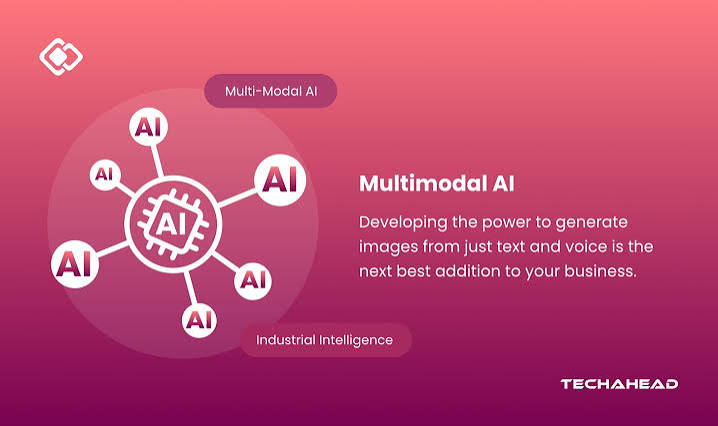
    For decades, search meant typing keywords into a box. But as our digital lives become richer with photos, voice memos, and videos, the way we look for information is evolving. Multimodal AI search understands queries in multiple forms and finds answers across multiple types of content. It’s a shift from ‘searching by typing’ to ‘searching by showing, speaking, or filming.’

    How Multimodal Search Works: The Magic of Embeddings

    At the heart of multimodal search is a concept called embeddings. Think of an embedding as a mathematical fingerprint—a long list of numbers that captures the meaning of a piece of data. For text, an embedding might represent the meaning of a sentence. For an image, it might represent the objects, colors, and layout. For audio, it might capture the words spoken or the tone of voice.

    The key breakthrough is that embeddings from different modalities can be mapped into the same shared space. Imagine a huge coordinate system where a photo of a golden retriever and the text “fluffy dog” are located near each other, because their embeddings are similar. When you search, the system converts your query into an embedding and finds items with embeddings that are closest to it—like finding nearby points on a map.

    This approach, known as vector search, is what powers modern multimodal systems. Instead of matching exact keywords, it measures semantic similarity. So you can search with a picture of a lamp you like, and the system finds visually similar lamps from a catalog, even if they’re described differently.

    From Text to Multimodal: A Brief History

    The journey from text-only search to multimodal search is a story of incremental breakthroughs. In the 1990s, search engines like AltaVista and early Google relied on keyword matching. You typed a word, and the engine found pages with that exact word. It was fast but literal—misspellings or synonyms could trip it up.

    The 2010s brought semantic search. Google’s Hummingbird and RankBrain algorithms started understanding intent and context. If you searched “best way to remove red wine stain,” the engine knew you wanted cleaning advice, not a wine review. But it still worked with text.

    The late 2010s and 2020s saw the rise of neural and vector search. With the advent of transformer models and techniques like CLIP (from OpenAI in 2021), computers learned to connect images and text in a single model. CLIP was a milestone because it showed that a model could learn to understand both images and text together, creating a shared embedding space. This became a foundation for practical multimodal search.

    Now, with the explosion of large language models (LLMs) and vision transformers, systems can not only match an image to text but also reason about them. For example, you can ask, “Why is the sky orange in this photo?” and the AI can infer it’s a sunset, not a wildfire.

    What You Can Do Today: Real-World Uses

    Multimodal search isn’t theoretical—it’s already in your pocket. Here are some concrete examples:

    • Google Lens: Point your camera at a plant, and it tells you what species it is. Take a photo of a landmark, and it gives you its history and nearby restaurants. You can also combine image and text: “Find this chair but in blue.”
    • Voice Assistants: Amazon’s Alexa and Google Assistant let you speak a query. Ask for “videos of how to fix a leaky faucet,” and you get video results. Or, “play the song that goes [humming]”—some assistants can match your hum to the actual song.
    • Visual Shopping: Amazon’s StyleSnap and Pinterest Lens let you upload a photo of an outfit you like, and they find similar clothing items available for purchase. ASOS and IKEA have similar features, boosting conversion rates because shoppers find exact products faster.
    • Video Understanding: Search within videos for specific moments. For example, in a long presentation recording, you can ask, “find the slide where the speaker mentions ‘revenue growth’” and jump to that exact point.
    • Chat with Vision: Tools like ChatGPT with vision (GPT-4o) allow you to upload an image and ask questions about it, like “what’s wrong with this car engine?” based on a photo.

    These are not just gimmicks; they solve real problems. For people with visual impairments, voice search is essential. For non-native speakers, searching with an image can bypass language barriers. For businesses, finding a specific diagram in a PDF or a clip in a video archive saves hours.

    The Tech Behind the Scenes: Vector Databases and More

    To make multimodal search work at scale, you need more than just a model. You need a vector database to store billions of embeddings and retrieve them quickly. Companies like Pinecone, Weaviate, and Milvus offer databases optimized for this task. When you upload an image, the system computes its embedding and stores it. When you search, it computes the query embedding and uses algorithms like approximate nearest neighbor search to find the closest items in milliseconds.

    The entire pipeline also involves preprocessing. For images, that means resizing and normalizing; for audio, converting to spectrograms; for video, sampling frames. These steps ensure the input is in a format the model can process.

    Training these models requires massive datasets. For example, LAION-5B is a dataset with billions of image-text pairs, used to train many open-source models. The compute power needed is enormous, but with cloud GPUs, it’s feasible.

    Challenges and Limitations: Not All Smooth Sailing

    Despite the impressive capabilities, multimodal search faces significant hurdles. First, computational cost: processing images and videos is far more expensive than text. High-resolution images and long videos require heavy computation, which can lead to latency—the annoying delay between pressing search and seeing results.

    Second, noisy real-world inputs: A photo taken in low light, a voice recording with background noise, or a video with shaky camera work can confuse the model. Systems need to be robust to these imperfections.

    Third, data labeling: Training multimodal models requires well-annotated data. Labeling images and videos with descriptions is time-consuming and costly, though methods like contrastive learning (which learns from unlabeled pairs) help.

    Fourth, privacy concerns: Uploading images or audio to a search engine raises questions about data misuse. Users might worry about surveillance or unauthorized use of their data. Companies need to be transparent about how they handle such data.

    Finally, evaluation and bias: It’s hard to measure how well a multimodal search system performs across diverse queries and modalities. Also, models can inherit biases from training data, leading to skewed results for certain groups or objects.

    The Future: Where Are We Headed?

    Looking ahead, multimodal search will likely become even more integrated and seamless. Here are some trends to watch:

    • Real-time understanding: Imagine pointing your phone at a street sign in a foreign country, and the translation appears in augmented reality, with pronunciation audio. This combines image, text, and voice.
    • Multimodal agents: AI assistants that can see your screen, hear your voice, and read your documents simultaneously. They could help you plan a trip by looking at travel photos, listening to your preferences, and pulling up flight options.
    • Integration with wearables: Smart glasses or earbuds that continuously listen and see, allowing you to ask questions about your environment hands-free.
    • Domain-specific search: In medicine, search x-rays for anomalies; in legal, search video depositions for specific testimony; in engineering, search 3D models for parts.

    These advances will require continued improvements in model efficiency, privacy-preserving techniques (like on-device processing), and better evaluation frameworks.

    How to Try Multimodal Search Yourself

    You don’t need to be a developer to experience multimodal search. Here are easy ways to try it today:

    • Use Google Lens: Open the Google app on your phone, tap the camera icon, and point it at objects, plants, or landmarks. Ask follow-up questions like “where can I buy this?”
    • Try voice search: On your phone or smart speaker, say “Hey Google, show me videos of how to knit a scarf” or ask for weather info.
    • Use ChatGPT: Upload an image of a dish you want to identify, and ask, “What’s this and how do I cook it?”
    • Shop visually: On Amazon app, use the camera to search for products. Or, on Pinterest, upload a photo of a room to find similar decor.

    These tools are free and user-friendly, giving you a taste of the future of search.

    Multimodal AI search is more than a convenience—it’s a fundamental change in how we interact with information. By allowing us to search with images, voice, and video, it makes finding things faster, more intuitive, and accessible to more people. As the technology matures, we can expect search to understand not just our words, but our world.

    Summary

    • Multimodal AI search accepts queries and returns results across multiple types of data, like text, images, voice, and video.
    • It relies on embeddings—mathematical representations that map different data types into a shared space, enabling semantic similarity search.
    • Major players include Google Lens, Bing/Copilot, ChatGPT with vision, and Amazon visual search.
    • Real-world uses include identifying plants, finding products with photos, voice-activated video search, and querying within video content.
    • Challenges include computational cost, handling noisy inputs, data labeling, privacy concerns, and bias.
    • The future points to real-time, context-aware assistants integrated into daily life, from wearables to domain-specific tools.

    FAQ

    Q: What is multimodal AI search?
    A: Multimodal AI search is a search system that understands and processes queries in more than one form, such as text plus image, voice, or video, and can return results across multiple content types. For example, you can take a photo of a plant and search for its name, or ask a voice assistant to show you videos on a topic.

    Q: How does it work technically?
    A: It uses multimodal embeddings, which are mathematical vectors that represent the meaning of any data type (text, image, audio) in a common space. The search system calculates similarity between your query’s embedding and those of stored content, retrieving the closest matches.

    Q: What are some common examples of multimodal search in everyday products?
    A: Google Lens (image search), Amazon’s visual search (find a product from a photo), voice assistants like Alexa (voice queries), and ChatGPT with vision (upload an image and ask questions) are all examples.

    Q: What are the main challenges facing multimodal search?
    A: Key challenges include high computational cost, difficulty handling messy real-world inputs, expensive data labeling, privacy concerns with user-uploaded media, and potential biases in the models.

    Q: How can I try multimodal search now?
    A: Use Google Lens on your phone, speak a query to a voice assistant, upload an image to ChatGPT, or use visual search features on shopping apps like Amazon or Pinterest.

  • AI Search vs. Traditional Search: Which One Actually Serves You Better?

    AI Search vs. Traditional Search: Which One Actually Serves You Better?

    When you need an answer, do you type keywords into Google, or do you ask ChatGPT? That choice shapes how you get information, how much you trust it, and how long it takes. Traditional search and AI search are fundamentally different experiences, and knowing the difference can save you time and frustration.

    For over two decades, traditional search has been the default: type a few words, scan a list of blue links, click, refine. But since late 2022, AI search has emerged as a serious alternative, offering direct answers and conversational follow-ups. By 2026, Gartner predicts traditional search volume will drop by 25% as AI chatbots take over more queries. Yet, each approach has clear strengths and weaknesses. This article breaks down the real user experience differences not the hype so you can choose the right tool for the task.

    The Core Difference: Links vs. Answers

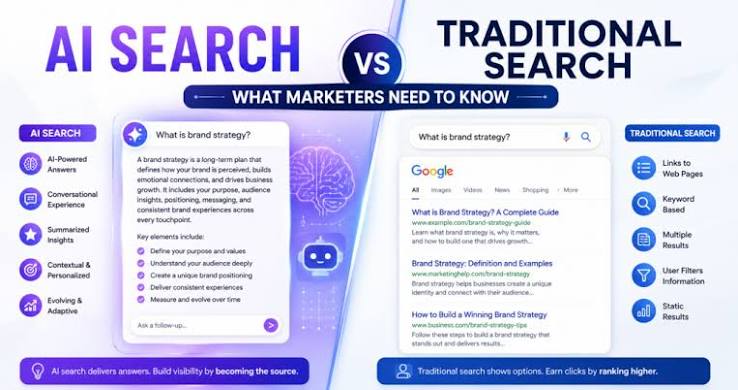
    Traditional search is built around the SERP—the search engine results page. You enter keywords like “best budget laptop for video editing,” and Google returns a ranked list of blue links, with sponsored results at the top. The system is transparent: you see exactly which websites appear, and you can jump in and out of them. The trade-off is that you do the work—scanning, clicking, and comparing.

    AI search, on the other hand, uses retrieval-augmented generation (RAG) to pull content from the web and then synthesizes it into a direct answer. In Perplexity or ChatGPT, you can ask a full question in natural language: “What’s the best budget laptop for video editing in 2025?” The AI returns a concise, cited response that combines multiple sources. No need to click through a dozen tabs.

    That basic shift—from a list of options to a single answer—changes everything about the experience.

    Speed vs. Depth: The Time-to-Answer Trade-off

    AI search wins on raw speed. A well-formed query can produce a solid answer in seconds, with citations. For instance, ask ChatGPT “Summarize the key differences between OLED and QLED TVs,” and you’ll get a bulleted comparison immediately. Traditional search would require you to open multiple reviews and cross-reference specs yourself.

    But speed can come at the cost of depth. Traditional search exposes you to a diversity of perspectives, letting you serendipitously discover a niche blog or a critical review that an AI might have flattened. AI compresses information, which can be great for a quick overview, but it may also lose nuance or over-rely on a few popular sources.

    Consider this scenario: You need to find the official opening hours for a local museum. Traditional search gives you the museum’s website as the top result, and you click through to confirm. AI might also get it right, but if it hallucinates the hours, you could show up to a closed door. For time-sensitive, factual queries, traditional search’s direct access to the source is safer.

    Control and Refinement: Who’s in the Driver’s Seat?

    Traditional search puts you in control. You refine your query with precise keywords:
    – “best budget laptop for video editing” → “best budget laptop for video editing under $800” → “best budget laptop for video editing under $800 with 16GB RAM.”

    You see the URLs, and you can assess the credibility of each source. The process is iterative, and you always know why a result appeared.

    AI search, by contrast, uses conversational context to remember your previous questions. You can say, “What about under $800?” and the AI knows you’re still talking about laptops. This is a huge advantage for multi-step research. But it also requires prompt engineering—you have to learn how to phrase questions clearly to get the best results. Vague questions can lead to broad or useless answers.

    For users who struggle with keyword formulation—non-native speakers, people with low literacy, or those with disabilities—AI’s natural language interface is a game-changer. It removes the barrier of guessing the “right” words.

    Trust: Sources vs. Citations

    Traditional search is transparent about its sources. You see the domain, the snippet, and the page rank. You can judge whether a result comes from a reputable news outlet or a random blog. The system doesn’t “make up” information—it only surfaces what exists.

    AI search relies on source citation and the model’s confidence. Perplexity and ChatGPT show numbered references, which is a step in the right direction. But AI can still hallucinate—confidently generate false information, especially on niche topics or recent events. A 2024 study found that AI Overviews in Google returned incorrect information for 27% of queries tested. That’s a trust risk you don’t have with traditional search.

    However, AI’s synthesis can also be more useful for complex questions. For “Explain the differences between Keynesian and supply-side economics,” an AI can generate a coherent summary that weaves together multiple sources, while traditional search gives you links to Wikipedia, Investopedia, and a few academic papers—leaving you to do the synthesis.

    The Hybrid Reality: Most People Use Both

    The truth is, most users aren’t choosing one over the other. They use both, depending on the task:

    • AI for synthesis: “Summarize this article,” “Compare these two products,” “Explain this concept.”
    • Traditional for verification: Checking official sites, local hours, shopping, and breaking news.
    • Traditional for serendipity: When you want to explore broadly and stumble upon unexpected sources.
    • AI for follow-ups: When you need to drill down on a topic through a conversation.

    A 2025 survey found that 70% of users who tried AI search still used traditional search for at least half of their queries. The key is matching the tool to the job.

    The Skeptical View: Echo Chambers, Ads, and Privacy

    AI search isn’t without its critics. Three main concerns stand out:

    1. Echo chamber risk: Because AI models are trained on popular web content, they may over-represent mainstream perspectives and under-represent fringe or minority viewpoints. Traditional search, for all its flaws, at least shows you a messy, diverse web.
    2. Ad creep: AI search is already monetizing. Perplexity has introduced sponsored follow-up questions, and Google AI Overviews include ads. This could eventually replicate the same ad-driven biases that plague traditional search.
    3. Privacy: Conversational AI retains your query history and context to provide continuity. That’s a privacy trade-off compared to traditional search, where you can browse anonymously or use incognito mode.

    These issues don’t mean AI search is bad—they mean you should be aware of the costs.

    What the Data Says About the Shift

    Gartner’s prediction of a 25% drop in traditional search volume by 2026 is a big deal. It’s driven by younger users: Gen Z already prefers TikTok and AI chat for discovery. But the shift isn’t a complete replacement. Traditional search remains dominant for transactional and local queries—the stuff of daily life.

    For now, the best strategy is to be bilingual in search. Use AI when you need a fast, synthesized answer. Switch to traditional when you need to verify, explore, or find a specific website. The user experience is no longer about one search box—it’s about choosing the right tool for the right moment.

    AI search and traditional search are not enemies—they’re different tools for different jobs. AI is faster and more conversational, but it can hallucinate. Traditional search is transparent and reliable, but it’s slower and requires more effort. The smartest approach is to use both, matching the tool to the task. As AI improves and becomes more integrated, the line will blur, but your role as a savvy user is to stay in control of how you seek information.

    Summary

    • AI search provides direct, synthesized answers via natural language, saving time but risking hallucinations.
    • Traditional search offers transparent, source-visible results, giving users control but requiring more manual effort.
    • Hybrid usage is common: AI for synthesis and traditional for verification, local queries, and shopping.
    • Trust and privacy are key trade-offs: AI relies on citations, while traditional search shows raw URLs; AI retains conversational context, while traditional allows anonymous browsing.
    • Task-dependent choice is the smart strategy: use AI for quick explanations and comparisons, traditional for official sources and breaking news.

    FAQ

    Q: Is AI search faster than traditional search?
    A: Yes, for simple factual queries or summaries. AI compresses multiple sources into a single answer, while traditional search requires clicking through links. However, for complex or time-sensitive queries, traditional search may be faster because you can directly access the source.

    Q: Can AI search be trusted for accurate information?
    A: It depends. AI is generally reliable for general knowledge, but it can hallucinate on niche topics or recent events. Traditional search, by showing you the actual sources, allows you to verify accuracy yourself. Always cross-check AI answers for health, financial, or legal advice.

    Q: Will traditional search disappear?
    A: No, but it will decline. Gartner predicts a 25% drop in traditional search volume by 2026 as AI chatbots take over more queries. Traditional search will likely remain dominant for transactional and local searches, like buying products or finding store hours.

    Q: Is using AI search private?
    A: Less so than traditional search. Conversational AI retains your query history and context to provide follow-up answers. If privacy is a concern, use incognito mode or a traditional search engine like DuckDuckGo for sensitive queries.

    Q: How can I get the best results from AI search?
    A: Be specific and use natural language. Instead of typing “best laptop,” ask “What is the best budget laptop for video editing in 2025?” You can also refine with follow-up questions like “What about under $800?”—the AI remembers context and adjusts its answers.

  • What Does an AI Search Query Really Cost?

    What Does an AI Search Query Really Cost?

    Every time you ask ChatGPT a question or let Perplexity dig through the web, you’re not just typing a query you’re renting a slice of a data center. The bill for that rental is paid somewhere, by someone, and it’s a lot higher than the cost of a traditional Google search. But exactly how much? The answer depends on which model you’re using, how long your prompt is, and whether you’re paying per token or a flat monthly fee. Here’s a breakdown of the real numbers behind AI search economics.

    The Price of a Single Query

    When you use a premium AI model like GPT-4o or Claude 3 Opus, the cost is calculated per token roughly four characters or 0.75 words. A typical query and response might consume between 1,000 and 5,000 tokens total. At GPT-4o pricing, which runs about $2.50 per million input tokens and $10 per million output tokens, a standard query might cost between $0.003 and $0.05. That’s less than a penny for a simple question, but it adds up. If you’re using a more powerful model like Claude 3 Opus with input at $15 per million tokens and output at $75 per million the same query could cost anywhere from $0.02 to $0.40. The variance is huge, and it’s driven by model choice and the length of your conversation.

    Why Subscriptions Make Sense (for Heavy Users)

    Most consumer AI tools charge a flat $20 per month for premium access. That’s the price for ChatGPT Plus, Claude Pro, Perplexity Pro, and Copilot Pro. For a light user who asks a few questions a day, that subscription might be more expensive than paying per query via an API. But for someone who makes 20 or more queries daily, the subscription is almost always cheaper. At $0.05 per query, 20 queries a day would cost $1 per day—$30 a month. So the $20 flat fee is a bargain for power users. The catch is that subscription services often impose rate limits, and they may not give you access to the absolute latest models. But for most people, the convenience and predictability of a subscription win out.

    The Hidden Costs of Free Tiers

    Free tiers exist, but they’re not really free. Providers like OpenAI and Google use them as loss leaders. When you use ChatGPT Free, you’re often getting a smaller, older model like GPT-3.5, and you’re subject to rate limits. The company absorbs the compute cost as customer acquisition spend, hoping you’ll eventually upgrade. Some free tiers are ad-supported, like Perplexity’s sponsored follow-up questions. But even with ads, the cost per query is still 10 to 100 times higher than traditional search. Google can serve a search ad for fractions of a cent, but an AI-generated answer requires GPU time that costs real money. That’s why the free tier experience is always more limited than the paid one.

    The Business Case for AI Search

    For enterprises, the calculus is different. If you’re building a product that uses AI search, you’re looking at API pricing, which scales with usage. But the raw API cost is just the beginning. The total cost of ownership includes integration, prompt engineering, fine-tuning, and human review—often three to five times the API cost. Instead of cost per query, businesses think in terms of cost per resolved ticket or cost per successful answer. A $0.10 AI query that replaces a task that would take a human five minutes is trivially cost-effective. The math changes when you’re dealing with millions of queries, but even then, AI can be cheaper than human labor for many tasks.

    What’s Driving Costs Down

    AI search is getting cheaper every year. Hardware improvements—like NVIDIA’s shift from H100 to B200 GPUs—have dramatically improved price-performance. Model distillation has created smaller models like GPT-4o mini and Claude 3 Haiku that deliver near-frontier quality at a fraction of the cost. Optimization techniques like FP8 inference, speculative decoding, and KV-cache caching reduce compute per query. And the competitive pressure between OpenAI, Anthropic, Google, and Meta has pushed API prices down 50 to 80 percent year-over-year for comparable capability. As costs fall, the economic barrier to AI search disappears, making it viable for more use cases.

    The Provider’s Dilemma

    For providers, consumer subscriptions are a tough business. Margins are thin or negative at $20 per month, especially when users are hammering the service with long, complex queries. Providers are betting on scale and future cost reductions to turn a profit. They’re also using a land-and-expand strategy: offer low API prices to attract developers, then monetize through higher-tier models, fine-tuning services, and enterprise contracts. Some are experimenting with advertising, like Bing’s hybrid search, but it’s unclear if ads can cover the compute costs. The bottom line is that AI search is expensive to run, and providers are still figuring out how to make it sustainable.

    The Bottom Line

    AI search costs more than traditional search, but the gap is closing. For consumers, a $20 monthly subscription is a reasonable price for unlimited access to a powerful tool. For businesses, the cost is justified when it replaces human labor or improves productivity. And for providers, the challenge is to keep costs low while maintaining quality. As hardware and software improve, the cost per query will continue to fall, making AI search increasingly accessible. So next time you get an answer from an AI, remember: it’s not magic, it’s math—and someone’s paying for it.

    The economics of AI search are still in flux, but the trend is clear: costs are falling, and adoption is rising. Whether you’re a casual user, a power user, or an enterprise developer, understanding the cost per query helps you make smarter choices about which tools to use and how to use them. As the technology matures, the cost gap between AI and traditional search will shrink, and AI search will become the default way we find information online.

    Summary

    • AI search queries cost between $0.003 and $0.40 each, depending on model and token usage.
    • Consumer subscriptions at $20/month are cost-effective for heavy users (20+ queries/day).
    • Free tiers use older models and rate limits to manage costs, often supported by ads or as loss leaders.
    • For businesses, total cost of ownership (including integration and review) can be 3–5x raw API costs.
    • Costs are falling due to hardware improvements, model distillation, and competitive pricing.

    FAQ

    Q: How much does a single AI search query cost?
    A: For typical queries using models like GPT-4o, the cost ranges from $0.003 to $0.05. With premium models like Claude 3 Opus, it can be $0.02 to $0.40.

    Q: Is a $20/month AI subscription worth it?
    A: For users who make 20 or more queries daily, yes—the subscription is cheaper than paying per query via API. For light users, a free tier or pay-as-you-go might be better.

    Q: Why are free AI search tiers limited?
    A: Free tiers use smaller or older models and enforce rate limits because each query consumes expensive GPU compute. Providers absorb costs as customer acquisition, hoping users will upgrade to paid plans.

    Q: What are the hidden costs for businesses using AI search?
    A: Beyond API fees, businesses face costs for integration, prompt engineering, fine-tuning, and human review—often totaling 3–5 times the raw API cost.

    Q: Are AI search costs decreasing?
    A: Yes, API prices have dropped 50–80% year-over-year due to hardware improvements, model distillation, and optimization techniques like caching and quantization.

  • How AI Search Personalization Works and Why It Decides What You See

    How AI Search Personalization Works and Why It Decides What You See

    Every time you type a query into Google or Bing, the results you see are not the same as what your neighbor sees. That’s because search engines now use artificial intelligence to tailor results to you based on your past behavior, your location, even the time of day. This process, called AI search personalization, has quietly transformed how we find information online.

    Understanding how it works is not just a technical curiosity. It affects what news you read, which products you buy, and how you form opinions. This article breaks down the mechanics, the data behind it, and the trade-offs so you can be a more informed searcher in an age of personalized answers.

    The Engine: Machine Learning and Natural Language Processing

    At its core, AI search personalization uses two key technologies: machine learning (ML) and natural language processing (NLP). ML is a type of AI that learns from data to make predictions. NLP is a branch of AI that helps computers understand human language.

    Together, they let a search engine do more than match keywords. They allow it to interpret the meaning of your query based on context. For example, if you search for “apple,” the engine must decide: do you mean the fruit or the tech company? It looks at your search history, your location, and other signals. If you’ve recently visited tech sites, it assumes you mean the company. If you’ve been reading recipes, it shows the fruit. That’s query understanding in action.

    Beyond Ranking: How Results Are Reordered for You

    Once the engine understands your intent, it re-ranks the general search index to match your predicted preferences. The index contains billions of web pages, but the order you see them is not universal. The algorithm predicts which pages you’re most likely to click, based on models trained on past behavior of millions of users.

    For instance, if you frequently click on cooking blogs, a search for “chicken recipes” might list those blogs higher than a generic food site. If you never click on video results, the engine might demote YouTube links. This re-ranking is invisible you just see a list of links that feels “right.”

    Contextual Signals: Location, Device, and Time

    Personalization isn’t just about your history. It’s also about your immediate context. Search engines use your IP address or GPS to know your city. Search for “pizza” at 7 PM on a Friday, and you’ll get local pizzerias with delivery options. Search at 7 AM, and you might get breakfast spots instead. The device you’re using matters too mobile users get more local and app-related results, while desktop users see more long-form content.

    These signals are combined to make real-time decisions. The algorithm asks: “What does this person want right now, in this moment?” The answer changes constantly.

    The Rise of AI-Generated Answers

    The biggest shift in recent years is the move from “10 blue links” to AI-generated answers. Google’s AI Overviews, Bing’s Copilot, and Perplexity AI all use large language models to synthesize information directly into a response. Instead of clicking through websites, you get a paragraph that answers your question.

    This makes personalization even more critical. The AI must not only understand your query but also generate content that matches your implied intent. For example, if you ask “How to fix a leaky faucet,” the AI might give a detailed guide for a homeowner, but a plumber might get a more technical answer about valve types. The AI infers your level of expertise from your search history and phrasing.

    Major Players: Who Does It Best?

    • Google uses models like RankBrain, BERT, and MUM. It personalizes results based on your Search History, Location History, and Web & App Activity. Google processes over 8.5 billion searches a day (as of 2024), so even small personalization tweaks have massive scale.
    • Microsoft Bing / Copilot integrates GPT-4 to offer a chat-based search experience. It uses conversational context your follow-up questions to refine results in real time.
    • Perplexity AI takes a privacy-forward approach. It focuses on answer generation with cited sources but uses minimal profile-based personalization. It’s a deliberate contrast to the tracking-heavy approach of Google and Bing.
    • Amazon personalizes product search based on your purchase history and browsing patterns. If you buy diapers, a search for “wipes” shows baby wipes, not cleaning wipes.
    • Social platforms like TikTok, YouTube, and Instagram aren’t web search engines, but they use heavily personalized discovery algorithms. They’ve trained users to expect content that feels tailor-made.

    The Business Driver: Why Personalization Exists

    Personalization isn’t just for user convenience—it’s a revenue engine. When results are more relevant, users click more, stay longer, and engage more. That engagement attracts advertisers, who pay more for highly targeted placements. Google’s core revenue model is ads, and personalization makes those ads more effective. A user who searches “running shoes” and sees a local store’s ad is more likely to buy than one who sees a generic banner.

    This creates a feedback loop: the better the personalization, the more data the engine collects, which improves the personalization further. It’s a virtuous cycle for the company, but it raises questions about privacy and control.

    Privacy Concerns: The Surveillance Economy

    All this personalization comes at a cost: your data. Search engines track your clicks, dwell time, and even your cursor movements. They build a detailed profile of your interests, habits, and beliefs. This data is used not just to personalize results but also to sell targeted ads.

    Regulations like GDPR in Europe and CCPA in California give you some rights. You can request access to your data or ask for it to be deleted. GDPR also includes a “right to explanation” for automated decisions that significantly affect you, though search ranking often escapes that requirement. Still, many users are unaware of how much data is collected. A 2019 study found that most people underestimate the amount of personal information Google holds.

    The Filter Bubble Problem

    Eli Pariser, in his 2011 book The Filter Bubble, warned that personalization can isolate us in echo chambers. If you only click on left-leaning news, you’ll see more left-leaning results. If you never click on conservative sites, they may disappear from your results entirely. This can polarize society by hiding opposing viewpoints.

    Search engines are aware of this criticism. They’ve introduced features like “diversity” signals to show a broader range of perspectives. But the tension remains: personalization by definition filters out content you’re less likely to engage with, which can include content that challenges you.

    The Cold Start Problem

    Personalization isn’t equally applied to everyone. New users, or those using incognito mode, get generic results because the engine has no history to work with. This is called the “cold start” problem. It reveals that personalization is a spectrum, not a binary. The more data you provide, the more personalized your results become—for better or worse.

    The Future: Calibration and Transparency

    Researchers are studying how to “calibrate” personalization—balancing relevance with diversity. Some propose giving users control over how much personalization they want. Others suggest showing why a result was chosen, with explanations like “Based on your search history.”

    As AI answers become more prevalent, the stakes rise. A wrong personalized answer could mislead someone in a critical situation, like a medical query. The technology must evolve to be both accurate and respectful of user agency.

    In the end, AI search personalization is a double-edged sword. It makes search faster and more convenient, but it also shapes your worldview and collects your data in the process. The next time you search, remember: the results aren’t just the web’s answer—they’re your answer, computed by invisible algorithms.

    AI search personalization has transformed search from a one-size-fits-all tool into a deeply individual experience. It’s powered by machine learning and natural language processing, and it uses your data to decide what you see. The trade-offs are real: convenience and relevance come at the cost of privacy and potential echo chambers. By understanding how it works, you can make more informed choices about your searches—and maybe even adjust your privacy settings.

    Summary

    • AI search personalization uses machine learning and natural language processing to tailor results to each user.
    • Key mechanisms include query understanding, result re-ranking, contextual signals, and AI-generated answers.
    • Major players include Google, Bing/Copilot, Perplexity AI, Amazon, and social platforms.
    • Personalization is driven by business incentives—it increases engagement and ad revenue.
    • Concerns include privacy erosion, filter bubbles, and the cold start problem.

    FAQ

    Q: Does Google personalize the same search for everyone?
    A: No. Google personalizes results based on your search history, location, device, and other signals. Two users can search the same term and get different results.

    Q: How can I reduce personalization in my search results?
    A: You can use incognito/private mode, turn off search history tracking in your Google account settings, or use a privacy-focused search engine like DuckDuckGo or Perplexity AI.

    Q: What is a filter bubble?
    A: A filter bubble is a situation where a search algorithm isolates you from content that disagrees with your existing beliefs, showing you only content that reinforces your views. This was popularized by Eli Pariser in 2011.

    Q: Is AI search personalization legal?
    A: Yes, but it’s regulated. In the EU, GDPR requires explicit consent for tracking and gives you the right to access and delete your data. In California, CCPA provides similar rights.

    Q: How do AI-generated answers like Google’s AI Overviews personalize content?
    A: AI Overviews use your search context—such as your history and the phrasing of your query—to generate a tailored answer. For example, a beginner might get a simplified explanation, while an expert might get technical details.

  • The Great Decoupling: Why Search Queries No Longer Match What You Really Want

    The Great Decoupling: Why Search Queries No Longer Match What You Really Want

    You type “best running shoes for flat feet” into Google, but what you really want is a recommendation from someone who’s tested them on the road, not a list of affiliate blogs. Or you ask ChatGPT to “plan a weekend trip to Portland,” but deep down you want a quirky, off-the-beaten-path itinerary, not a generic list of top attractions.

    This gap between the words you type and the goal in your head is widening. Search experts call it the “Great Decoupling” the growing separation between the query and the intent behind it. It’s not just a quirk of modern search; it’s a fundamental shift in how we find information, driven by AI, platform fragmentation, and new user habits.

    Understanding this shift matters for anyone who creates content, markets a product, or simply wonders why Google sometimes feels out of touch. The old rules of search  type keywords, get links, click through are dissolving. In their place, a new ecosystem is emerging where the search engine itself tries to answer your question directly, and where you might not even use a traditional search engine at all.

    The Old Contract: Query to Document

    For two decades, search worked on a simple model: you typed keywords, and the engine returned a ranked list of links. The implicit contract was that the search engine helped you find a page, and that page fulfilled your intent. Keywords were the raw material, and click-through rate was the primary signal of whether the engine had matched your intent correctly.

    This model had its quirks. Users learned to speak “search engine” abbreviating, adding modifiers, and stripping grammar. “Best pizza nyc” replaced “What’s the best pizza place in New York City?” because the former got better results. Intent was inferred from these fragments, and the system worked well enough that Google became a verb.

    But the contract had a flaw: it assumed that a list of links was the end product. The actual work of synthesizing information, comparing options, and making decisions was left to you, the user. You had to click, read, compare, and triangulate. The search engine was a librarian, not an advisor.

    The New Contract: Answer Engines

    Enter large language models. Search engines like Google’s AI Overviews, Bing Copilot, and Perplexity now generate answers directly in the results page. They synthesize information from multiple sources and present a coherent paragraph, complete with citations, instead of a list of blue links.

    The contract has changed. The search engine now fulfills intent itself, rather than pointing you to a page that might. This is a profound shift. For many queries — especially simple, factual ones — you no longer need to click anywhere. The answer is right there.

    But this creates a tension. For publishers, it means fewer clicks, less traffic, and potentially less ad revenue. If Google answers “what’s the capital of France” without a click, that’s fine. But if it answers “best running shoes for flat feet” with a synthesized summary, the dozens of blogs that spent hours testing shoes lose their visitors.

    Google’s own data suggests the effect is mixed. AI Overviews increase clicks for some complex, high-intent queries — because users are more engaged and ask follow-ups — but decrease clicks for simple informational queries. The net impact on traffic is still being debated, but the anxiety among SEO professionals is real.

    The Fragmentation of Intent

    At the same time, users are not relying on a single search engine. The “Great Decoupling” is also a story of platform fragmentation. Different intent types now route to different platforms:

    • Transactional intent — buying something — often starts on Amazon or a brand’s site directly, not Google.
    • Navigational intent — getting to a specific site — is handled by typing a URL or using browser autocomplete.
    • Informational intent — learning facts — might go to Wikipedia, YouTube, or a Q&A site like Reddit.
    • Discovery or exploratory intent — finding something new — increasingly happens on TikTok, Instagram, or Pinterest.
    • Local intent — finding a nearby restaurant or store — goes to Google Maps, Yelp, or Apple Maps.

    For Gen Z, this fragmentation is even more pronounced. Google’s own internal research reportedly found that around 40% of young users prefer TikTok or Instagram for discovery over Google Search. Reddit and TikTok now rank among the top “search engines” for this demographic, even though they’re not traditional search engines at all.

    The result is that no single engine sees the full picture of a user’s intent. A user might search TikTok for product recommendations, then Amazon for price, then Reddit for honest reviews, then Google for a specific fact. Each platform sees only a fragment, and the intent is decoupled from any single query.

    The Rise of Implicit Intent

    Modern interfaces are also moving beyond explicit queries. Multimodal search lets you point your camera at an object and ask “what is this?” — no text needed. Voice search allows for natural, conversational phrasing. Predictive search — autocomplete, “people also ask” — shapes your query before you even finish typing.

    And then there are AI agents. Tools like ChatGPT Search and web-enabled Claude represent a new category: “answer engines.” You state a goal — “plan a weekend trip to Portland” — and the agent decides what to search for, synthesizes results, and even performs multi-step tasks. The query step might disappear altogether.

    This shift from explicit to implicit intent has profound implications. Search engines can infer what you want from context, but they can also get it wrong. When the engine synthesizes an answer, you’re getting one model’s interpretation, not a range of sources. This can create “filter bubbles” where the engine’s synthesis replaces diverse perspectives, and you might not even realize the trade-off.

    What This Means for You

    If you’re a content creator, marketer, or business owner, the Great Decoupling changes the rules of the game. Traditional SEO — optimizing for keywords and backlinks — is no longer sufficient. You need to optimize for being cited by AI systems, and for appearing where your audience actually searches, whether that’s TikTok, Reddit, or an AI chat interface.

    For users, the shift is a double-edged sword. On one hand, you get faster, more direct answers. On the other, you may lose the serendipity of browsing multiple sources, and you must be more aware of the biases and limitations of AI-generated summaries.

    The Great Decoupling is not a temporary trend; it’s a structural change in how we find and consume information. Understanding it is the first step to adapting.

    The Great Decoupling is reshaping the search landscape, and it’s not going to reverse. The days of the keyword-and-link model are fading, replaced by AI-synthesized answers and fragmented platform usage. For publishers, this means adapting to a world where clicks are scarce and citations matter. For users, it means embracing the convenience of answer engines while staying vigilant about their limitations. The gap between what we type and what we want will continue to widen, but with awareness, we can navigate it.

    Summary

    • The Great Decoupling describes the growing gap between search queries and the user’s underlying intent.
    • Generative AI has shifted search from a link-list model to an answer-engine model, where the engine itself fulfills intent.
    • Users now search across multiple platforms (TikTok, Reddit, Amazon) depending on the type of intent, fragmenting the search landscape.
    • Implicit intent (via multimodal, voice, and agentic search) is replacing explicit keyword queries.
    • This shift has major implications for SEO, content creation, and user behavior.

    FAQ

    Q: What is the Great Decoupling in search?
    A: The Great Decoupling is the widening gap between what users type into a search engine (their query) and what they actually want to achieve (their intent). It’s driven by AI-generated answers, platform fragmentation, and new user behaviors.

    Q: Why is search intent becoming harder to match?
    A: Because users now have more ways to search and more diverse platforms for different intents. Also, AI can infer intent from context, but it’s not perfect, and the query itself may be vague.

    Q: Does the Great Decoupling mean the end of SEO?
    A: No, but it means SEO must evolve. Instead of just optimizing for keywords, you need to optimize for being cited by AI and for being visible on multiple platforms where your audience searches.

    Q: How does this affect users?
    A: Users get faster answers, but they may also get biased or incomplete information from AI summaries. It’s important to check sources and be aware of what the AI might be omitting.

    Q: Is Google losing its dominance because of this?
    A: Google still holds about 90% of the search market, but its hold on intent fulfillment is slipping as users turn to other platforms for specific types of searches. The Great Decoupling is a shift in user behavior, not just a technical change.

  • The End of Keyword Strategies: How AI Mode Queries Are Making Traditional SEO Tactics Obsolete

    The End of Keyword Strategies: How AI Mode Queries Are Making Traditional SEO Tactics Obsolete

    When you type a search query, you’re probably using about 2-3 words: “red wine stain removal” or “best hiking boots.” That’s been the norm for over a decade. But a shift is happening. With the rise of AI-powered search modes in Google, Bing, and Perplexity, the average query is now about 7-9 words long roughly three times longer than before. This isn’t just a change in user behavior; it’s a fundamental shift in how search engines understand and rank content.

    For years, SEO has revolved around keywords: sprinkle the right terms into your content, and you’d rank. But AI Mode queries are conversational, full sentences packed with context. “What’s the best way to remove red wine stains from a wool carpet?” is a different beast than “red wine stain removal.” The old tactics of exact-match keywords and meta tags are becoming obsolete. Instead, search engines now focus on understanding intent and delivering synthesized answers. This article explores why longer queries are changing the game and what it means for anyone who creates content online.

    The Numbers Behind the Shift

    The data is clear: traditional search queries average 2-3 words, a figure that’s been stable since the early 2010s. In contrast, AI Mode queries those processed with generative AI assistance average 7-9 words. That’s a threefold increase, and it’s not random. Users are treating search as a conversation, typing complete questions instead of fragmented keywords. This trend is documented across platforms like Google AI Overviews, Bing Copilot, and Perplexity, as well as in industry analyses from Semrush, Ahrefs, and Search Engine Journal.

    But why does length matter? Longer queries carry more semantic context. When someone asks, “What are the most durable hiking boots for rocky terrain in wet conditions?” they’re not just looking for “hiking boots.” They’re specifying durability, terrain, and weather. Search engines can now parse that context to disambiguate intent without relying on exact keyword matches. Lexical matching the old game of “does this page contain the keyword?” becomes less relevant. Instead, the system asks, “Does this page answer the complete question?” That’s a seismic shift.

    From Keywords to Intent: How Search Engines Evolved

    To understand the impact, look at the evolution of search queries. In the early 2000s, queries were 1-2 words, and search engines relied on exact match and meta tags. The 2010s brought 2-3 word phrases with partial matching and Latent Semantic Indexing (LSI). Now, AI Mode handles 7-9 word sentences with semantic understanding and entity-based retrieval.

    The catalyst was the integration of generative AI into search results, starting around 2023-2024. Google AI Overviews, Bing Copilot, and Perplexity AI changed how users interact with search. Instead of typing “best Italian restaurant NYC,” they ask, “What’s a good Italian restaurant in Manhattan that’s open late and has outdoor seating?” This conversational behavior was also normalized by voice search. Smart speakers and mobile assistants conditioned us to speak to search engines naturally, and that habit carried over to typing.

    How do search engines process these longer queries? It’s a multi-step process. First, NLP models parse grammar, entities, and relationships to understand the query’s structure. Then, contextual retrieval pulls from multiple sources to synthesize an answer, not just rank a single page. Finally, the results are presented as synthesized summaries with citations, not just blue links. This is a far cry from the old days of keyword matching.

    Why the Keyword Is Dying

    Traditional SEO was built on a simple premise: match user queries to page content via keywords. If someone searched “best hiking boots,” your page needed that exact phrase. But AI Mode flips this. It matches user intent to comprehensive knowledge. Keywords become just one signal among many—alongside entities, relationships, authority, and freshness.

    Consider a page optimized for “best hiking boots.” Under the old system, that might rank well. But for the query “What are the most durable hiking boots for rocky terrain in wet conditions?” that page would only rank if it comprehensively covers the topic, not just the exact phrase. The keyword is no longer the key; the topic is.

    This is why exact-match keywords are nearly irrelevant. A page that thoroughly addresses durability, terrain, and weather conditions—without ever using the exact phrase—could outrank one that does. The shift is from “does this page contain the keyword” to “does this page answer the complete question.”

    The SEO Industry: Adaptation or Extinction?

    The SEO industry is split on how to respond. Some practitioners argue that SEO is evolving into “content engineering.” The focus moves to topical authority, structured data, and comprehensive coverage. As one argument goes, “We’re not killing SEO, we’re killing bad SEO.” Agencies that cling to outdated keyword-stuffing tactics face a credibility crisis as clients realize those methods no longer work.

    On the other hand, search engines like Google and Bing argue that AI Mode improves user satisfaction by delivering direct answers, reducing the need for multiple searches. But this has a darker implication for publishers: less click-through traffic and more “zero-click” results. When AI answers a question directly, why would a user visit a website? This threatens ad-driven content businesses that rely on pageviews.

    Content Creators: The New Survival Strategy

    For content creators and publishers, the concern is existential. If AI answers questions directly, what’s the point of writing articles? The answer is to pivot to unique value that AI cannot synthesize. This means publishing original research, proprietary data, and interactive content. For example, a site that runs its own surveys or compiles exclusive industry statistics offers something AI can’t simply pull from elsewhere.

    But the risk is real for small sites without unique assets. They may be squeezed out of visibility entirely, as AI summaries cite only the most authoritative sources. The stakes are high, and the adaptation is not optional.

    The User Perspective: Faster Answers, New Risks

    From the user’s side, AI Mode offers faster, more accurate answers to complex questions. Instead of clicking through five pages, you get a synthesized answer with citations. But there are downsides. Over-reliance on AI summaries may reduce information literacy; users might not verify sources. Trust is also an issue—AI hallucinations and citation errors remain a concern. A recent example: an AI summary that cites a study that doesn’t exist, leading users astray. So while the benefits are clear, the risks are real.

    What This Means for Your Content Strategy

    So, what should you do if you’re a content creator, marketer, or business owner? The old keyword strategy is dead, but the need to be found online isn’t. Here are practical steps:

    • Focus on comprehensive coverage: Instead of targeting a keyword, target a topic. Write in-depth guides that answer multiple related questions. For example, a guide on hiking boots should cover materials, terrain types, weather conditions, and durability tests—not just “best hiking boots.”
    • Use structured data: Schema markup helps search engines understand your content’s entities and relationships. This is crucial for AI Mode, which relies on entity-based retrieval.
    • Build topical authority: Publish a cluster of interconnected articles on a subject. This signals to search engines that you’re a reliable source on that topic.
    • Create unique assets: Original research, proprietary data, and interactive tools are things AI can’t replicate. They give users a reason to visit your site.
    • Optimize for conversational queries: Use natural language in your content, including question-based headings and full-sentence answers. Think about how people speak, not how they typed in 2010.

    The Future of Search

    We’re witnessing the end of an era. The keyword, once the foundation of SEO, is being replaced by intent and semantic understanding. AI Mode is not a passing trend; it’s the new standard. As search engines continue to evolve, the winners will be those who adapt to this new reality. The losers will be those who cling to outdated tactics.

    The shift is not just about query length—it’s about how we think about content. Instead of asking “what keywords should I target?” the question becomes “what questions do my users ask, and can I answer them comprehensively?” That’s a more challenging, but ultimately more rewarding, approach.

    The days of keyword-stuffing are over. AI Mode queries, three times longer than traditional searches, signal a move to semantic understanding and intent-based ranking. To stay visible, you must shift from optimizing for keywords to optimizing for knowledge. Cover topics comprehensively, use structured data, and create unique content that AI can’t replicate. Those who do will thrive; those who don’t will fade into obscurity. The end of keyword strategies isn’t a threat—it’s an opportunity to create better content.

    Summary

    • AI Mode queries average 7-9 words, three times longer than traditional 2-3 word searches.
    • Longer queries carry more semantic context, shifting ranking from keyword matching to intent understanding.
    • Exact-match keywords are nearly irrelevant; comprehensive topical coverage is now key.
    • SEO is evolving into content engineering, focusing on topical authority and structured data.
    • Publishers must create unique assets (original research, interactive content) to survive zero-click results.

    FAQ

    Q: What exactly is AI Mode in search?
    A: AI Mode refers to search features powered by generative AI, like Google AI Overviews, Bing Copilot, and Perplexity. These systems provide synthesized answers directly in search results, rather than just a list of links.

    Q: Why are AI Mode queries longer?
    A: Users treat AI search as a conversation, asking full questions with context and constraints. Voice search has also conditioned people to speak naturally, which carries over to typing.

    Q: Does this mean SEO is dead?
    A: No, but traditional keyword-based SEO is becoming obsolete. SEO is evolving into content engineering, focusing on comprehensive coverage, structured data, and topical authority.

    Q: How can I optimize for AI Mode?
    A: Focus on answering complete questions, use natural language in your content, implement schema markup, and build topical authority by publishing in-depth guides on related topics.

    Q: Will AI Mode reduce website traffic?
    A: Possibly, as more searches result in zero-click answers. To counter this, create unique assets like original research or interactive tools that AI can’t synthesize, giving users a reason to visit your site.