Tag: remote work

  • Freelancing vs Full-Time Job: Which Path Really Fits Your Life?

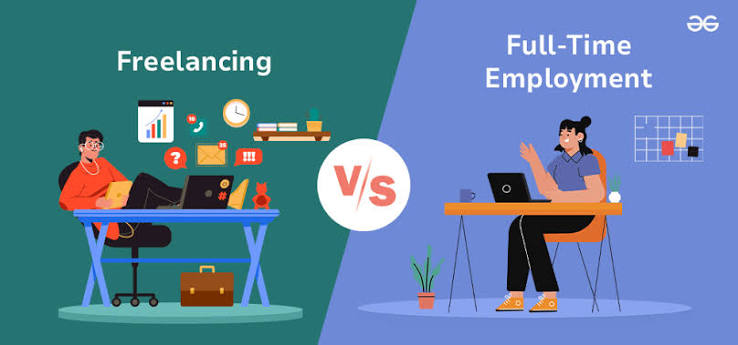
    Freelancing vs Full-Time Employment: Choosing the Right Path - GeeksforGeeks

    The traditional 9-to-5 is no longer the only path to a career. With the rise of digital platforms and remote work, freelancing has exploded in popularity, now encompassing over a third of the U.S. workforce. But choosing between the stability of a full-time job and the freedom of freelancing is not just about money—it’s about your personality, your risk tolerance, and the life you want to build.

    This guide breaks down the real differences—from income volatility to benefits, taxes, and job security—so you can make an informed choice that aligns with your goals. Whether you’re a recent graduate, a mid-career professional, or someone considering a leap, understanding the trade-offs is the first step toward a fulfilling career.

    The Core Differences: More Than Just a Paycheck

    At first glance, the choice between freelancing and full-time employment seems simple: one offers freedom, the other offers security. But the reality is more nuanced. Let’s start with the basics.

    Freelancing means you’re self-employed, selling your services to multiple clients on a project or contract basis. You’re your own boss, but you also handle everything from finding clients to managing taxes. Full-time employment means you work for one employer, typically 35–40+ hours a week, with a steady salary and benefits.

    But the differences go deeper than that. Consider these key areas:

    Income: Predictable vs. Variable

    Full-time employees enjoy a predictable paycheck. You know exactly what you’ll earn each month, which makes budgeting and financial planning straightforward. Freelancers, on the other hand, face significant income volatility. Studies show that freelancers’ income can fluctuate 25–50% month-to-month. One month you might land a big project; the next, you might be scrambling for work.

    However, freelancing offers uncapped earning potential. While a full-time salary is fixed, freelancers can raise their rates as they gain experience and take on multiple clients. For example, a freelance software developer might charge $100–150 per hour, while a full-time developer’s effective hourly rate might be lower when you factor in unpaid overtime and the value of benefits.

    Benefits: The Hidden Paycheck

    Full-time jobs come with a benefits package that’s often worth 20–30% of your salary. This includes health insurance, retirement matching (like a 401k), paid time off, sick leave, and parental leave. In the U.S., about 90% of full-time employees get employer-sponsored health insurance. Freelancers must purchase their own, which can cost $400–800+ per month for an individual plan. They also need to fund their own retirement and save for time off.

    This benefits gap is a major consideration. When comparing a full-time salary to freelance income, you need to add the value of benefits to the full-time side. A $70,000 salary with benefits might be equivalent to $85,000–90,000 in freelance income to cover those costs yourself.

    Job Security: The Illusion vs. The Reality

    Full-time employment offers a sense of security, but it’s not absolute. The average tenure at a job is about 4 years, and layoffs happen. Freelancers face constant client churn—projects typically last 3–6 months—but they also have the ability to diversify their client base, so the loss of one client doesn’t mean total income loss. In fact, many freelancers find that having multiple income streams is more secure than relying on a single employer.

    Taxes and Legalities: The Fine Print

    Freelancers are responsible for paying self-employment tax (15.3% in the U.S. for Social Security and Medicare) plus income tax. Full-time employees split FICA with their employers. Freelancers can also take advantage of tax deductions for home office, equipment, travel, and professional development, which can significantly lower their taxable income.

    Worker classification is another legal issue. Misclassification of freelancers as employees is a growing concern, with laws like California’s AB5 and the EU’s platform work directive aiming to protect workers. This affects your rights and benefits, so it’s important to understand your status.

    The Rise of Freelancing: A Historical Shift

    Freelancing isn’t new—it’s been around for centuries—but it was once a niche choice for journalists, designers, and tradespeople. The dominant model was the full-time job with a career ladder. That started to change in the 2000s with the rise of digital platforms like Upwork and Fiverr, which made it easier to find clients. The 2008 financial crisis pushed many into freelancing as layoffs surged.

    Then came COVID-19, which normalized remote work and accelerated the gig economy. A 2022 Upwork study found that 39% of freelancers now freelance by choice, not necessity—a reversal from earlier years when many felt forced into it. This shift reflects changing worker preferences, especially among Millennials and Gen Z, who value autonomy and flexibility over job security.

    Employers are also driving this change. Companies are increasingly hiring freelancers to reduce overhead—no benefits, no payroll taxes, and the ability to scale up or down quickly. The contingent workforce is projected to be 30–40% of all workers by 2030.

    The Pros and Cons: A Balanced Look

    Why Freelancing Might Be Right for You

    • Autonomy: You control your schedule, clients, projects, and location. Want to work from a beach in Thailand? Go for it.
    • Earning Potential: Your income isn’t capped. You can raise rates, take on more clients, and create multiple income streams.
    • Skill Growth: You’re exposed to diverse industries and challenges, which forces you to adapt and learn quickly.
    • Work-Life Integration: You can design your work around your life, whether that means picking up kids from school or taking a mid-day yoga class.
    • Tax Advantages: You can deduct business expenses, which can lower your tax bill.

    Why Full-Time Employment Might Be Right for You

    • Stability: Predictable income, benefits, and career progression. You know what you’re getting.
    • Psychological Safety: Employer-provided health insurance, retirement plans, and paid leave reduce financial anxiety.
    • Structure and Mentorship: You have access to teams, managers, and institutional learning that can accelerate your career.
    • Social Connection: Colleagues, company culture, and a sense of belonging can be motivating and fulfilling.
    • Lower Administrative Burden: No invoicing, client hunting, or tax complexity. You just do your job.

    The Skeptical View of Freelancing

    Freelancing isn’t all sunshine and roses. Income instability is a major stressor. You also have to deal with the constant hustle of finding clients, managing contracts, and chasing payments. There’s no safety net—no paid sick days, no employer-sponsored health insurance, and no retirement matching. And with global competition, rates can be driven down in some fields.

    Moreover, platform dependence is a concern. Many freelancers rely on platforms that take 10–20% commission, which can suppress wages. And as AI tools advance, some freelance tasks—like basic writing or data entry—are at risk of automation.

    Making the Choice: Questions to Ask Yourself

    1. What’s your risk tolerance? Can you handle the uncertainty of fluctuating income? If not, full-time might be better.
    2. What’s your financial situation? Do you have savings to cover lean months? Can you afford your own health insurance?
    3. What’s your personality? Are you self-motivated and disciplined? Or do you thrive on structure and external direction?
    4. What are your career goals? Do you want to climb the corporate ladder, or do you want to build your own business?
    5. What’s your life situation? Do you have family obligations that require flexibility? Or do you prefer the separation of work and home life?

    There’s no right or wrong answer—it’s about what fits your life. Many people also choose a hybrid approach, working a full-time job while freelancing on the side (the “portfolio career”). This allows you to test the waters without giving up the security of a paycheck.

    The Bottom Line

    Freelancing and full-time employment are both valid paths, but they require different mindsets and skills. Freelancing offers freedom and potential for higher income, but it comes with risk and responsibility. Full-time employment offers stability and benefits, but it may limit your autonomy and earning ceiling.

    As the world of work continues to evolve, the line between these two is blurring. More companies are offering flexible arrangements, and more workers are embracing side hustles. The key is to understand your own values and priorities, and to make a choice that aligns with them.

    Remember, you’re not locked into one path forever. Many people transition between freelancing and full-time work at different stages of their lives. The most important thing is to stay adaptable and keep learning.

    Ultimately, the choice between freelancing and a full-time job is deeply personal. There’s no universal answer—only what’s right for you at this moment in your life. By weighing the trade-offs in income, benefits, security, and autonomy, you can make a decision that supports your financial well-being and your overall happiness. And remember, you can always change course. The modern workforce is fluid, and your career can be too.

    Summary

    • Freelancing offers autonomy, uncapped income, and flexibility, but comes with income volatility, no employer benefits, and self-employment taxes.
    • Full-time jobs provide stability, benefits, and career structure, but may limit earning potential and autonomy.
    • Income volatility: Freelancers see 25–50% monthly fluctuations; full-time employees have predictable paychecks.
    • Benefits gap: ~90% of full-time employees get employer-sponsored health insurance; freelancers must buy their own, costing $400–800+/month.
    • Hybrid models (side hustles) are a popular way to test freelancing without giving up job security.

    FAQ

    Q: Is freelancing more profitable than a full-time job?
    A: It depends. Freelancers have uncapped earning potential and can charge higher hourly rates, but they also face income volatility and must cover their own benefits and taxes. When comparing, add the value of benefits (20–30% of salary) to the full-time side.

    Q: How do taxes differ between freelancing and full-time employment?
    A: Freelancers pay self-employment tax (15.3% in the U.S.) plus income tax, while full-time employees split FICA with their employers. Freelancers can deduct business expenses, which can lower their taxable income.

    Q: Can I do both freelancing and a full-time job?
    A: Yes, many people have a “side hustle” alongside a full-time job. This allows you to test freelancing without giving up the security of a paycheck. Just be mindful of any non-compete clauses in your employment contract.

    Q: What are the biggest challenges of freelancing?
    A: The biggest challenges are income instability, finding clients, managing administrative tasks (invoicing, taxes), and lack of benefits. You also face global competition, which can drive down rates in some fields.

    Q: Is job security better in a full-time job?
    A: Full-time jobs offer more immediate security, but layoffs happen. Freelancers can diversify their client base to reduce risk. The average tenure at a full-time job is about 4 years, while freelance projects typically last 3–6 months.

  • The Ultimate Guide to Remote Team Collaboration Tools: How to Choose and Use Them Wisely

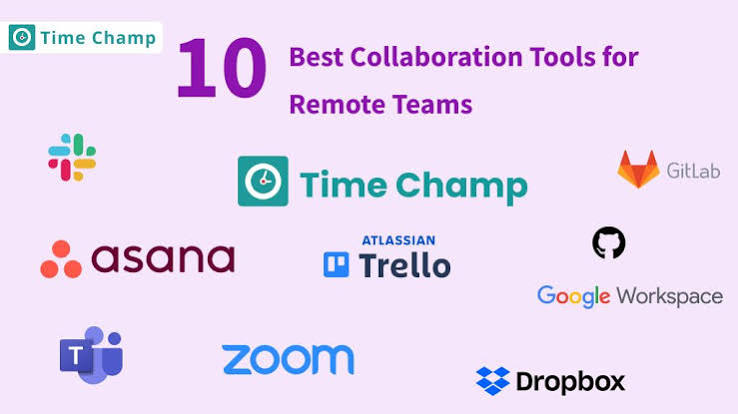
    Top 10 Remote Team Collaboration Tools (Ranked) | Time Champ

    Remote work is here to stay, and with it comes a dizzying array of tools promising to keep your team connected, organized, and productive. From chat apps like Slack to project trackers like Asana, the options seem endless. But here’s the catch: using too many tools can actually hurt your team’s performance, leading to notification fatigue and wasted time. In this guide, we’ll break down the categories of collaboration tools, what they’re best for, and how to build a stack that works—without falling into the trap of tool sprawl.

    Why Remote Collaboration Tools Matter

    When your team is scattered across time zones, the casual ‘over-the-cubicle’ conversations disappear. Collaboration tools fill that gap by providing digital spaces for communication, coordination, and creativity. The global market for these tools is booming—valued at around $18–20 billion in 2023 and growing fast. That’s because effective collaboration isn’t just nice to have; it’s essential for productivity and employee satisfaction.

    But here’s the thing: the tool itself isn’t the magic. It’s how you use it. A well-chosen set of tools can make remote work feel seamless, while a chaotic pile of apps can turn every task into a scavenger hunt. Let’s explore the main categories and what they offer.

    The Building Blocks: Categories of Collaboration Tools

    Real-Time Communication: Chat Apps

    Think of chat apps as the digital watercooler. They’re for quick questions, casual updates, and keeping the team in the loop. The big players are Slack and Microsoft Teams, but there’s also Discord (popular with gaming and tech communities) and Google Chat (if you’re already in the Google ecosystem).

    • Slack has around 32 million daily active users and is known for its intuitive interface and extensive integrations.
    • Microsoft Teams boasts over 300 million monthly active users, partly because it’s bundled with Office 365. It’s a powerhouse if you live in Microsoft’s world.

    These tools shine for synchronous communication—when everyone’s online at the same time. But they can also become a source of constant interruptions. That’s why many teams are exploring async-first alternatives like Twist, which organizes conversations by topic rather than real-time threads.

    Video Conferencing: Face-to-Face, Digitally

    Video calls are the closest thing to meeting in person. Zoom became a household name during the pandemic, peaking at 300 million daily participants. Google Meet and Microsoft Teams also offer robust video, and Webex is a solid enterprise choice.

    Video is great for brainstorming, complex discussions, and building rapport. But beware of ‘meeting fatigue’—too many video calls can drain energy. The key is to use video intentionally, not as a default for every interaction.

    Project Management: Keeping Tasks on Track

    This is where you plan, assign, and track work. Tools like Asana, Trello, Monday.com, ClickUp, and Jira (for software teams) help you visualize projects and deadlines.

    • Asana and Monday.com each have over 100,000 paying customers, proving their popularity.
    • Trello uses a simple Kanban board—great for visual thinkers.
    • ClickUp positions itself as an all-in-one, combining tasks, docs, goals, and more.

    These tools replace the whiteboard and sticky notes, giving everyone a clear view of who’s doing what and when.

    Document Collaboration: Co-Creating in Real Time

    Gone are the days of emailing Word docs back and forth. Google Workspace (Docs, Sheets, Slides) and Microsoft 365 (Word, Excel, PowerPoint) allow multiple people to edit simultaneously, with changes saved automatically. Notion and Confluence go a step further, acting as wikis where you can build knowledge bases, meeting notes, and project docs all in one place.

    This is the backbone of async work—you can leave comments, suggest edits, and track changes without needing everyone online at once.

    File Sharing and Storage: The Digital Filing Cabinet

    You need a place to store and share files. Dropbox, Google Drive, OneDrive, and Box are the usual suspects. They integrate with your other tools, so you can attach files to tasks or chat messages without breaking flow.

    Whiteboarding and Ideation: Brainstorming Without Borders

    When you need to think visually, tools like Miro, Mural, and FigJam offer infinite canvases where teams can sketch, stick notes, and map out ideas together. They’re perfect for design sprints, strategy sessions, and workshops.

    Async Communication: Breaking Free from Real-Time

    Not everything needs an immediate response. Async tools let people contribute on their own schedule, which is crucial for teams spread across time zones. Loom lets you record video messages—great for explaining complex ideas without a live call. Twist organizes conversations by topic, reducing the noise of constant pings.

    The Tool Sprawl Trap: Why Less Can Be More

    It’s tempting to adopt every shiny new tool, but research from Stanford and Harvard Business Review shows that tool overload actually reduces productivity. When you have too many apps, you spend time switching between them, and notifications from multiple sources create cognitive load.

    Imagine your team uses Slack for chat, Zoom for meetings, Asana for tasks, Google Docs for writing, and Dropbox for files. That’s five places to check. Now add a whiteboard tool and an async video app. Suddenly, your team is drowning in tabs and alerts.

    The solution is to build a minimal, intentional stack. Start with one tool per category, and only add another if there’s a clear need. For example, you might choose Microsoft Teams for chat and video (since it does both), Asana for projects, and Google Workspace for documents. That’s three tools covering most needs.

    Best-of-Breed vs. All-in-One: The Great Debate

    Some teams prefer specialized tools that excel at one thing—like Slack for chat and Zoom for video. Others opt for unified platforms like Microsoft Teams or ClickUp that bundle multiple functions. There’s no right answer; it depends on your priorities.

    • Best-of-breed often offers richer features and better user experience, but you’ll juggle more apps and potentially higher costs.
    • All-in-one reduces context-switching and simplifies billing, but you might sacrifice depth in certain areas.

    For a small startup, an all-in-one like ClickUp might be perfect. For a large enterprise with complex security needs, a best-of-breed approach with enterprise-grade tools might be better.

    Enterprise vs. Startup: Different Needs, Different Choices

    Enterprises care about security, compliance, and admin controls. They need features like single sign-on (SSO), audit logs, and data residency to meet regulations like GDPR or HIPAA. Tools like Microsoft Teams and Box offer these enterprise-grade features.

    Startups and small businesses, on the other hand, prioritize ease of use, quick setup, and low cost. They might start with free tiers of Slack, Trello, and Google Workspace, then upgrade as they grow.

    The Employee Experience: Avoiding Collaboration Overload

    Tools are meant to help, but they can also cause burnout. Constant notifications, endless meetings, and the pressure to respond instantly can wear your team down. The best tool is one that reduces noise, not adds to it.

    Consider adopting async-first practices: use recorded updates (Loom), shared docs, and project boards to minimize live meetings. Encourage team members to mute notifications during deep work. And remember, it’s okay to say ‘no’ to a new tool if it doesn’t solve a real problem.

    Security and Privacy: Don’t Overlook the Risks

    Remote tools expand your attack surface. Data breaches, shadow IT (employees using unsanctioned apps), and compliance violations are real concerns. When choosing tools, look for security certifications like SOC 2, GDPR compliance, and end-to-end encryption where needed. Enterprise plans often include advanced security features, so don’t rely on free tiers for sensitive data.

    The Cost Factor: Budgeting for Collaboration

    Subscription costs add up quickly. A team of 50 using five tools at $15/user/month each spends $45,000 a year just on software. That’s a significant line item. When evaluating tools, consider the ROI in terms of time saved—fewer meetings, faster decision-making, and reduced email overload. Sometimes a pricier tool that integrates well can save more money in the long run.

    The Global Time-Zone Challenge: Async is Key

    If your team spans multiple time zones, synchronous tools like live video become less useful. You need tools that support asynchronous work: recorded updates, shared documents, and comment threads. Tools like Loom, Twist, and Notion are designed for this. They let people contribute when they’re online, without waiting for others to be available.

    AI is Changing the Game

    In 2023–2024, major tools are embedding AI features. Microsoft Copilot in Teams can summarize meetings, Slack AI helps with search and thread summaries, Zoom AI Companion takes notes, and Notion AI assists with writing. These features automate mundane tasks, freeing up time for meaningful work. As AI improves, expect even smarter collaboration tools.

    How to Choose the Right Tools for Your Team

    Here’s a practical framework:

    1. Assess your needs: What are your biggest pain points? Too many meetings? Unclear task ownership? Poor document version control?
    2. Involve your team: Ask what they use and what they like. Adoption is key—a tool nobody uses is useless.
    3. Start small: Pick one tool per category, pilot it with a small group, and gather feedback.
    4. Prioritize integration: Choose tools that work well together (e.g., Slack + Google Drive + Asana) to reduce switching.
    5. Review regularly: Your needs will evolve. Reassess your stack every few months and cut tools that aren’t adding value.

    Real-World Examples

    • A marketing agency might use Slack for chat, Zoom for client calls, Asana for campaign tasks, Google Workspace for content docs, and Miro for brainstorming.
    • A software startup might use Discord for community, GitHub for code, Jira for sprints, Notion for internal docs, and Loom for async demos.
    • A global consulting firm might rely on Microsoft Teams for everything (chat, video, files) plus Power BI for reporting, and Confluence for knowledge management.

    Conclusion

    The best remote collaboration tools are the ones that fit your team’s unique workflow. There’s no one-size-fits-all solution. Start by understanding your needs, avoid the temptation to over-tool, and prioritize tools that reduce friction and enhance clarity. With the right stack, your remote team can collaborate just as effectively—if not more—than an in-office one.

    Remote collaboration tools are powerful enablers, but they’re only as good as the strategy behind them. By choosing a minimal, intentional set of tools that address your team’s specific challenges, you can boost productivity, reduce stress, and create a smoother remote work experience. Remember: the goal is not to have the most tools, but to have the right ones.

    Summary

    • Understand the categories: Communication, video, project management, documents, file sharing, whiteboarding, and async tools each serve a distinct purpose.
    • Avoid tool sprawl: Too many apps reduce productivity and increase cognitive load. Build a minimal stack.
    • Consider your context: Enterprises need security and compliance; startups need ease and low cost. Time zones demand async tools.
    • Watch the costs: Subscriptions add up. Evaluate ROI in time saved, not just features.
    • Embrace AI: New AI features in tools like Teams, Slack, and Zoom can automate routine tasks and improve efficiency.

    FAQ

    Q: What’s the difference between Slack and Microsoft Teams?
    A: Both are chat apps, but Teams is deeply integrated with Microsoft 365 (Word, Excel, etc.) and offers more enterprise features like advanced security and admin controls. Slack is known for its user-friendly interface and extensive third-party integrations. Choose based on your existing ecosystem.

    Q: How many collaboration tools does a small team really need?
    A: A small team can get by with 3–4 tools: one for chat (e.g., Slack), one for video (e.g., Zoom), one for project management (e.g., Trello), and one for documents (e.g., Google Workspace). Add more only if there’s a clear need.

    Q: Are free tiers of collaboration tools safe for business use?
    A: Free tiers often lack security controls, admin features, and storage. They’re fine for small teams with non-sensitive data, but for business-critical or confidential information, it’s better to invest in paid plans with proper security.

    Q: How can we reduce meeting fatigue in remote teams?
    A: Adopt async-first practices: use recorded updates (Loom), shared docs, and project boards. Limit live meetings to essential discussions, and encourage team members to mute notifications during deep work.

    Q: What is ‘tool sprawl’ and why is it bad?
    A: Tool sprawl is when a team uses too many overlapping apps, leading to confusion, wasted time switching between them, and notification overload. It reduces productivity and increases cognitive load. The solution is to consolidate and use only what’s necessary.

  • Working from Home: The Good, the Bad, and the Hybrid Future

    The Ultimate Guide to Working From Home - Hourly, Inc.

    Just a few years ago, working from home was a rare perk reserved for a lucky few. Then the pandemic turned it into a global experiment overnight. Now, as millions of us settle into a new normal, the debate over remote work is far from settled.

    This article breaks down the real pros and cons of working from home—for employees, employers, and society—using the latest data and research. Whether you’re negotiating your own schedule or just trying to make sense of the return-to-office headlines, here’s what you need to know.

    The Rise of Remote Work: From 5% to 30%

    Before 2020, only about 5–7% of full U.S. workdays were done from home. Then, in the spring of 2020, that number shot to 60% almost overnight. As the pandemic eased, remote work didn’t disappear—it settled into a new equilibrium. Today, roughly 25–30% of paid full workdays in the U.S. are remote or hybrid, and about 40–50% of employers offer some form of hybrid schedule.

    This shift has been called the biggest change to the American workplace since the rise of the cubicle. And it’s not just a blip: office vacancy rates hit 20% in 2024, the highest in decades. But the story isn’t one-sided. Remote work has clear winners and losers, and the trade-offs are complex.

    The Employee View: Flexibility vs. Isolation

    The Upside: Autonomy, Savings, and Wellbeing

    For many workers, the biggest win is flexibility. No commute means an average of 60–70 minutes saved every day—and $4,000–$6,000 a year in costs. That’s time and money that can go toward family, hobbies, or simply a better night’s sleep.

    Remote work also opens doors for people who might otherwise be left out: those with disabilities, chronic illnesses, or caregiving responsibilities. And without the constant interruptions of office life, many people find they can focus better and get more done.

    The Downside: Loneliness and Blurred Lines

    But the flip side is real. Isolation is a common complaint. Without casual hallway chats or lunch breaks with colleagues, work can feel lonely. And when your home is your office, it’s hard to switch off—emails at 9 PM, thoughts about deadlines at the dinner table. Burnout is a genuine risk.

    There’s also the ‘out of sight, out of mind’ problem. Remote workers often worry—with good reason—that they’ll be passed over for promotions or mentoring opportunities. And not everyone has a quiet home office; distractions from kids, pets, and chores can be just as disruptive as any open-plan office.

    The Employer View: Savings vs. Culture

    The Upside: Lower Costs, Bigger Talent Pool

    For companies, remote work can mean significant savings on real estate, utilities, and supplies. It also expands the talent pool from a single city to the entire country—or even the world. And flexibility is a powerful retention tool: workers consistently rank it as a top reason to stay in a job.

    Productivity is a mixed bag. Stanford economist Nicholas Bloom found a 13% productivity boost in a randomized trial of call-center workers. But that gain isn’t universal. For tasks requiring deep focus, remote work can be a boon. For collaborative, creative work, it often falls short.

    The Downside: Culture, Security, and Management

    Building and maintaining company culture is harder when people are scattered. Spontaneous brainstorming sessions, mentorship moments, and team bonding don’t happen naturally over Zoom. Managers also face a steep learning curve—many were never trained to lead remote teams.

    Security is another headache. With employees logging in from home networks, data breaches and IP leaks become bigger risks. And for some roles, productivity genuinely suffers. It’s no wonder that many companies, from Amazon to JPMorgan, have pushed for return-to-office mandates.

    The Societal Impact: A Tale of Two Workforces

    Remote work isn’t just a personal or corporate issue—it’s reshaping entire cities and economies. Fewer commuters mean less traffic and lower carbon emissions, which is good for the planet. But it also means empty office buildings, hurting downtown businesses, transit systems, and city tax revenues.

    There’s also a stark inequality gap. Remote work is concentrated among college-educated, higher-income professionals. About 60% of jobs—in retail, healthcare, manufacturing, and the like—simply can’t be done from home. So while some workers enjoy newfound flexibility, others are still required to show up in person, often with fewer benefits and lower pay.

    The Hybrid Compromise: A Middle Ground

    Given the trade-offs, many companies have landed on a hybrid model—typically two or three days in the office, the rest at home. This approach tries to capture the best of both worlds: in-person collaboration and culture, plus the flexibility and focus of remote work.

    But hybrid isn’t a magic bullet. It requires careful coordination to avoid ‘proximity bias’—where in-office employees get more opportunities—and to ensure remote days are truly productive. It also demands new norms around meetings, communication, and performance evaluation.

    What the Future Holds

    The remote work debate is far from over. Government mandates, corporate policies, and worker preferences are still in flux. But one thing is clear: the pre-pandemic office-centric model isn’t coming back in full. The genie is out of the bottle, and both employers and employees are learning to navigate a more flexible—and more complicated—world of work.

    Working from home is neither a utopia nor a disaster—it’s a trade-off. For some, it’s a lifeline that enables a better life. For others, it’s a source of loneliness and stalled careers. The key is to design work arrangements that maximize the benefits and mitigate the downsides, whether that’s fully remote, fully in-office, or something in between. As the data continues to roll in, one thing is certain: the way we work has changed forever, and the conversation is just getting started.

    Summary

    • Remote work has stabilized at about 25–30% of U.S. workdays, up from 5–7% pre-pandemic.
    • Employees save 60–70 minutes and $4,000–$6,000 per year on commuting, but face isolation and blurred work-life boundaries.
    • Employers save on real estate and gain a broader talent pool, but struggle with culture, security, and management.
    • Remote work is unevenly distributed, benefiting mostly college-educated professionals while leaving many essential workers out.
    • Hybrid models are the most common compromise, but they require careful design to avoid bias and productivity loss.

    FAQ

    Q: Is working from home more productive?
    A: It depends on the role. Studies show a 13% productivity boost for focused, individual tasks (like call-center work), but collaborative and creative work often suffers. The key is matching the work style to the task.

    Q: What are the biggest challenges of remote work?
    A: For employees, the top challenges are loneliness, difficulty disconnecting, and concerns about career advancement. For employers, they’re maintaining culture, managing remote teams, and ensuring data security.

    Q: How much money can I save by working from home?
    A: On average, remote workers save $4,000–$6,000 per year on commuting, meals, and work-related expenses. You also save about an hour a day in commute time.

    Q: Why are some companies forcing a return to the office?
    A: Companies like Amazon and Google cite the need for in-person collaboration, mentorship, and culture. They also worry about productivity in certain roles and the ‘out of sight, out of mind’ effect on career development.

    Q: What is the future of remote work?
    A: Most experts expect a hybrid equilibrium, with about 25–30% of workdays done from home. However, the exact mix will vary by industry, role, and geography, and policy debates over RTO mandates are likely to continue.

  • The Complete Guide to Remote Work: Facts, Myths, and Best Practices

    Remote Work Vs. Work From Home: An Unsolved Case

    Remote work has transformed from a niche perk to a mainstream reality. The COVID-19 pandemic forced a global experiment that reshaped how and where we work, and the results have stuck. Today, roughly a quarter to a third of U.S. knowledge workers operate in hybrid or fully remote setups, and the trend is global. But remote work isn’t just about working from home—it’s a complex ecosystem involving technology, management, law, and culture.

    This guide cuts through the noise to give you a clear, evidence-based overview of remote work. We’ll explore its history, the key statistics that define its current state, the benefits and challenges from multiple perspectives, and the legal and technological considerations that matter. Whether you’re an employer navigating return-to-office mandates or an employee seeking flexibility, this guide provides the essential facts and insights you need.

    The Evolution of Remote Work

    Remote work isn’t new. In the 1970s, companies like NASA and IBM experimented with telecommuting to save energy and boost productivity. The rise of broadband and cloud computing in the 2000s made it more feasible, but office-centric culture persisted. Then came 2020. When the pandemic hit, nearly 70% of U.S. white-collar workers went remote almost overnight. It was the largest remote work experiment in history, and it worked—at least for many.

    By 2023, the dust settled. Gallup data shows that about 25–30% of U.S. knowledge workers now work hybrid or fully remote. That’s a massive shift from the pre-pandemic baseline of just 5–7%. The trend is global, with Northern Europe and North America leading, and Asia and Latin America catching up. Remote work is here to stay, but it’s still evolving.

    The Numbers: Productivity, Real Estate, and More

    One of the most debated questions is productivity. Meta-analyses of remote work studies find neutral-to-positive effects, with gains ranging from 2% to 13%. But it’s not uniform—it depends on the role, the level of autonomy, and the quality of management. For routine tasks, remote work can boost output; for collaborative, creative work, it can be challenging.

    The real estate impact is stark. U.S. office vacancy rates hit about 20% in major cities by 2024, with San Francisco and New York seeing even higher numbers. This has ripple effects on local economies, from coffee shops to transit systems. On the flip side, remote workers save an average of $3,000–$5,000 per year on commuting costs, and employers save on office space.

    The Employer’s View: Pros and Cons

    For employers, remote work offers significant advantages. Reduced overhead is a big one—no need for massive office footprints. Access to global talent means you can hire the best person for the job, regardless of location. Retention improves too; some studies show 25–50% lower attrition for remote-friendly firms. And with teams spread across time zones, you can offer 24/7 customer support.

    But there are downsides. Management becomes harder when you can’t see your team. Trust and visibility are constant challenges. Company culture can dilute, and onboarding new hires remotely is notoriously difficult. Cybersecurity risks increase, and there’s the potential for wage pressure as you compete globally. It’s a trade-off that requires new skills and strategies.

    The Employee’s View: Flexibility vs. Isolation

    Employees love the flexibility. No commute means more time for family, hobbies, and sleep. You can live anywhere, which is a game-changer for many. Autonomy over your schedule can boost job satisfaction and work-life balance. But it’s not all rosy. Isolation is a real issue—humans are social creatures, and the water cooler conversations are gone. Boundaries blur, leading to burnout. And there’s the ‘out of sight, out of mind’ problem: remote workers often get passed over for promotions because they’re less visible to leadership.

    Home office costs are another factor. Not everyone has a dedicated workspace, and ergonomic setups can be expensive. Plus, the difficulty of disconnecting from work when your home is your office is a constant struggle.

    Society and the Economy: Winners and Losers

    Remote work has broader societal impacts. On the plus side, it reduces traffic congestion and emissions, which is good for the environment. It can revitalize rural areas as workers move away from expensive cities. And it opens up employment opportunities for people with disabilities, caregivers, and others who might struggle with a traditional office commute.

    But there are losers too. City centers are hollowing out, and local businesses that relied on office foot traffic are suffering. Inequality is a concern—remote work primarily benefits knowledge workers, while service and manual labor jobs still require physical presence. The shift is not uniform, and its effects are complex.

    Management and Leadership: A New Paradigm

    Remote work demands a shift from ‘presence-based’ to ‘outcome-based’ management. You can’t just look at who’s at their desk; you have to measure results. This requires new skills: async communication, trust-building, and performance measurement without surveillance. The debate over monitoring software is a flashpoint. Some companies use productivity tracking tools, but they can erode trust and autonomy. The best managers focus on clear goals, regular check-ins, and fostering a culture of accountability.

    Legal and HR Considerations

    Remote work creates a legal minefield. In the U.S., there’s no federal remote work law; it’s governed by state laws, tax rules, and company policy. If employees work across state lines, you run into tax withholding and nexus issues. The ‘convenience of the employer’ rule, for example, can create double taxation for New York residents working remotely for a New Jersey company. In the EU, some countries have a right to request remote work, and the EU Directive on transparent working conditions supports flexibility.

    Data privacy is another concern. GDPR in Europe and CCPA in California apply to remote data handling. BYOD (bring your own device) policies need to be compliant. And workers’ compensation for home injuries is a gray area—if an employee trips over a cable at home, is it work-related? These are questions HR and legal teams must address.

    Technology and Security: The Backbone

    Remote work relies on technology. Cloud SaaS like Google Workspace and Microsoft 365, video conferencing tools like Zoom and Teams, project management platforms like Asana and Trello, and async tools like Loom and Notion are the backbone. But there’s a downside: tool fatigue. ‘Zoom fatigue’ and notification overload are real phenomena that can hurt productivity and well-being.

    Cybersecurity is a major concern. Phishing attacks, unsecured home networks, and BYOD risks are all amplified in a remote environment. Zero-trust architecture—where every access request is verified—is now standard practice. Companies need robust security policies and employee training to mitigate risks.

    Myths and Misunderstandings

    There are many myths about remote work. The biggest is that it’s less productive. The evidence is mixed, but many studies show equal or higher productivity, depending on the role and management. Another myth is that remote workers are always available. In reality, boundaries are crucial, and ‘async’ communication means you don’t expect an immediate response. Finally, some think remote work is a perk that will fade. But the data says otherwise—it’s a permanent feature of the labor market.

    Best Practices for Remote Work Success

    For employees: establish a dedicated workspace, set clear boundaries between work and personal time, and over-communicate. Use async tools to stay connected without constant meetings. For employers: focus on outcomes, not hours. Invest in onboarding and culture-building. Provide ergonomic support and cybersecurity training. And be flexible—one size doesn’t fit all.

    For both: prioritize mental health. Isolation and burnout are real risks. Regular check-ins, virtual social events, and encouraging breaks can help. And remember, remote work is a skill that improves with practice.

    Remote work is not a passing trend—it’s a fundamental shift in how we think about work. It offers incredible benefits in flexibility, productivity, and access to talent, but it also brings challenges in management, culture, and legality. The key is to approach it with intention, using evidence-based strategies and a human-centered mindset. Whether you’re fully remote, hybrid, or back in the office, understanding the dynamics of remote work will help you thrive in the new world of work.

    Summary

    • Remote work has grown from 5–7% of U.S. workers pre-pandemic to 25–30% today, and it’s here to stay.
    • Productivity effects are neutral-to-positive (2–13% gains) but vary by role and management quality.
    • Employers benefit from reduced overhead and global talent access, but face management and culture challenges.
    • Employees enjoy flexibility but risk isolation, burnout, and career advancement gaps.
    • Legal, tax, and cybersecurity considerations are complex and require careful attention.

    FAQ

    Q: Is remote work less productive than office work?
    A: No. Most meta-analyses find neutral-to-positive productivity effects, with gains of 2–13%. It depends on the role, autonomy, and management quality.

    Q: What are the biggest challenges of remote work for employees?
    A: Isolation, blurred work-life boundaries leading to burnout, and reduced visibility for career advancement.

    Q: How can employers manage remote teams effectively?
    A: Shift to outcome-based management, invest in async communication tools, build trust, and provide clear goals and regular check-ins.

    Q: What are the legal issues with remote work across states or countries?
    A: Tax withholding, nexus, and compliance with local employment laws. The ‘convenience of the employer’ rule can cause double taxation in some cases.

    Q: How can I avoid burnout while working remotely?
    A: Set clear boundaries, create a dedicated workspace, take regular breaks, and communicate your availability. Employers should encourage disconnecting after work hours.