As a freelancer, your invoice is more than just a request for payment—it’s a legal record, a tax document, and a reflection of your professionalism. Yet many freelancers rely on hastily thrown-together invoices that miss critical details, leading to delayed payments, tax headaches, and even disputes.
The good news? You don’t need expensive software to create polished, compliant invoices. Free templates are abundant, but not all are created equal. In this guide, we’ll break down what makes a great invoice, where to find free templates, and how to customize them to protect your income and your brand.
Why Invoices Matter More Than You Think
Invoices are the backbone of your freelance business. They serve as formal requests for payment, but they also double as legal documents that track your income for tax purposes. Without a proper invoice, you risk underreporting earnings, failing to enforce payment terms, or even invalidating a tax deduction.
Moreover, a clear, itemized invoice speeds up payment. Clients appreciate invoices that are easy to process through their own accounting systems—frictionless billing means faster cash flow for you.
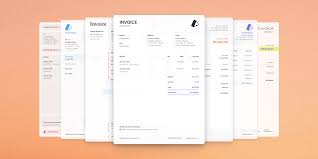
Anatomy of a Professional Invoice
A professional invoice should include the following elements:
- Invoice number: A unique, sequential identifier (e.g., INV-001, INV-002). This helps you track payments and satisfies tax authorities.
- Invoice date and due date: Clearly state when the invoice was issued and when payment is expected (e.g., Net 15, Net 30, or due on receipt).
- Your details: Full name, business name (if applicable), contact information, and tax ID (VAT, GST, or sales tax ID as required).
- Client details: Name and billing address.
- Itemized line items: Description of each service or product, quantity/hours, rate, and subtotal.
- Taxes and discounts: Any applicable taxes (e.g., VAT, sales tax) or discounts, clearly calculated.
- Total amount due: The grand total, prominently displayed.
- Payment terms: Accepted payment methods (bank transfer, PayPal, etc.) and any late payment policy.
- A thank-you note: A small touch that reinforces professionalism and goodwill.
Where to Find Free Templates
You don’t need to pay for invoicing software to get started. Here are some reliable sources for free templates:
- Microsoft Office: Offers a range of invoice templates for Word and Excel. These are customizable and familiar to most users.
- Google Docs/Sheets: The template gallery includes simple invoice templates that are easy to edit and share online.
- Canva: Provides visually appealing invoice templates that you can brand with your logo and colors.
- Adobe Express: Similar to Canva, with a focus on design flexibility.
- Freelancer platforms: Tools like Wave, Zoho Invoice, and FreshBooks offer free templates even if their full software is paid. These often come with built-in calculators and tax fields.
Choosing the Right Template for Your Needs
Consider your workflow and branding:
- The minimalist freelancer: If you want speed and simplicity, a clean one-page template with no frills is ideal. Focus on clarity and ease of use.
- The brand-conscious freelancer: Use invoices as a marketing touchpoint. Add your logo, brand colors, and a professional tone to reinforce credibility.
- The tax-compliant freelancer: Prioritize templates that include all required tax fields for your country. For example, EU freelancers need VAT numbers, while US freelancers may need sales tax IDs.
- The tech-savvy freelancer: Look for templates that integrate with accounting software (e.g., QuickBooks, Xero) or that can be generated via apps like Wave for automation.
- The international freelancer: Ensure the template handles multiple currencies, VAT/GST variations, and multilingual client communication.
Common Pitfalls to Avoid
- Assuming ‘free’ means ‘compliant’: A generic template may not include country-specific tax fields. Always customize for local regulations.
- Confusing invoices with receipts or quotes: A quote is a pre-work estimate; an invoice is a request for payment; a receipt is proof of payment. Mixing them up causes confusion.
- Inconsistent invoice numbering: Skipping numbers or using non-sequential numbering can raise red flags with tax authorities.
- Vague payment terms: Terms like ‘payment due soon’ are unenforceable. Specify exact due dates and late fees.
- Missing tax IDs: Omitting a tax ID or business registration number can invalidate an invoice for tax purposes.
- Manual calculation errors: Spreadsheet templates with formulas are safer than static PDFs to avoid arithmetic mistakes.
- Not saving a copy: Always keep a copy for your records. Some templates prompt you to save or auto-archive.
How to Customize Your Template
Once you’ve chosen a template, customize it to fit your business:
- Add your branding: Insert your logo and use your brand colors.
- Set up your payment terms: Clearly state due dates, late fees, and accepted payment methods.
- Include your tax information: Add your tax ID and any required legal disclaimers.
- Test the calculations: If using a spreadsheet, double-check formulas to ensure totals are correct.
- Save a master copy: Keep a blank master template for future use, and save each invoice as a separate file with a clear naming convention (e.g., ClientName_InvoiceNumber_Date).
Real-World Example: A Simple Invoice in Action
Imagine you’re a freelance graphic designer. You’ve just completed a logo design for a client. Your invoice might look like this:
- Invoice #: INV-2025-014
- Date: March 1, 2025
- Due: March 15, 2025 (Net 14)
- From: Jane Doe, Jane Doe Design, jane@janedoedesign.com
- To: Acme Corp, 123 Business Rd.
- Line items:
- Logo design (1 project) – $500.00
- Revisions (2 hours) – $50.00/hour – $100.00
- Subtotal: $600.00
- Sales tax (8%): $48.00
- Total: $648.00
- Payment: Bank transfer to account #…, or PayPal: jane@janedoedesign.com
- Late fee: 1.5% per month after due date
This invoice is clear, itemized, and leaves no room for ambiguity.
A well-crafted invoice is a cornerstone of your freelance business. By using a free template and customizing it to meet your needs, you can ensure timely payments, stay tax-compliant, and present a professional image to your clients. Take the time to set up a template that works for you—it’s an investment that pays off with every invoice you send.
Summary
- Invoices are legal records for tax filing and payment tracking, not just payment requests.
- A professional invoice includes invoice number, dates, contact details, itemized services, taxes, and payment terms.
- Free templates are available from Microsoft Office, Google Docs, Canva, Adobe Express, and platforms like Wave and Zoho.
- Choose a template that fits your branding, tax requirements, and workflow—whether minimalist, brand-conscious, or tech-savvy.
- Avoid common pitfalls like vague payment terms, missing tax IDs, and manual calculation errors.
FAQ
Q: What is the difference between an invoice, a receipt, and a quote?
A: A quote is a pre-work estimate of costs; an invoice is a formal request for payment after work is done; a receipt is proof of payment. They serve different purposes and should not be confused.
Q: Do I need to include a tax ID on my invoice?
A: In many jurisdictions, yes. For example, EU freelancers must include a VAT number, and US freelancers may need a sales tax ID. Check your local tax authority requirements.
Q: Can I use a free template for international clients?
A: Yes, but ensure the template supports multiple currencies and includes fields for VAT/GST if applicable. You may need to customize it for each client’s country.
Q: How do I avoid late payments?
A: Clearly state your payment terms, including the due date and any late fees. Send invoices promptly and follow up politely if payment is overdue.
Q: Should I use a spreadsheet or a PDF template?
A: Spreadsheets with formulas reduce calculation errors and are easier to update. PDFs are more polished for sending but require manual calculations unless generated by software.