
Tag: CVE

  • Why Python’s str.lower() Can Be a Security Vulnerability (and What to Use Instead)

    Why Python’s str.lower() Can Be a Security Vulnerability (and What to Use Instead)

    You might think converting a string to lowercase is a harmless operation. But in Python, str.lower() can actually introduce serious security holes. This article explains how Unicode case mapping can break security checks, with real-world examples and practical fixes.

    The Hidden Complexity of Case Mapping

    Python’s str.lower() does not just convert ‘A’ to ‘a’. It uses the full Unicode Character Database, which means it can change the length of a string or map a character to something entirely different. For instance, the German letter ‘ß’ (sharp s) uppercases to ‘SS’, so when you call str.upper() on ‘ß’, you get two characters. Conversely, str.lower() on ‘ẞ’ (capital sharp s) yields ‘ß’, one character. This length change can break code that assumes len(s.lower()) == len(s), leading to buffer overflows, index errors, or logic flaws.

    Other examples include the Turkish capital ‘İ’ (I with dot), which lowercases to ‘i’ plus a combining dot, again changing the length. Ligatures like ‘fi’ (U+FB01) become ‘fi’ when lowercased. Even when lengths stay the same, the codepoints change, which can bypass allowlists or normalization checks.

    Attack Vectors and Real-World Incidents

    Authentication Bypass

    Consider a login system that compares usernames case-insensitively using .lower(). An attacker could register a username with a Unicode lookalike that lowercases to the same string as a legitimate user, then log in as that user. For example, the Greek final sigma ‘ς’ lowercases to ‘σ’, so ‘ας’ and ‘ασ’ would be considered equal after .lower(), even though they are different strings.

    Input Validation Bypass

    If you block certain strings by lowercasing input and comparing to a blocklist, an attacker can use a character that expands or changes in a way that slips past the check. For instance, a filter that blocks ‘admin’ might be bypassed using ‘admın’ (with a dotless ‘ı’) which lowercases to ‘admın’ but then NFKC normalization could turn it into ‘admin’.

    Path Traversal

    Case-insensitive filesystem checks often use .lower() to compare paths. If a file system is case-insensitive (like on Windows or macOS), an attacker could craft a path using a Unicode character that, after .lower(), maps to a different path, potentially escaping intended directories. Real-world issues in Django’s get_valid_filename allowed path traversal in some versions due to Unicode case-folding.

    IDN Homograph Attacks

    Domain names can look identical after case-folding but resolve differently. An attacker could register a domain that looks like a well-known one, using characters that lowercase to the same string, tricking users into visiting a malicious site.

    Real-World CVEs

    Several vulnerabilities have been exploited due to Unicode case-folding issues in Python’s standard library:

    • CVE-2019-9636: Python’s urllib had a Unicode normalization issue that allowed URL parsing inconsistencies.
    • CVE-2020-8492: Similar Unicode-related URL parsing flaw in urllib.request.

    These show that even core libraries can be vulnerable.

    The Underlying Problem: Case Mapping Is Not Reversible

    Case mapping is not a one-to-one function. Multiple distinct strings can map to the same lowercased string (collision), and a single string can expand or contract. Security code often assumes len(s.lower()) == len(s), which is false for many Unicode characters. Also, case-insensitive comparison is not the same as equality after lowercasing. The Unicode standard recommends using full case-folding for caseless matching, but even that has edge cases.

    What About str.casefold()?

    Python provides str.casefold() specifically for caseless comparisons. It is more aggressive than .lower(): it removes all case distinctions, including the German ‘ß’ → ‘ss’ mapping. For most applications, you should use casefold() instead of .lower() when you need case-insensitive string comparison. However, casefold() also has its own quirks, so it’s not a silver bullet.

    Best Practices for Secure String Handling

    • Use casefold() for case-insensitive comparison, not .lower().
    • Normalize strings with unicodedata.normalize('NFKC', s) before comparing or storing, to reduce visual spoofing.
    • Avoid case-insensitive matching for security-critical decisions if possible. Instead, compare exact strings or use canonical forms.
    • Be aware of length changes when processing user input; always check lengths after transformations if you rely on them.
    • Test your code with Unicode edge cases (like ‘ß’, ‘İ’, ligatures) to ensure you don’t have assumptions about string length.

    Conclusion

    Python’s str.lower() is a convenience that can become a security liability if used carelessly. Understanding the complexities of Unicode case mapping is essential for writing secure code. By using casefold(), normalizing, and avoiding case-insensitive checks in security contexts, you can mitigate these risks.

    While str.lower() seems harmless, it can introduce subtle security bugs. Always consider the Unicode implications and prefer casefold() for case-insensitive comparisons. Stay vigilant and test your code against Unicode edge cases to keep your applications secure.

    Summary

    • Python’s str.lower() uses Unicode case mapping, which can change string length and codepoints.
    • This can lead to authentication bypass, validation bypass, path traversal, and IDN homograph attacks.
    • Real-world vulnerabilities include CVE-2019-9636 and CVE-2020-8492.
    • Use str.casefold() for case-insensitive comparisons and normalize strings with NFKC.
    • Avoid case-insensitive matching for security decisions when possible.

    FAQ

    Q: Is str.lower() always unsafe?
    A: No, it’s safe for many use cases like display or simple checks. But it’s dangerous for security decisions where case-insensitive comparison is needed.

    Q: What is the difference between .lower() and .casefold()?
    A: .lower() uses Unicode case mapping, which may not handle all cases (like ‘ß’). .casefold() removes all case distinctions, including ‘ß’ → ‘ss’, making it better for caseless matching.

    Q: Can I use .lower() for usernames?
    A: It’s risky. Better to use .casefold() and normalize with NFKC to reduce spoofing risk.

    Q: Are there any alternative methods?
    A: You can use unicodedata.normalize() and then compare exact strings, or use libraries like idna for domain names.

    Q: How can I test my code for Unicode vulnerabilities?
    A: Write tests with characters like ‘ß’, ‘İ’, ‘ς’, and ligatures, and check that your code doesn’t break on length changes or unexpected mappings.
  • SQLite’s ‘Critical’ CVEs: Real Threats or LLM Slop?

    SQLite’s ‘Critical’ CVEs: Real Threats or LLM Slop?

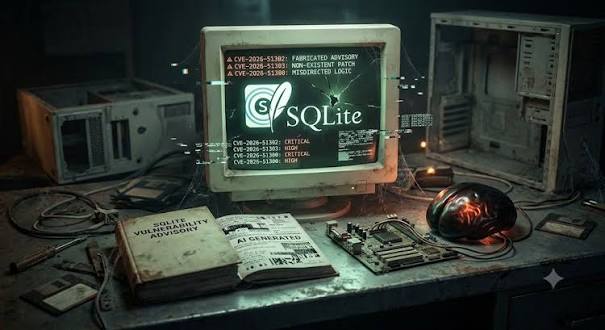
    SQLite is the most widely deployed database engine on the planet, quietly powering everything from your smartphone’s contacts app to your web browser’s local storage. So when a report surfaces claiming ‘critical’ vulnerabilities in SQLite, it’s natural to pay attention. But a recent analysis from JFrog, a leading software supply chain security company, suggests that some of these alarming headlines may be more noise than signal—and that the rise of AI-generated content, or ‘LLM slop,’ is making it harder to separate real threats from exaggerated ones.

    In this article, we’ll break down what the JFrog research actually found, why SQLite’s architecture makes many ‘critical’ ratings questionable, and how the broader security community is grappling with the challenge of AI-generated misinformation. By the end, you’ll have a clearer picture of how to evaluate CVE severity claims and why context matters more than a scary CVSS score.

    The SQLite Vulnerability Scare

    SQLite is a self-contained, serverless SQL database engine that is embedded in virtually every smartphone, web browser, and countless desktop applications. Its ubiquity means that any vulnerability has the potential to affect billions of devices. So when a CVE (Common Vulnerabilities and Exposures) is published with a ‘critical’ severity rating, it’s natural for developers and security teams to sit up and take notice.

    Recently, a series of SQLite CVEs made headlines, with some databases and media outlets labeling them as ‘critical.’ The implication was that attackers could remotely compromise systems running SQLite, leading to data breaches or code execution. But JFrog’s research team decided to take a closer look, and their findings challenge the initial hype.

    JFrog’s Analysis: Why ‘Critical’ May Be Overblown

    JFrog’s researchers examined the specific CVEs in question and found that the ‘critical’ ratings did not hold up under scrutiny. Their analysis focused on real-world exploitability—whether an attacker could actually reach the vulnerable code in a typical deployment. In many cases, the answer was no.

    One key factor is SQLite’s build configuration. SQLite is highly customizable, and many features are optional. A vulnerability might only be exploitable if a specific, non-default build flag is enabled. For example, a particular extension or API might be disabled by default, making the vulnerable code path unreachable in standard installations. JFrog’s report highlighted that some of the ‘critical’ CVEs relied on such obscure configurations, meaning the actual risk to most users was minimal.

    Another factor is the attack vector. Some vulnerabilities require local access to the system, meaning an attacker would already need to have a foothold on the device. In such cases, the severity is often rated lower because the attacker already has significant control. JFrog argued that some of the SQLite CVEs were being rated as ‘critical’ despite requiring local access, which inflates the perceived risk.

    The ‘LLM Slop’ Problem in Security Reporting

    The title of JFrog’s blog post—’SQLite Critical CVEs or LLM Slops?’—points to a growing concern in the security community: the proliferation of low-quality, AI-generated content that can mislead and misinform. The term ‘LLM slop’ refers to articles, summaries, or even vulnerability reports that are generated by large language models without proper human oversight. These AI-generated pieces often sound plausible but lack the deep technical analysis needed to accurately assess a vulnerability’s severity.

    In the case of SQLite, JFrog suggests that some of the ‘critical’ ratings may have originated from or been amplified by AI-generated content that simply repeated or exaggerated claims without verifying them. This creates a cascade effect: a flawed initial report gets picked up by other AI tools, leading to a chorus of alarming headlines that are disconnected from reality.

    This is not just a theoretical concern. The security industry relies on accurate CVE data to prioritize patching efforts. If ‘critical’ ratings are inflated, security teams may waste time and resources addressing non-issues while real threats go unnoticed. Worse, it erodes trust in the CVE system itself.

    The Reality of SQLite’s Security Posture

    To understand why JFrog’s analysis is credible, it helps to know a bit about SQLite’s development philosophy. The SQLite core team, led by D. Richard Hipp, is known for an obsessive focus on testing and reliability. SQLite has one of the most extensive test suites in the software world, with millions of test cases covering edge cases and potential failure modes. This rigorous approach means that many vulnerabilities are caught before release, and those that do slip through are often subtle and difficult to exploit.

    Furthermore, SQLite’s architecture is designed to be simple and secure. It runs in-process, meaning it doesn’t have a separate server that can be attacked remotely. This reduces the attack surface compared to client-server databases like MySQL or PostgreSQL. While SQLite is not immune to vulnerabilities, the practical exploitability is often much lower than the CVSS score might suggest.

    What This Means for Developers and Security Teams

    The key takeaway from JFrog’s research is not that SQLite is perfect, but that CVE severity ratings must be evaluated in context. A ‘critical’ rating is a starting point, not a final verdict. When a new CVE is announced, developers should ask:

    • Is the vulnerable code path reachable in my configuration?
    • Does the attack require local access or remote access?
    • What is the actual impact if exploited?

    For SQLite specifically, most users are running standard builds with default settings, which means many of the ‘critical’ CVEs may not apply. However, it’s still important to stay informed and patch when necessary, especially if you use SQLite in a non-standard way.

    The Broader Conversation: AI and Security

    JFrog’s blog post has sparked a lively discussion on Hacker News and other platforms, with many commenters weighing in on the role of AI in security reporting. Some argue that AI tools are just tools, and the problem lies in how they are used. Others point out that the term ‘LLM slop’ is dismissive and that AI-generated content can be valuable if properly curated.

    Regardless of where you stand, the SQLite CVE controversy highlights a real problem: the security information ecosystem is becoming noisier, and it’s harder to find reliable, accurate analysis. This is why research from organizations like JFrog is so valuable—they provide the deep technical analysis that cuts through the noise.

    As AI continues to evolve, we can expect more of these situations. The challenge for the security community will be to develop better mechanisms for verifying and validating vulnerability reports, and for communicating severity in a way that is both accurate and actionable.

    The SQLite ‘critical’ CVE scare is a cautionary tale about the dangers of taking severity ratings at face value. JFrog’s analysis shows that many of these vulnerabilities are not as severe as they appear, and that the rise of AI-generated content is making it harder to separate fact from fiction. For developers, the lesson is clear: always evaluate CVEs in the context of your own deployment, and rely on trusted sources for deep technical analysis. As the security landscape becomes increasingly noisy, critical thinking and skepticism are more important than ever.

    Summary

    • JFrog’s research suggests that some SQLite CVEs labeled ‘critical’ are not actually exploitable in most real-world scenarios.
    • The ‘critical’ ratings often depend on non-default build configurations or require local access, reducing their practical impact.
    • The term ‘LLM slop’ refers to AI-generated content that can inflate or misrepresent vulnerability severity, contributing to false alarms.
    • SQLite’s rigorous testing and simple architecture make it more resilient than many other databases, but context is key when assessing risk.
    • Developers should evaluate CVEs based on their specific use case, not just the CVSS score.

    FAQ

    Q: What is SQLite?
    A: SQLite is a self-contained, serverless SQL database engine that is embedded in most smartphones, web browsers, and countless applications. It requires no configuration and runs in-process, making it extremely popular for local storage.

    Q: Why are SQLite CVEs often rated ‘critical’?
    A: Some CVEs receive high CVSS scores due to factors like remote attack vector or potential for data loss. However, these scores may not account for real-world conditions, such as whether the vulnerable code is reachable by default or requires special privileges.

    Q: What is ‘LLM slop’?
    A: ‘LLM slop’ is a term for low-quality, often AI-generated content that is plausible-sounding but lacks depth or verification. In security, it can lead to exaggerated severity claims or false alarms.

    Q: Should I be worried about SQLite vulnerabilities?
    A: In most cases, no. If you’re using a standard SQLite build with default settings, many ‘critical’ CVEs are not exploitable. However, it’s always good practice to stay updated and patch when necessary.

    Q: How can I evaluate a CVE’s severity for my own use?
    A: Look beyond the CVSS score. Consider the attack vector (remote vs. local), whether the vulnerable feature is enabled in your configuration, and the potential impact. Trusted security research from organizations like JFrog can provide deeper analysis.